25
Common Operations
Playback Mode
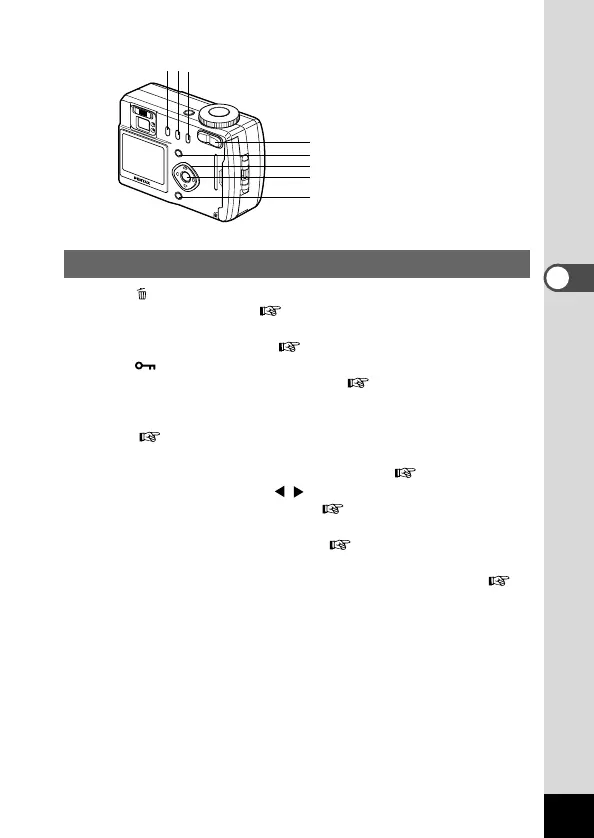
q button
Deletes the image. ( p.58)
w DPOF button
Sets the print service. ( p.61)
e button
Protects the image from erasure. ( p.60)
r Zoom button
Changes the size of the image displayed on the LCD monitor.
( p.53)
t Menu button
Displays the active menus in Play mode. ( p.29)
y Four-way controller ( )
Displays images one by one. ( p.21)
u OK button
Displays nine images at once. ( p.56)
i Display button
Changes the information displayed on the LCD monitor. (
p.55)
e
r
t
y
u
i
qw













 To Next Page