EN-48
MOVIE MODE
Recording Video Clips
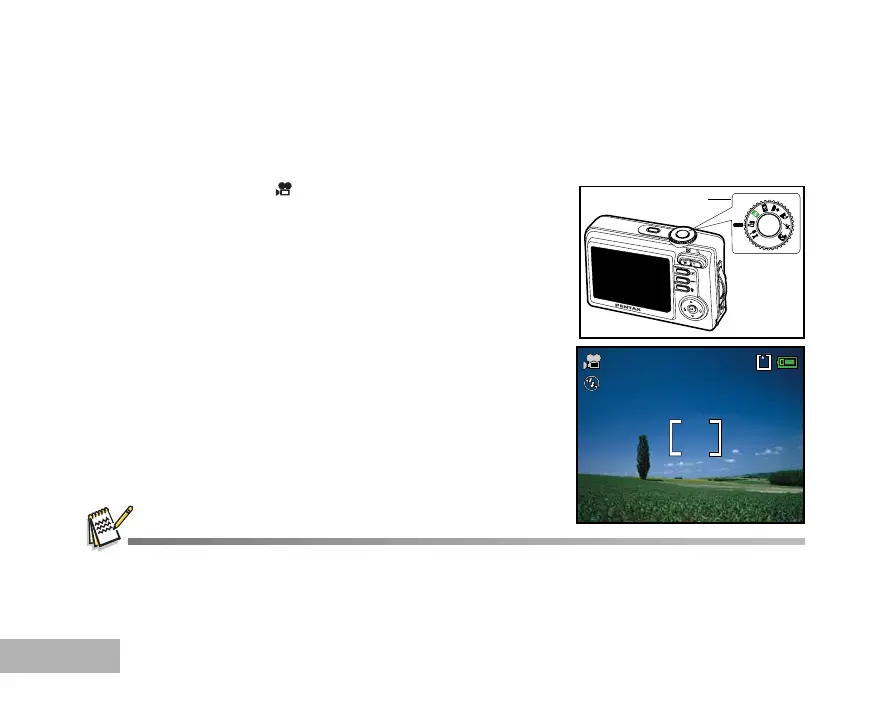
This mode allows you to record movie clips with sound via built-in microphone.
1. Rotate the mode dial to and turn your camera on by pressing
the Power switch.
2. Press the shutter release button to start recording.
3. To stop recording, press the shutter release button again.
The zoom function of optical zoom (3x) can be activated before you start recording the movie clips.
Pressing the DISPLAY button switches the LCD monitor display mode. Each time you press the DISPLAY button, the
display changes in the following order: Normal Display Æ No Icons Æ Guide Display Æ Backlight Off.
1
00:49
01.11.2005



 To Next Page