16
© 2010 PeopleNet Communications. All rights reserved.
DC-DC Installation
Plugging in TABLET Dock, Keyboard, and Speaker
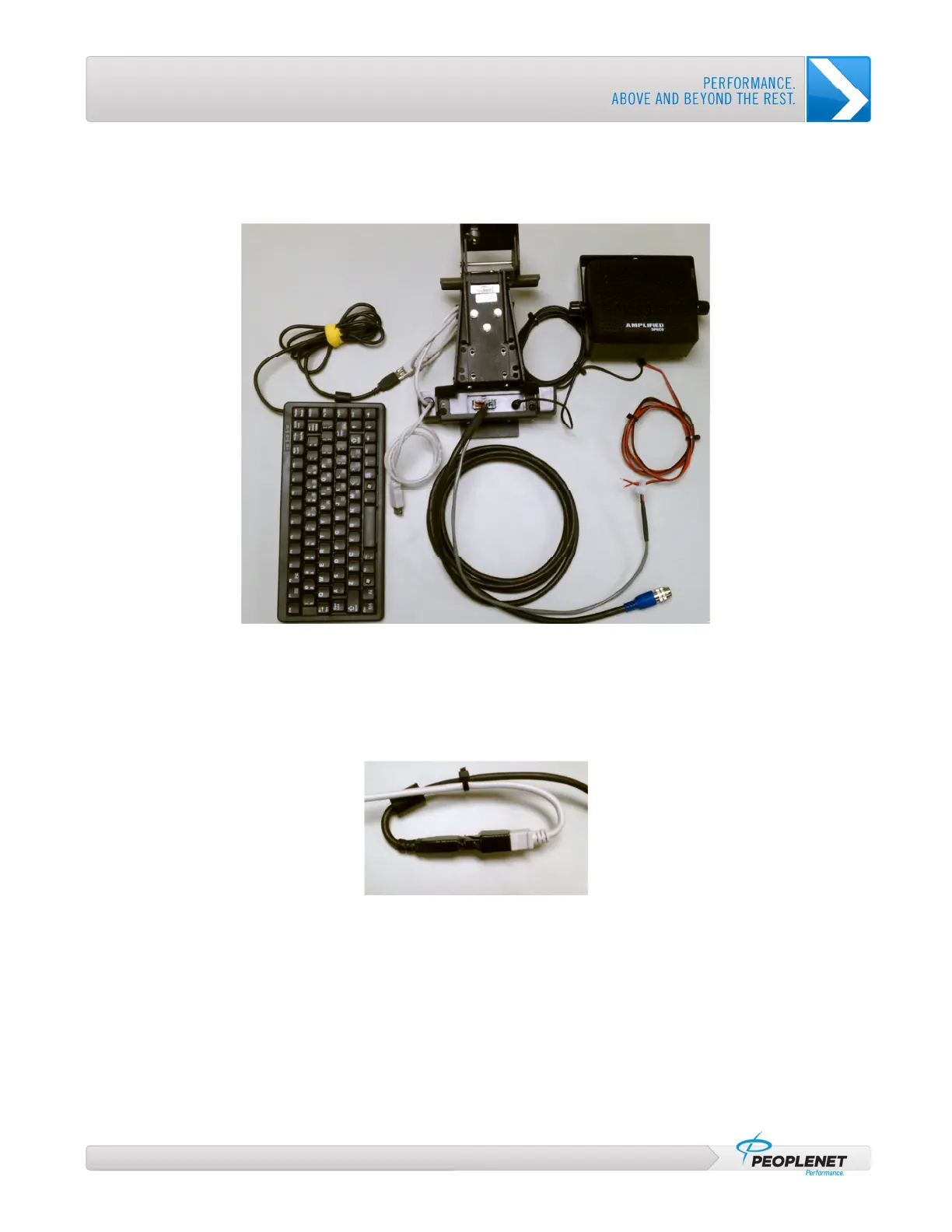
1. Connect the male 12 pin connector on the TABLET Interface cable to the back of the TABLET Dock.
Figure 8: TABLET Dock connections
2. Connect the USB keyboard to either USB pigtail on the TABLET Dock
a. Wrap the end of the unused USB pigtail with electrical tape and secure the wire
3. Wrap electrical tape around the USB connection (for protection), and secure the USB cables with a zip
tie to form strain-relief loop.
Figure 9: USB Connection with Electrical Tape and Zip Tie
4. (Optional equipment) Connect the speaker to the TABLET Dock
a. Connect the male stereo plug of the speaker to the back of the TABLET Dock
b. Connect the paired red and black wires from the speaker to the grey speaker pigtail of the
TABLET Interface cable. (Remove the 2-pin connector from the pigtail and use butt connectors
to connect red to red and black to black)



 To Next Page