09931286E
33
Peltier Controller Auto Tuning Setup
NOTE:
Peltier controller can be compatible with various peltier cell holders (Single or Multi). Whenever you
exchange the existing peltier cell holder to another one, you should perform the “AUTO TUNING” set up
to minimize the temperature fluctuation at the target temperature.
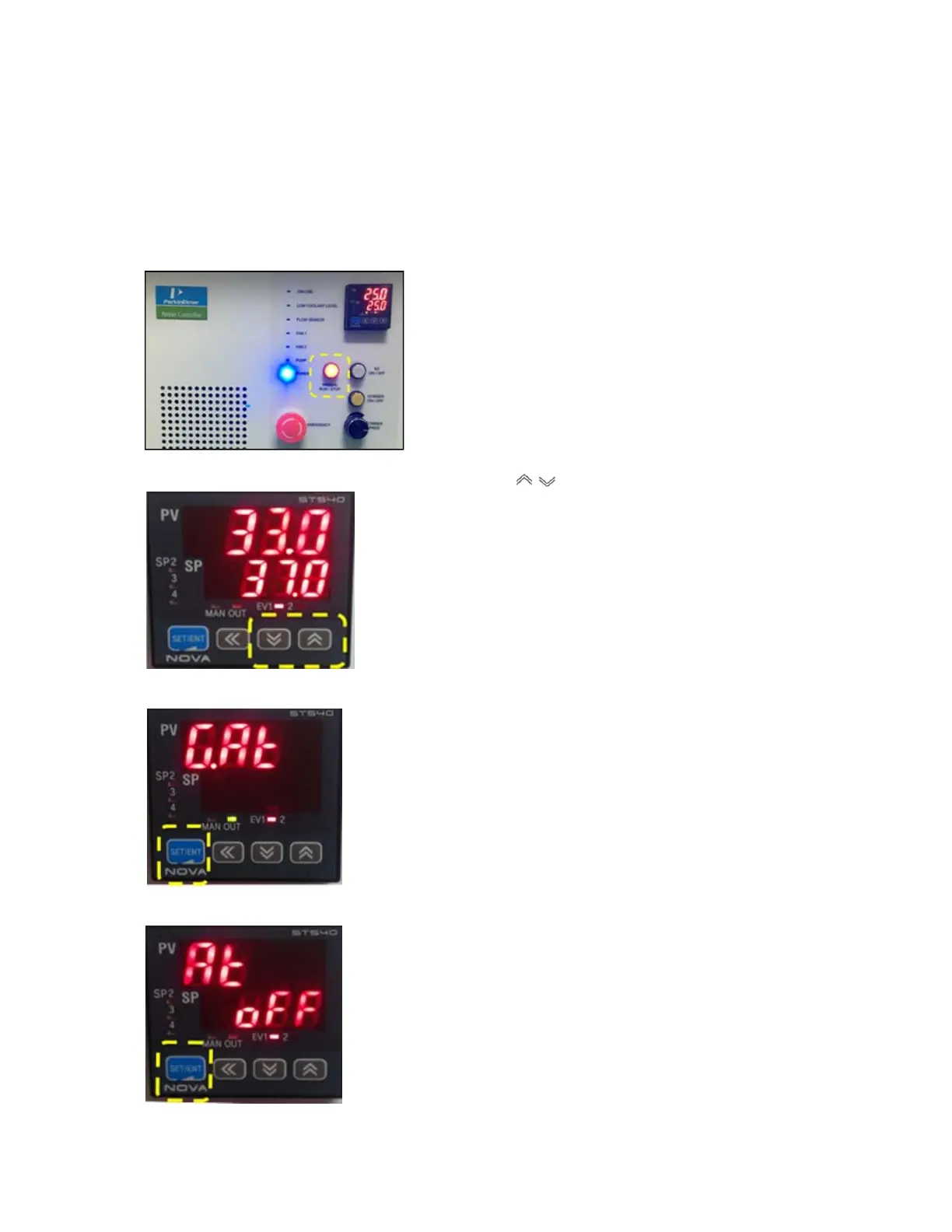
1. Push the Manual button on the control panel of the peltier controller, and then the button light is on.
2. Set any SP temperature between 30~37°C using the button.
3. Press and hold the SET/ENT button until “G.AT” is shown.
4. Push the SET/ENT button again.






 To Next Page