40 . High-Performance Lambda Spectrometers Hardware Guide
4. Click Next.
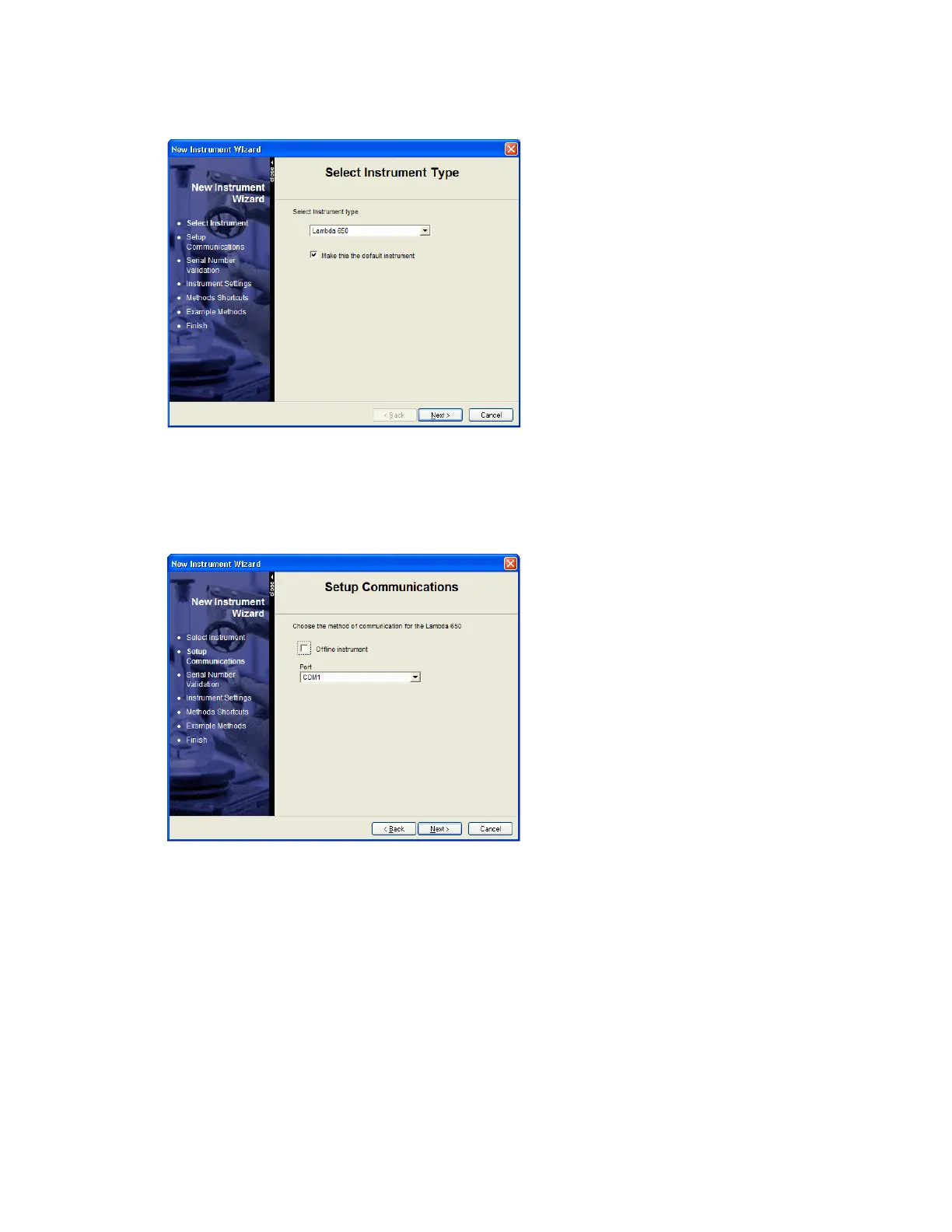
The Select Instrument Type page is displayed.
5. Select the appropriate instrument (Lambda 650 in this example) from the drop-down
list and, if required, select Make this the default instrument.
6. Click Next.
The Setup Communications page is displayed.
7. From the drop-down list, select the Port the instrument is connected to.
In most cases, this will be the highest COM port number in the list, because when you
connect the instrument for the first time, the software configures the next available
port.






 To Next Page