Settings and adjustments
30
Owner’s Manual Corpus
Settings and adjustment
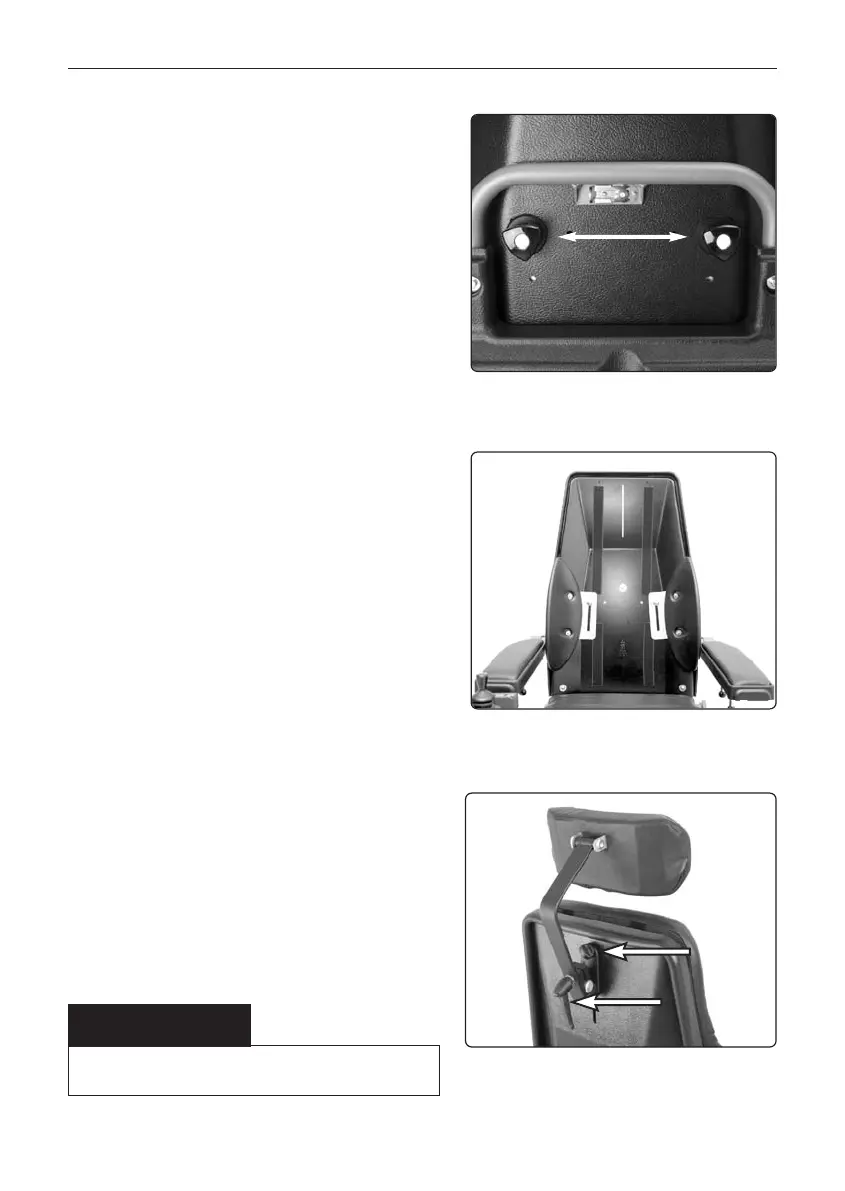
Lateral Support
Height Adjustment
1. Remove the back cushion.
2. Loosen the knob that holds the lateral
support on to the back of the backrest.
3. Adjust the height of the lateral sup-
port to the desired level.
4. Tighten the knob.
5. Replace the back cushion.
Height Adjustment.
Lateral Support Locking Knob.
WARNING
Do not put weight on the headrest while adjustin it.
Head rest adjustment.
1
2
Head Rest (accessory)
Adjustment of height
1. Release the knob (1) on the rear of
the back rest, see photo.
2. Adjust head rest height as required.
3. Tighten the knob (1).
Adjustment forwards/backwards
1. Release the knob (2) on the rear of
the back rest, see photo.
2. Adjust the head rest forward/back-
wards as required.
3. Tighten the knob (2).










 To Next Page