iMETOS Maintenance & troubleshooting 14
Code: ! serial_number 2 UID_station !
serial_number is the serial number of the station
UID_station is the Unique identication number of the station
You can get the UID_number by connecting the iMETOS to the PC via USB cable and asking for a quick report.
This command does a factory reset (exception: the APN table is kept).
11.4 Sensor test and send data manually
To log manually data connect your PC to the station with USB cable with jumper in J1.
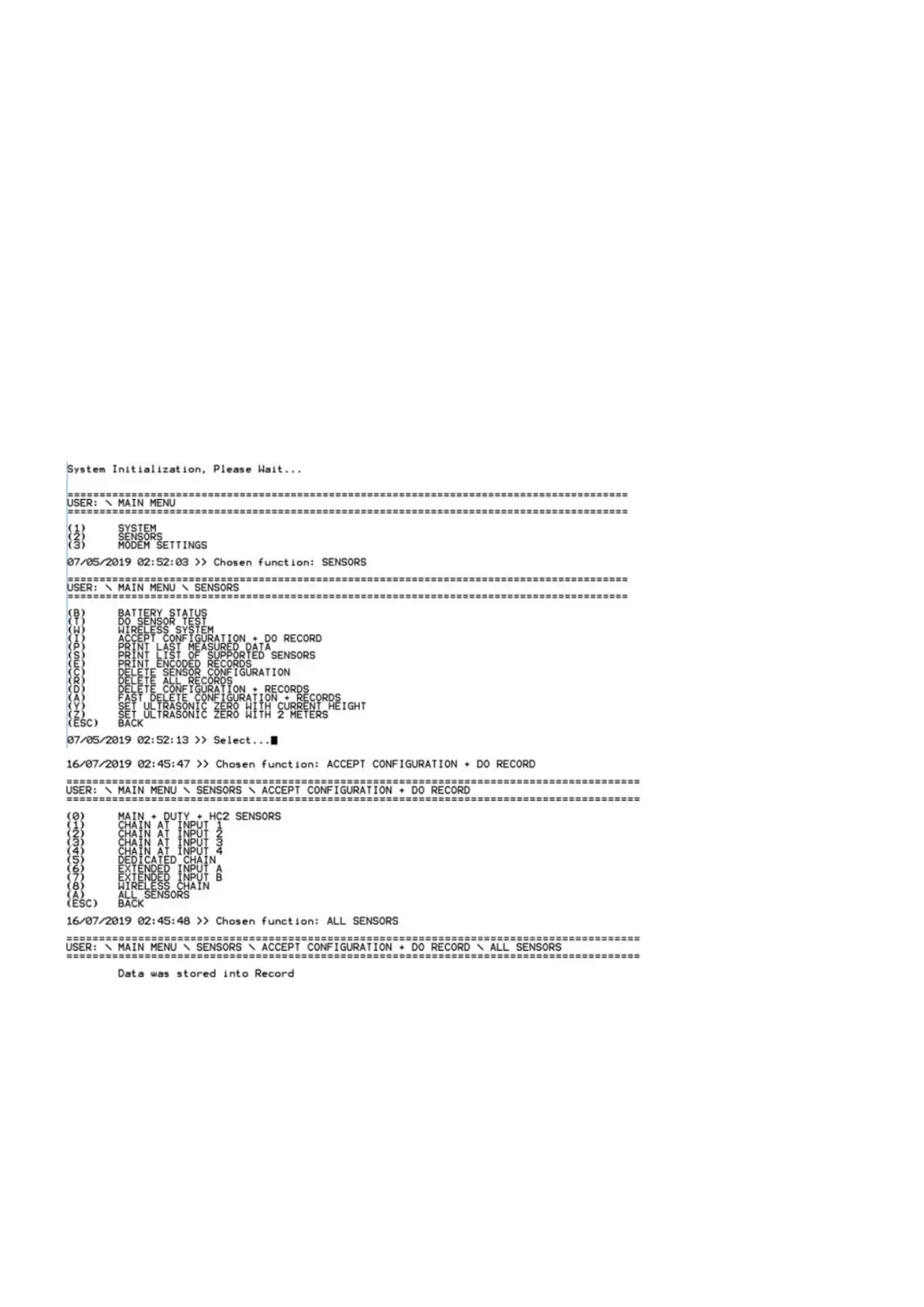
• Select 2) SENSORS —› T) DO SENSOR TEST
• Select I) ACCEPT CONFIGURATION + DO RECORD. The measure is taken and logged in the data logger.
• Press CONNECT button, the communication will start and data measured will be transmitted to Fieldcli-



 To Next Page