34
SpO2 Instructions
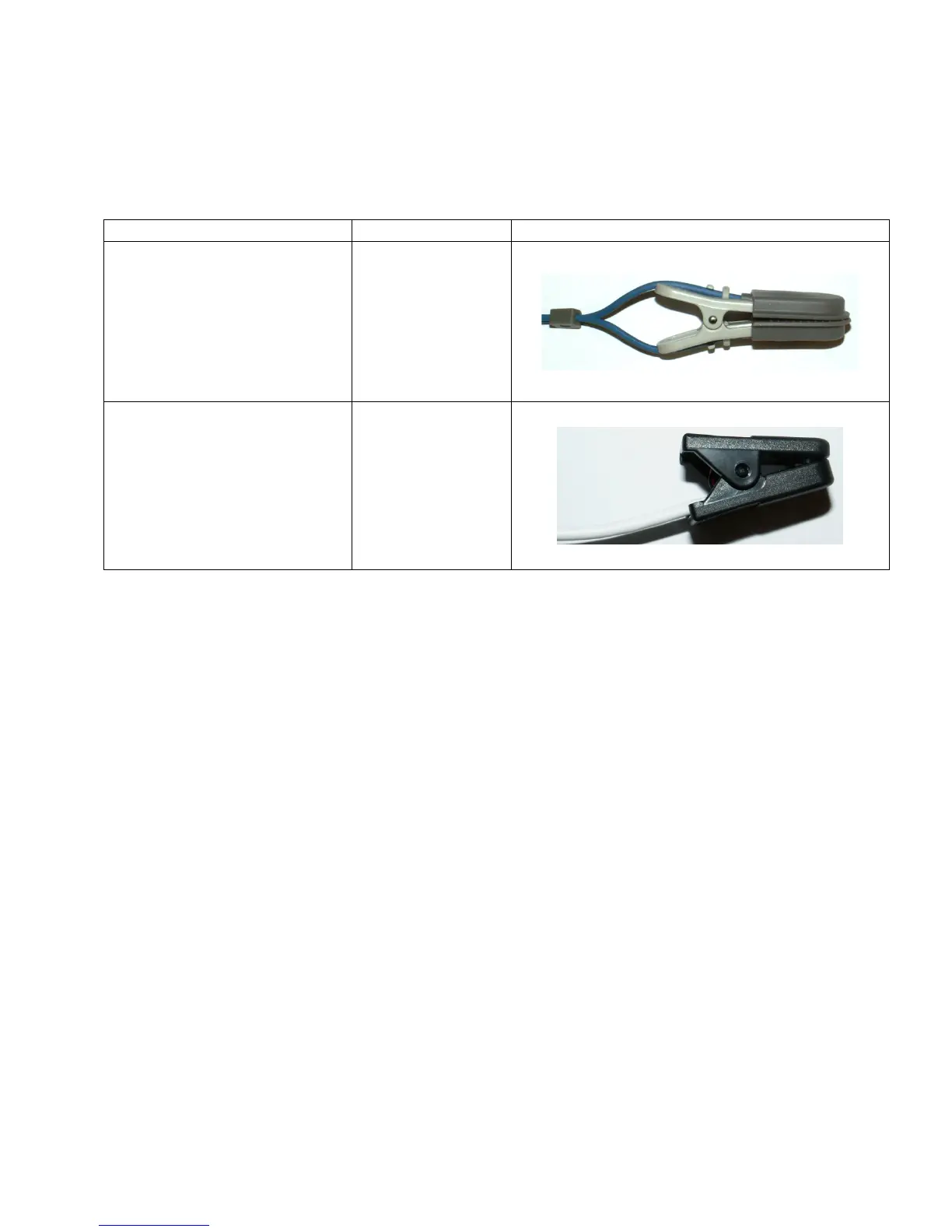
Some configurations of petMAP+II are capable of measuring SpO2. Currently, petMAP+II supports two
technologies for SpO2 measurement as outlined in the following table:
Technology Product Code Sensor
Classic/hybrid O2 7402
Nonin 7404
While the technologies are different, the instructions for use are the same. The unit will contain the
necessary electronics and be equipped with a “clothes pin” type of SpO2 sensor. Generally, the best
place to attach the O2 sensor is the tongue, but the ear, vulva or pedal area may be tried if the tongue is
not available. Make sure the tongue is moist for best results.
To measure SpO2, first place the sensor on the patient as described above and then press the O2sat
button to switch it ON. When activated, the button will show ON and the plethysmographic waveform
and signal strength bar will be displayed, along with the SpO2 value and the heart rate value derived
from the SpO2 sensor. After switching the O2 monitoring function ON, it may take 10-15 seconds for
the system to become stable and display readings. Take care that the tongue (or other monitored site)
is not in motion of any kind, since this will prevent acceptable monitoring accuracy.
A low alarm for SpO2 can be set by repeatedly touching the LoAlarm button next to the O2sat ON/OFF
button. The available settings are 96, 94, 92, 90, 88, 86, 84, 82 and OFF. As with BP alarms, if the
measured value exceeds the alarm limit set, the unit will both alarm (starting with alerting chirps and 20
seconds later continuously sounding) and display a message at the top of the display. Silencing alarms is
done by simply touching the display in an area other than the buttons.
The user also has the option of setting an audible SpO2 heart rate cardiotachometer by pressing HR
Audio. The available settings are ON1 – ON5 (5 being the loudest) and OFF.



 To Next Page