35
Causes of Inaccurate SpO2 Measurements
Incorrect application of the sensor: move to alternate site; reduce pressure using gray slider (if
equipped); make sure to place the sensor on an extremity that does not have a blood pressure cuff,
arterial catheter or intravascular line proximal to the O2 sensor.
Tissue too thick or too dark (i.e., not enough signal): move to thinner site; wet fur and part to allow
better light transmission; clip fur.
Tissue too thin (ie, too much signal): if the tissue is very thin like a cat’s ear and tongue, move to a
thicker tissue site.
Excessive amount of ambient light: shield the sensor by covering it with a lightweight opaque material.
Subject motion: reduce motion by appropriate means.
SpO2 Sensors
As previously outlined, petMAP+II has technology options for SpO2 measurement. The sensors are
different, depending on the technology purchased. If petMAP+II was purchased with the classic/hybrid
SpO2 option (#7402), it will include a SpO2 sensor and two clips. One of the clips is larger; the other
smaller. The sensor can be removed from one of the clips and attached to the other—the user must
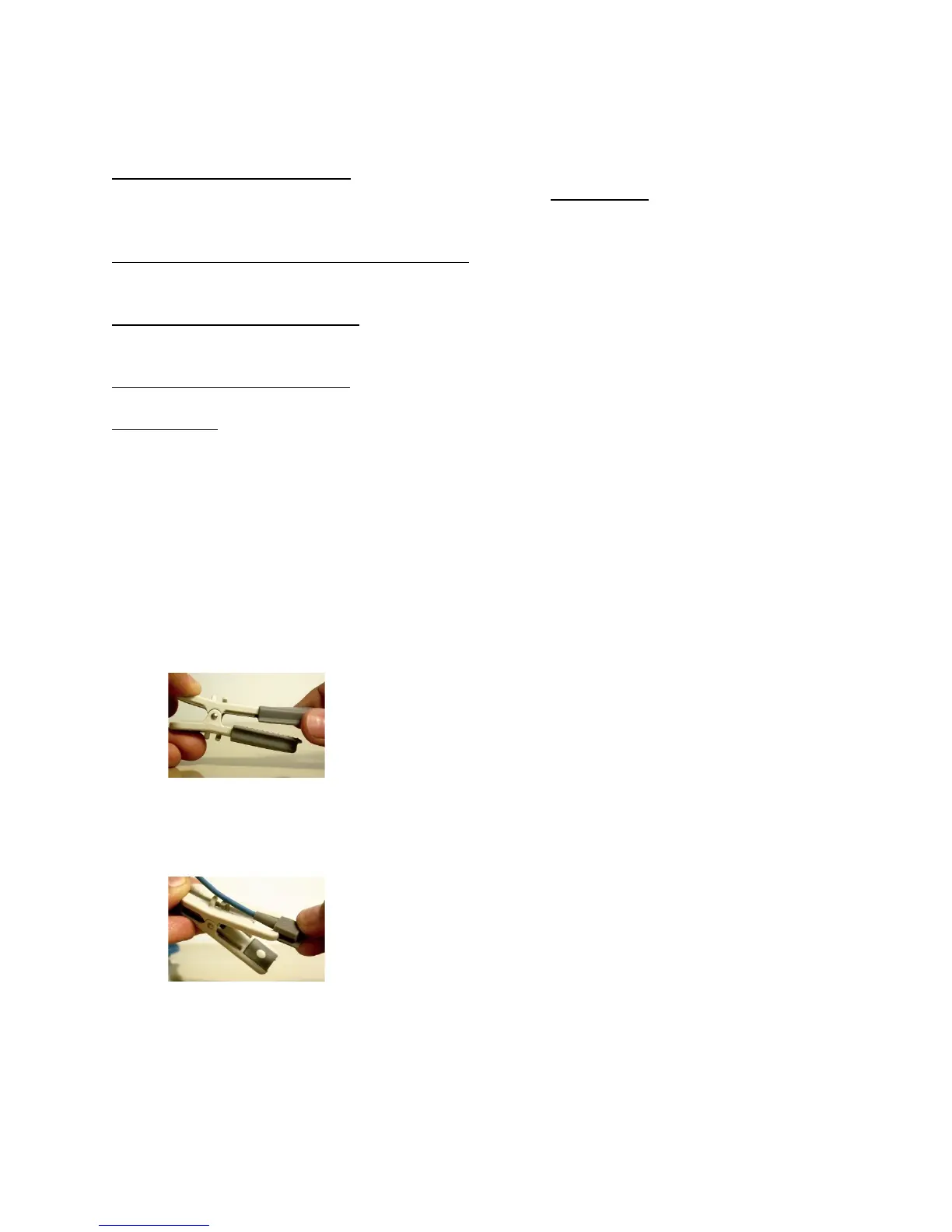
decide which clip is best for the clinical situation. To switch clips, follow these directions:
1) Remove the rubber covers by sliding them off the end of the clip.
2) Carefully slide each sensing element past the end of the clip holding them in place. It may be
necessary to release the cable leading up to the sensing elements from their securement points
on the clip.



 To Next Page