
 To Next Page
J
Janet DavisAug 1, 2025
How to fix Petsafe Pet Care Product SmartDoor that will not lock?
- ZZachary CookeAug 1, 2025
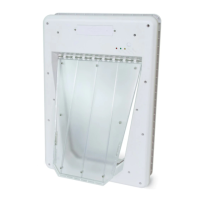
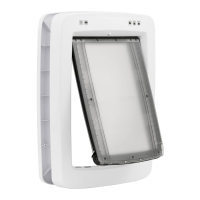
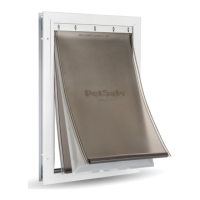
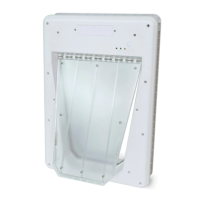
If your Electronic SmartDoor isn't locking, ensure the flap is in the center position and then repeat the operating cycle.

How to fix Petsafe Pet Care Product SmartDoor that will not lock?
If your Electronic SmartDoor isn't locking, ensure the flap is in the center position and then repeat the operating cycle.
What to do if my Petsafe Pet Care Product SmartDoor doesn't respond to the SmartKey?
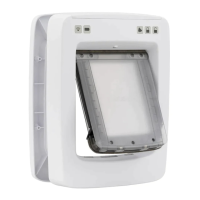
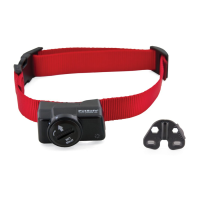
If your Electronic SmartDoor isn't responding to the SmartKey transmitter, here are a few things to check: * Ensure the Electronic SmartDoor is in Automatic mode. * Verify the SmartKey has been properly learned by the SmartDoor. * Make sure the Range Knob is turned fully clockwise. * Check that the PetSafe® RFA-67 battery in the SmartKey is fully charged. * Ensure the batteries in the Electronic SmartDoor are fresh. * Also, check for any nearby radio-frequency transmitting or electronic devices that might be causing interference.
What to do if PetSafe Pet Care Product Electronic SmartDoor doesn't respond to SmartKey?
If your PetSafe Electronic SmartDoor isn't responding to the SmartKey, try these steps: First, ensure the Electronic SmartDoor is in Automatic mode. Next, verify that the SmartKey has been properly programmed to the Electronic SmartDoor. Check that the Range Knob is turned fully clockwise. Make sure the PetSafe RFA-67 battery in the SmartKey is tightly screwed in and that the batteries in the Electronic SmartDoor are fresh. If the problem continues, check for any nearby radio-frequency transmitting or electronic devices that might be causing interference.
What to do if PetSafe Pet Care Product Electronic SmartDoor flap becomes jammed?
If the PetSafe Electronic SmartDoor flap gets jammed, use both hands to gently push the flap to the center. Do not pull up on the flap. Then, press the “Mode/Reset” button to move the flap into the locked position. If you can't move the flap to the center, try to force it completely outside of the door frame opening, pushing it in the direction that it clears most easily. After clearing the jam, reset to Locked mode, allowing the flap to raise, and then reset to Automatic mode.
Explains how the SmartDoor uses SmartKey for pet access control.
How to program SmartKeys and choose operating modes.
Instructions for attaching the SmartKey to your pet's collar.
Guides on how to train a pet to use the door.
Provides solutions for common issues with the SmartDoor.
 General
| Product Type | Electronic Pet Door |
|---|---|
| Material | Plastic |
| Weatherproof | Yes |
| Programmable | Yes |
| Power Source | Battery |
| Locking Mechanism | Electronic |
| Door Type | Flap door |
| Collar Key Compatibility | Petsafe electronic collar keys |
| Number of Pets | Up to 5 pets |
| Activation Method | Collar Key |
| Flap Material | Plastic |
| Frame Material | Plastic |
| Weather Resistance | Yes |
| Weight Limit | 25 lbs |