EasyManua.ls Logo

Pfaff creative 1472 - Page 157

Pfaff creative 1472
252 pages
Print Icon
To Next Page IconTo Next Page
To Previous Page IconTo Previous Page
Loading...
4
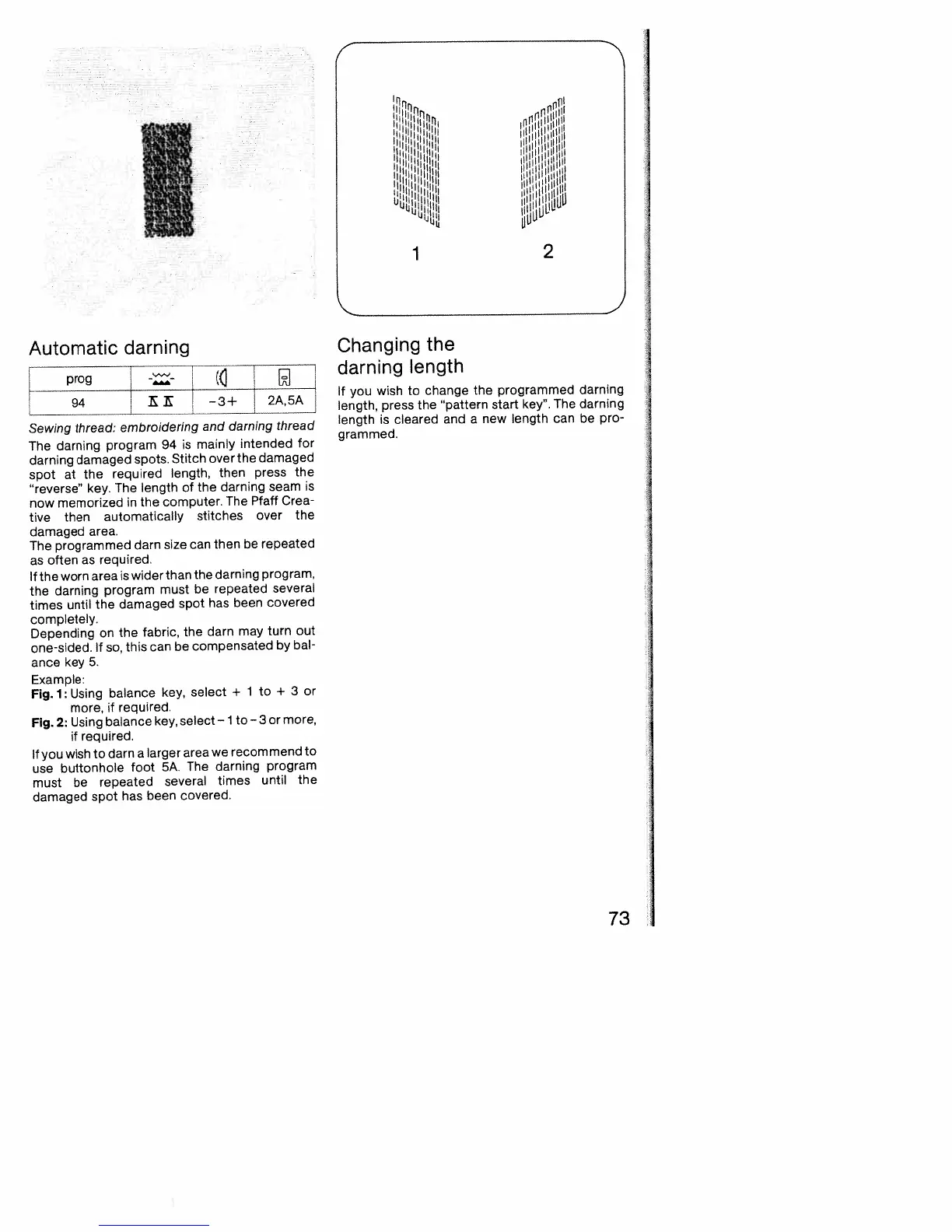
Automatic
darning
[
prog
--
(
-3+’2A,5A
Sewing
thread:
embroidering
and
darning
thread
The
darning
program
94
is
mainly
intended
for
darning
damaged
spots.
Stitch
over
the
damaged
spot
at
the
required
length,
then
press
the
“reverse’
key.
The
length
of
the
darning
seam
is
now
memorized
in
the
computer.
The
Pfaff
Crea
tive
then
automatically
stitches
over
the
damaged
area.
The
programmed
darn
size
can
then
be
repeated
as
often
as
required.
If
the
worn
area
is
wider
than
the
darning
program,
the
darning
program
must
be
repeated
several
times
until
the
damaged
spot
has
been
covered
completely.
Depending
on
the
fabric,
the
darn
may
turn
out
one-sided.
If
so,
this
can
be
compensated
by
bal
ance
key
5.
Example:
Fig.
1:
Using
balance
key,
select
÷
1
to
+
3
or
more,
if
required.
Fig.
2:
Using
balance
key,
select
ito
—3
or
more,
if
required.
If
you
wish
to
darn
a
larger
area
we
recommend
to
use
buttonhole
foot
5A.
The
darning
program
must
be
repeated
several
times
until
the
damaged
spot
has
been
covered.
Changing
the
darning
length
If
you
wish
to
change
the
programmed
darning
length,
press
the
pattern
start
key”.
The
darning
length
is
cleared
and
a
new
length
can
be
pro
grammed.
11111
iH[irmr
I1ll1,
73

Table of Contents

Related product manuals