EasyManua.ls Logo

Pfaff creative icon - User Manual

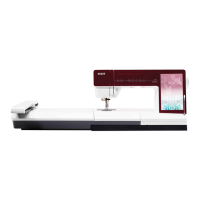
Pfaff creative icon
211 pages
Print Icon
To Next Page IconTo Next Page
Loading...
User’s Guide

Table of Contents

Questions and Answers

  • M
    Maria VincentJul 27, 2025
    Why Pfaff creative icon cannot synchronize files with mySewnet™cloud?
    • V
      victoria68Jul 27, 2025
      If your Pfaff Sewing Machine cannot synchronize files with the mySewnet™cloud, ensure you have a stable WiFi connection and are signed in to your mySewnet™ account, which can be registered on the machine or at pfaff.mysewnet.com. Also, verify that there is available storage space on the mySewnet™cloud. If the WiFi connection is confirmed and the cloud remains inaccessible, the server may be temporarily unavailable; please try again later.
  • N
    Nicole WilliamsAug 5, 2025
    How to connect Pfaff creative icon to WiFi network?
    • S
      Stanley HornAug 5, 2025
      To connect your Pfaff Sewing Machine to a WiFi network: * Ensure WiFi is enabled on your machine by touching the WiFi icon in the Information Area to open WiFi Settings. * Confirm that the machine detects a signal from your WiFi network. If the signal is weak, move the machine closer to the WiFi router. * Verify that you have selected your WiFi network from the available options.
  • J
    jeffrey24Aug 16, 2025
    What to do if Pfaff creative icon Sewing Machine WiFi network is password protected?
    • M
      Melissa WilsonAug 16, 2025
      If your Pfaff Sewing Machine's WiFi network is password protected, make sure you've selected the correct WiFi network and entered the correct password. If you do not know the password, contact the administrator of your network.

Summary

PFAFF Creative Icon Users Guide - Safety Instructions

Dangers and Warnings for Safe Operation

Details critical safety precautions for electric shock, burns, fire, and injury.

Machine Preparations and Setup

Connecting Power and Embroidery Unit

Guides on setting up the machine and connecting the embroidery unit.

Threading and Bobbin Procedures

Step-by-step instructions for threading the machine and bobbin operations.

Bobbin Winding and Insertion

Instructions for winding bobbins and inserting them correctly into the machine.

Embroidery Preparations and Setup

Hooping Fabric and Stabilizer

Instructions on correctly hooping fabric and stabilizer for embroidery.

Embroidery Edit Mode Functionality

Design Manipulation and Editing Tools

Tools for moving, rotating, scaling, and editing embroidery designs.

Embroidery Stitch-Out Process

Stitch-Out Settings and Customization Options

Configuration options available before starting the embroidery stitch-out.

Hoop Positioning and Precise Design Placement

Managing hoop position and achieving precise placement for embroidery.

Shape Creator for Custom Designs

Appliqué Creator for Decorative Appliqués

Sequence Creator for Stitch Combinations

Stitch Creator Feature for Custom Stitches

Creating and Editing Custom Stitches Point-by-Point

Tools and process for designing unique stitches point-by-point.

File Manager: Managing Designs and Files

Maintenance and Troubleshooting Guide

Troubleshooting Common Sewing Issues

Solutions for problems like skipped stitches, needle breaks, and fabric feeding.

Pfaff creative icon Specifications

General IconGeneral
Stitch Width9 mm
Needle Positions37
LightingLED
USB PortYes
Automatic Thread CutterYes
Built-in MemoryYes
Maximum Sewing Speed1050 stitches per minute
ConnectivityWiFi, USB
Needle ThreaderFully Automatic
Bobbin WindingSeparate bobbin winding motor
Screen10.1" Full Color Touch Screen
Weight15.6 kg

Related product manuals