EasyManua.ls Logo

Pfeiffer Vacuum TPG 362 - User Manual

Pfeiffer Vacuum TPG 362
68 pages
Print Icon
To Next Page IconTo Next Page
Loading...
BG 5500 BEN (2014-08)
A PASSION FOR PERFECTION
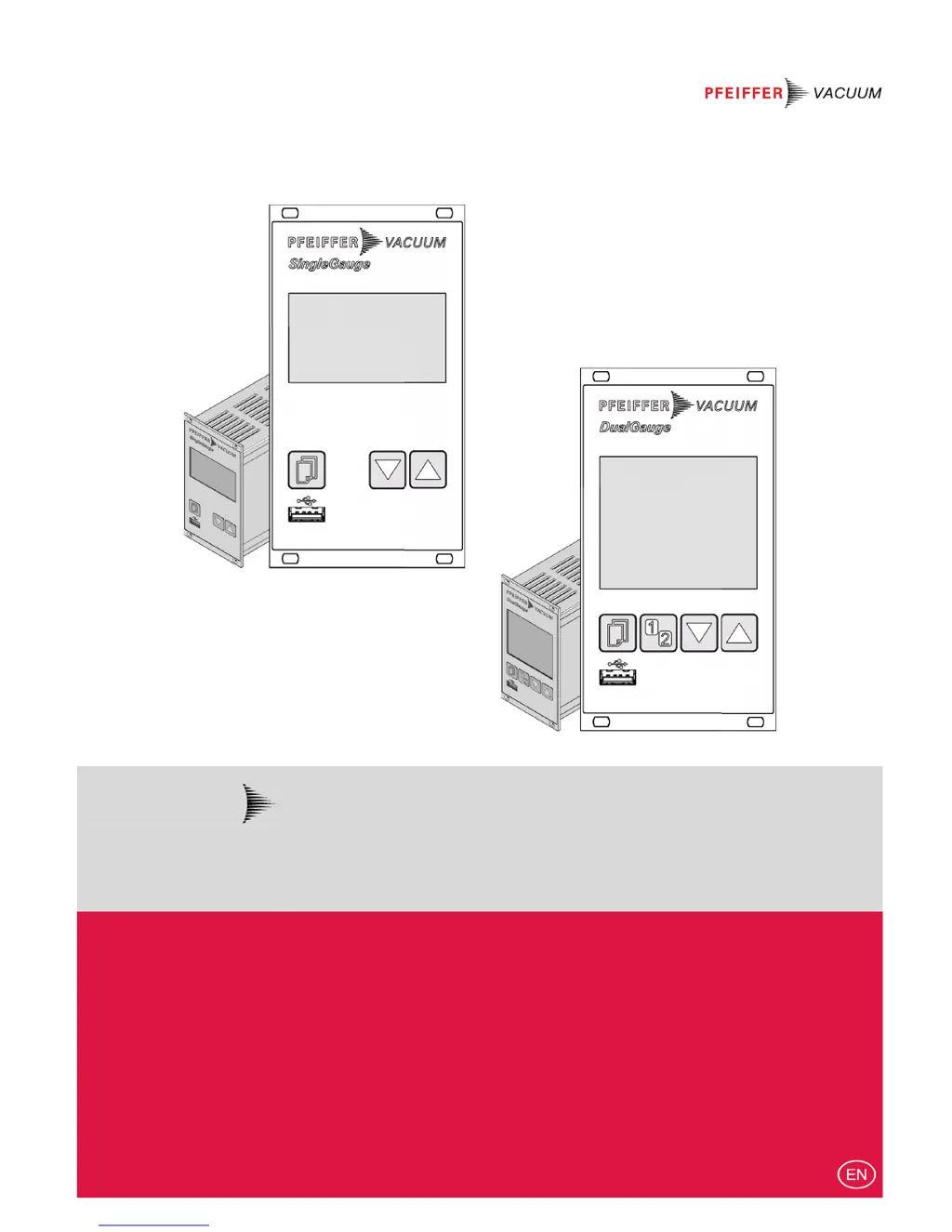
TPG 361, TPG 362
SingleGauge, DualGauge
Single- and Dual-Channel Measurement and Control Unit for ActiveLine Transmitter
Operating Instructions

Other manuals for Pfeiffer Vacuum TPG 362

Questions and Answers

  • S
    Steven JonesAug 2, 2025
    What to do if Pfeiffer Vacuum Measuring Instruments show SENSOR ERROR I?
    • K
      Kevin ChaseAug 2, 2025
      If the Pfeiffer Vacuum Measuring Instruments display a 'SENSOR ERROR I', it indicates an interruption or instability in the sensor line or connector. You can acknowledge the error using the key. If the problem persists, 'Sx noSENSOR' or 'Sx noIDENT' may be displayed.
  • K
    Krista TerryAug 7, 2025
    Why do I get WATCHDOG ERROR I on my Pfeiffer Vacuum Measuring Instruments?
    • M
      Mallory JonesAug 7, 2025
      If the Pfeiffer Vacuum Measuring Instruments display a 'WATCHDOG ERROR I', it could be due to the device being turned on too quickly after being powered off, or due to a severe electrical disturbance or operating system error that tripped the watchdog. Acknowledge the error using the key. If the watchdog is set to Auto, the TPG 36x will automatically acknowledge the message after 2 seconds.
  • G
    Garrett RyanAug 12, 2025
    What to do if Pfeiffer Vacuum Measuring Instruments display PROGRAM CORRUPT I?
    • T
      tmaciasAug 12, 2025
      If the Pfeiffer Vacuum Measuring Instruments display a 'PROGRAM CORRUPT I' error, it indicates a program memory error (FLASH). Acknowledge the error using the key.
  • A
    Amber KramerAug 17, 2025
    What does DATA CORRUPTED I mean on Pfeiffer Vacuum Measuring Instruments?
    • J
      Jack Shepherd DDSAug 17, 2025
      If the Pfeiffer Vacuum Measuring Instruments display a 'DATA CORRUPTED I' error, it means there is a parameter memory error (EEPROM). You can acknowledge it with the key.
  • K
    Kristi RogersAug 22, 2025
    What causes DISPLAY ERROR I on Pfeiffer Vacuum Measuring Instruments?
    • D
      damon80Aug 22, 2025
      If the Pfeiffer Vacuum Measuring Instruments display a 'DISPLAY ERROR I', it indicates a display driver error. Acknowledge the error using the key.
  • S
    selena02Aug 27, 2025
    What does A/D ERROR I mean for Pfeiffer Vacuum Measuring Instruments?
    • C
      Cody AllenAug 27, 2025
      If the Pfeiffer Vacuum Measuring Instruments display an 'A/D ERROR I', it indicates an error with the A/D converter. Acknowledge the error using the key.

Summary

Product Identification

Validity and Product Applicability

Specifies which part numbers the document applies to.

Intended Use and Scope of Delivery

Safety Information

Symbols, Personnel, and General Safety

Explains warning symbols, required qualifications, and general safety guidelines.

Liability and Warranty Terms

Outlines the manufacturer's liability and warranty conditions.

Technical Data

Mains and Ambient Specifications

Covers power requirements and environmental operating conditions.

Gauge Connections and Supply

Details on connecting gauges and their power supply.

Measurement Values and Switching Functions

Details measurement value parameters and switching function configurations.

Communication and Interface Specifications

Describes RS485, USB, and Ethernet interface configurations.

Installation Procedures

Personnel and Rack Installation

Details qualified personnel and procedures for rack mounting.

Control Panel and Desk-Top Installation

Instructions for mounting in a control panel or using as a desk-top unit.

Power and Gauge Connector Details

Explains how to connect the mains power and vacuum gauges.

Control, Relay, and Interface Connector Pinouts

Details pin assignments for control, relay, and interface connectors.

RS485 and USB Type B Interface Details

Information on RS485 and USB Type B interfaces.

USB Type A and Ethernet Interface Details

Details for USB Type A and Ethernet connections.

Operation Overview

Front Panel and Power Management

Describes the front panel layout, controls, and powering the unit on/off.

Operating Modes Explained

Outlines the different operating modes available for the TPG 36x.

Parameter Configuration

Switching Function Parameters

Configuration of switching functions and their thresholds.

Gauge Parameters

Parameters specific to connected vacuum gauges.

Gauge Control and Activation

Settings for activating, deactivating, and controlling gauges.

General System Parameters

Configuration of general settings like units, language, and display.

Test and Diagnostic Parameters

Parameters for firmware, hardware versions, and system tests.

Data Logging and Setup

Data Logger Mode

How to log and manage measurement data on a USB stick.

Setup Mode Options

Options for saving, loading, and formatting USB memory sticks.

Maintenance and Troubleshooting

Cleaning and Battery Replacement

Instructions for cleaning the unit and replacing the battery.

Troubleshooting Error Messages

Identifies common error messages and their remedies.

End-of-Life Procedures

Firmware Update Procedure

Ethernet Network Configuration

Certifications and Declarations

Pfeiffer Vacuum TPG 362 Specifications

General IconGeneral
BrandPfeiffer Vacuum
ModelTPG 362
CategoryMeasuring Instruments
LanguageEnglish

Related product manuals