EasyManua.ls Logo

Pfeiffer Vacuum GSD 350 OMNISTAR - User Manual

Pfeiffer Vacuum GSD 350 OMNISTAR
110 pages
Print Icon
To Next Page IconTo Next Page
Loading...
OPERATING INSTRUCTIONS
EN
Translation of the Original
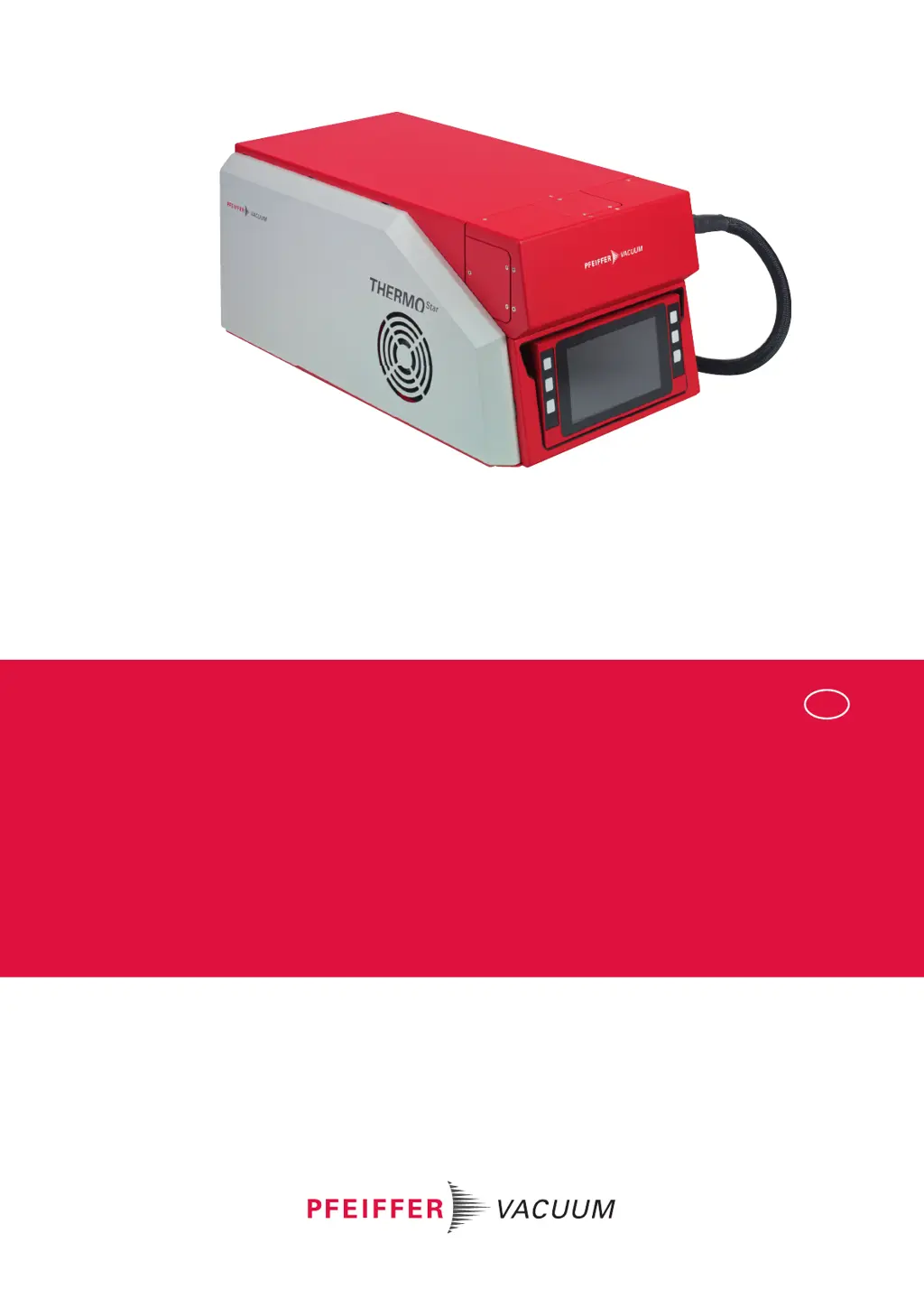
GSD 350 OMNISTAR THERMOSTAR
Gas analysis system

Table of Contents

Questions and Answers

  • S
    Sue BlackAug 19, 2025
    Why is the Pfeiffer Vacuum Measuring Instruments display dark after switching it on?
    • D
      Daniel PriceAug 19, 2025
      If the display remains dark after switching on, there could be several reasons. First, there might be no supply voltage at the unit; check the mains connection and cable. Second, the mains fuses (2×10 AT) might be defective, requiring replacement. Finally, a loose display cable could be the cause; check the plug-and-socket connection on the display.
  • S
    steven51Aug 21, 2025
    What to do if Pfeiffer Vacuum GSD 350 OMNISTAR turbopump switches off?
    • M
      Michael CollinsAug 21, 2025
      If the turbopump switches off, consider the following potential causes: * Overtemperature: Check the fans and service the turbopump. * High inlet pressure: Reduce the pressure on the inlet side of the capillary to < 1200 hPa. * Leakage: Check the capillary seal in the gas inlet area. * High fore-vacuum pressure: Check the vacuum connection between the diaphragm pump and turbopump for leakages. * Condensate in the diaphragm pump: Dismantle, clean, and dry the diaphragm pump parts. * Defective diaphragm pump: Service or replace the diaphragm pump.
  • J
    Johnny HornAug 23, 2025
    What to do if Pfeiffer Vacuum GSD 350 OMNISTAR Measuring Instruments vacuum pumps switch off and the system shuts down?
    • K
      Karl HammondAug 25, 2025
      If both vacuum pumps switch off and the system automatically shuts down, the issue could be due to overtemperature. Check the fans, clean the protection screens on the fans, and ensure the ambient temperature is within permissible limits. Alternatively, for corrosive gas versions, the sealing gas pressure may be too low, so check the sealing gas supply.
  • J
    John TorresAug 26, 2025
    What to do if Pfeiffer Vacuum GSD 350 OMNISTAR Measuring Instruments turbopump fails to reach nominal rotation speed?
    • T
      Tanner RodgersAug 26, 2025
      If, after the "Pump down" control command, the turbopump fails to reach the nominal rotation speed (icon remains dark green), allow the run-up time of less than 8 minutes to complete. For ThermoStar, ensure the inlet pressure is reduced to less than 1200 hPa. Check the capillary seal in the gas inlet area for leakages. Also, verify the vacuum connection between the diaphragm pump and turbopump for any leakages, as high fore-vacuum pressure can cause this issue.
  • A
    aguirreaimeeAug 28, 2025
    Why won't the diaphragm pumps start on my Pfeiffer Vacuum GSD 350 OMNISTAR?
    • S
      Stephanie WilsonAug 28, 2025
      If, after the "Pump down" control command, the diaphragm pumps fail to start up (icon remains light gray), check the plug-and-socket connections on the diaphragm pump and the mainboard to ensure they are secure. The diaphragm pump could be defective, requiring servicing or replacement. For corrosive gas versions, verify that the sealing gas supply is adequate.
  • C
    christopherrodriguezAug 30, 2025
    What to do if Pfeiffer Vacuum GSD 350 OMNISTAR Measuring Instruments diaphragm pump switches off?
    • D
      Deborah GomezAug 30, 2025
      If the diaphragm pump switches off, it could be due to several reasons. It may be caused by overtemperature, so check the fans and service the diaphragm pump. A loose cable connection could also be the cause, so check the plug-and-socket connections on the diaphragm pump and the mainboard. Alternatively, the diaphragm pump itself may be defective, requiring service or replacement.
  • G
    gillespiejenniferSep 1, 2025
    What to do if "Dashboard" start screen does not appear on Pfeiffer Vacuum GSD 350 OMNISTAR Measuring Instruments?
    • M
      millerseanSep 1, 2025
      If the "Dashboard" start screen does not appear after switching on, it may be because the run-up time has not completed. Wait for the run-up time of less than 60 seconds to complete. Another possible reason is that the unit was switched off and back on again too quickly. To resolve this, turn off the unit, wait for 15 seconds, and then switch it back on again.
  • M
    Madeline ThompsonSep 3, 2025
    What to do if Pfeiffer Vacuum GSD 350 OMNISTAR Measuring Instruments gas inlet valve fails to open?
    • S
      sergiowilliamsSep 4, 2025
      If the gas inlet valve fails to open (only for OmniStar), it could be because the delay time for valve opening has not yet completed; wait for the delay time of less than 7 seconds to complete. The gas inlet valve may not be controlled, so check the plug-and-socket connections on the gas inlet valve and the mainboard. The gas inlet valve might be polluted or defective, requiring replacement of the valve block.
  • V
    Vanessa MerrittSep 6, 2025
    What to do if Pfeiffer Vacuum GSD 350 OMNISTAR Measuring Instruments pressure in vacuum chamber is too low?
    • S
      Sandra Taylor MDSep 6, 2025
      If the pressure in the vacuum chamber is too low (< 1 × 10⁻⁶ hPa) for ThermoStar and/or OmniStar with an open gas inlet valve, it could be due to low inlet pressure; increase the pressure on the inlet side of the capillary. Alternatively, the capillary might be blocked, so trim or replace it. The orifice could also be blocked, requiring replacement.
  • D
    Donald WilliamsSep 8, 2025
    Why does Pfeiffer Vacuum Measuring Instruments turbopump fail to start up?
    • C
      Catherine MontoyaSep 8, 2025
      If, after the "Pump down" control command, the turbopump fails to start up (icon remains light gray), it could be due to several reasons: * The switch-on vacuum of 10 hPa has not yet been reached: wait for the pump down action for the fore-vacuum to complete (target < 60 s). * High moisture content in the vacuum system: bake out the vacuum chamber. * Condensate in the diaphragm pump: dismantle and clean the diaphragm pump, then wipe the parts dry. * Defective diaphragm pump: service or replace it. * Loose cable connection: check the plug-and-socket connections of the electronic drive unit and the mainboard. * Defective turbopump: replace it.

Summary

About this manual

Validity

Describes product function, safety information, and document validity.

Target group

Identifies personnel performing activities on the product.

Conventions

Explains instructions, pictographs, stickers, and abbreviations used.

Trademark proof

Lists trademark information for products and companies.

Safety

General safety information

Explains risk levels and information levels used in the document for safety.

Safety instructions

Provides safety instructions based on product life stages and identified risks.

Safety precautions

Outlines safety precautions and the user's duty to inform about potential dangers.

Limits of use and proper use

Details product installation limits and defines its intended use for non-corrosive gases.

Foreseeable misuse

Lists improper uses that invalidate warranty and liability claims.

Personnel qualification

Specifies required qualifications and training for operating and maintaining the product.

Product description

Functional description

Explains how the GSD 350 analyzes gas components using the PrismaPro.

Controls and indicators

Details the unit's controls, indicators, and display features.

Layout of the unit

Shows the physical components and layout of the GSD 350 unit.

Identifying the product

Guides on how to identify the product using its rating plate for communication.

Scope of delivery

Lists all items included in the product's shipment.

Transport and storage

Transporting the product

Provides instructions and general information for safe product transportation.

Storing the product

Details general information and precautions for safe product storage.

Installation

Ensuring venting and Ethernet connection

Explains procedures for unit venting and establishing network connection.

Connecting exhaust and sealing gas lines

Guides on safely connecting exhaust and sealing gas lines to the unit.

Connecting the capillary

Warns about handling capillaries and provides bending radius information.

Network connection setup

Details IP addresses, subnet masks, and changing network parameters.

Functional earth and mains connection

Explains how to connect functional earth and establish the mains power connection.

Installing PV MassSpec software

Guides on installing the PV MassSpec software for operation.

Interfaces and connections

Mains and ground connections

Explains mains connection socket and ground terminal locations and functions.

User I;O and AUX IO connections

Describes interfaces for digital and analog inputs/outputs.

Ethernet (LAN) connection

Explains the Ethernet connection for direct computer communication.

Commissioning

Switch on the unit

Provides steps to switch on the unit and start the program.

Starting the pumping system

Explains how to start the pumping system for measurements.

Operation via the display

Dashboard and menu structure

Describes the dashboard screen and the unit's menu structure.

Settings Menu Functions

Covers recipes, heating, sensors, language, autostart, network, and factory settings.

Control menu operations

Details operations for pumping down, venting, heating, gas inlet, bake out, and emission.

Measurement menu

Allows starting and stopping measurements and selecting measurement recipes.

Decommissioning

Recommendations for corrosive gases

Provides recommendations for handling corrosive gases before shutdown.

Switch off the device

Step-by-step guide to safely shut down the unit.

Disconnecting hoses

Details how to disconnect exhaust and sealing gas hoses.

Maintenance

Maintenance work and intervals

Outlines maintenance tasks, intervals, and recommended service levels.

Maintaining the basic unit

Covers maintenance procedures for the basic unit, including covers and cleaning.

Maintaining the high vacuum system

Covers maintenance of the turbopump and venting valve.

Maintaining the fore-vacuum system

Covers maintenance of the diaphragm pump.

Maintaining the gas analysis unit

Covers maintenance of the QMA 250 M analyzer and total pressure gauge.

Maintaining gas inlet systems

Covers maintenance of OmniStar and ThermoStar gas inlet systems.

Servicing the capillary

Covers procedures for shortening or replacing capillaries.

Maintaining the heating units

Covers maintenance of capillary, gas inlet, and vacuum chamber heating units.

Maintaining electronic components

Covers replacement of display, PoE injector, mainboard, and power supply.

Maintaining the calibration unit

Covers refilling calibration medium and replacing the calibration valve.

Additional maintenance for corrosive gas version

Covers specific maintenance for the corrosive gas version, like sealing gas valve.

Troubleshooting

Malfunction handling

Provides guidance on handling malfunctions using help menus and tables.

Shipping

Instructions for safe shipping

Provides guidelines and precautions for shipping the product, including decontamination.

Recycling and disposal

General disposal information

Lists materials requiring recycling and general disposal precautions.

Dispose of a gas analysis system

Outlines the steps for disposing of the gas analysis system responsibly.

Service solutions by Pfeiffer Vacuum

Utilizing Pfeiffer Vacuum Service

Encourages users to utilize Pfeiffer Vacuum's service offerings for maintenance and repair.

Smooth service process handling

Provides steps for efficient service process handling, including form completion.

Spare parts

Ordering spare parts

Provides instructions and tips for ordering original spare parts.

Special tool

Accessories

Accessory information

Provides information about available accessories like the capillary hose adapter.

Ordering accessories

Lists accessories and their order numbers for purchase.

Technical data and dimensions

General technical data

Provides conversion tables for pressure and gas throughput units.

Technical data

Details technical specifications for different configurations and components.

Dimensions

Shows the physical dimensions of the unit in millimeters.

Pfeiffer Vacuum GSD 350 OMNISTAR Specifications

General IconGeneral
BrandPfeiffer Vacuum
ModelGSD 350 OMNISTAR
CategoryMeasuring Instruments
LanguageEnglish

Related product manuals