EasyManua.ls Logo

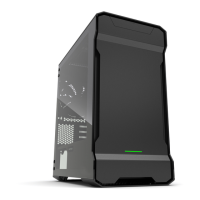
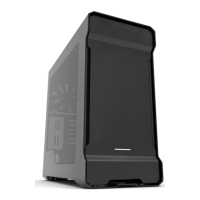
Phanteks eclipse p400 - User Manual

Phanteks eclipse p400
25 pages
Print Icon
To Next Page IconTo Next Page
Loading...
1
USER’S MANUAL
FULL VERSION
Question and Answer IconNeed help?

Do you have a question about the Phanteks eclipse p400 and is the answer not in the manual?

Summary

Introduction to Phanteks Eclipse Series

Product Specifications

Exploded View and Parts

Included Accessories

Front Panel I;O Ports

Internal Connections Guide

Audio Connections

Details for connecting microphone and headphone jacks.

Panel Connections

Wiring for power, reset switches, and HDD LED indicators.

USB 3.0 Connections

Pinout and connection guide for USB 3.0 headers.

RGB LED Strip Connection

Connect Phanteks' multicolor LED strip for interior lighting.

Fan Control Connections (P400 S)

Supports multiple fans via Y-splitters for enhanced cooling control.

Case Panel Removal Guide

Motherboard Installation Procedure

Power Supply Unit (PSU) Installation

Dust Filter Removal and Cleaning

Fan and Radiator Compatibility

Hard Drive and SSD Installation

3.5 HDD Installation

Instructions for installing 3.5-inch hard drives into the tray.

2.5 SSD Installation

Instructions for installing 2.5-inch SSDs into the case.

Hard Drive Cage Removal

HDD Bracket Removal Procedure

Procedure for removing the HDD bracket and securing screws.

Drop-N-Lock SSD Bracket Installation

SSD Bracket Installation

Guide for sliding in and securing the SSD bracket.

Drop-N-Lock Mechanism

How to align and lock the bracket using the drop-down feature.

Watercooling Radiator Installation

Optional Component Upgrades

3.5 HDD Modular Bracket Installation

Instructions for installing an optional 3.5-inch HDD modular bracket.

PWM Fan Hub Installation Guide

Customer Support and Warranty

Summary

Introduction to Phanteks Eclipse Series

Product Specifications

Exploded View and Parts

Included Accessories

Front Panel I;O Ports

Internal Connections Guide

Audio Connections

Details for connecting microphone and headphone jacks.

Panel Connections

Wiring for power, reset switches, and HDD LED indicators.

USB 3.0 Connections

Pinout and connection guide for USB 3.0 headers.

RGB LED Strip Connection

Connect Phanteks' multicolor LED strip for interior lighting.

Fan Control Connections (P400 S)

Supports multiple fans via Y-splitters for enhanced cooling control.

Case Panel Removal Guide

Motherboard Installation Procedure

Power Supply Unit (PSU) Installation

Dust Filter Removal and Cleaning

Fan and Radiator Compatibility

Hard Drive and SSD Installation

3.5 HDD Installation

Instructions for installing 3.5-inch hard drives into the tray.

2.5 SSD Installation

Instructions for installing 2.5-inch SSDs into the case.

Hard Drive Cage Removal

HDD Bracket Removal Procedure

Procedure for removing the HDD bracket and securing screws.

Drop-N-Lock SSD Bracket Installation

SSD Bracket Installation

Guide for sliding in and securing the SSD bracket.

Drop-N-Lock Mechanism

How to align and lock the bracket using the drop-down feature.

Watercooling Radiator Installation

Optional Component Upgrades

3.5 HDD Modular Bracket Installation

Instructions for installing an optional 3.5-inch HDD modular bracket.

PWM Fan Hub Installation Guide

Customer Support and Warranty

Phanteks eclipse p400 Specifications

General IconGeneral
BrandPhanteks
Modeleclipse p400
CategoryEnclosure
LanguageEnglish

Related product manuals