
 Need help?
Do you have a question about the Phanteks Enthoo Series and is the answer not in the manual?
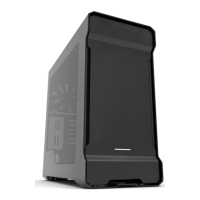
Details dimensions, form factor, materials, motherboard support, I/O, and side window.
Specifies fan and liquid cooling radiator support for case locations.
Diagrams and pinouts for audio and USB 3.0/2.0 connections.
Instructions to remove the top chassis panel by unscrewing 15 screws.
Instructions to remove the HDD panel after removing the top panel.
Instructions to remove the optical bay panel by unscrewing 5 screws.
Standoff screws are pre-installed for uATX motherboards.
Instructions for installing the motherboard using provided M3 screws.
Instructions to secure the PSU in place using provided screws.
Table showing compatible fan sizes (120mm/140mm) for different case locations.
Diagrams showing where SSDs and HDDs can be mounted using brackets.
Instructions for using CM5.3 screws to install mounting rubbers for Drop-n-Lock brackets.
Instructions to slide in and screw the SSD into place.
Instructions to squeeze tabs and push outward to install ODD.
Instructions to align bracket corner with guide and drop to lock.
 General
| Motherboard Support | ATX, E-ATX, Micro-ATX, Mini-ITX |
|---|---|
| Front Ports | USB 3.0, USB 2.0, Audio I/O |
| Material | Steel |
| Side Panel | Windowed |
| Case Type | Full Tower |








 To Next Page
