
 Need help?
Do you have a question about the Phanteks ENTHOO ELITE and is the answer not in the manual?
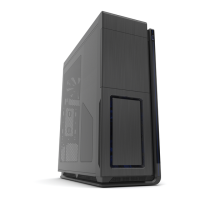
Welcome to the premium Enthoo Elite gaming enclosure.
Detailed specs: dimensions, materials, MB support, I/O, clearance, and radiator support.
Visual breakdown of all case components and their identification numbers.
Complete list of accessories provided with the Enthoo Elite case.
Overview to plan the best PC build configuration with flexibility.
Essential preparations and initial steps before hardware installation.
Correctly position standoffs for ATX, E-ATX, Micro-ATX, SSI-EEB, XL-ATX.
Step-by-step guide for primary and dual PSU installation.
Placement options for 120mm and 140mm fans in various locations.
How to connect fans and power to the PWM fan hub.
Instructions for mounting storage drives in the case.
Guide for radiator and reservoir installation for optimal cooling.
Guide for connecting USB, audio, and control panel headers.
How to control RGB lighting modes, colors, and brightness.
Guide to mount a GPU vertically using the included bracket.
Instructions for mounting a 5.25" optical drive bay.
Guide for installing power splitter or combo brackets.
Steps to install a second ITX system within the case.
How to install, clean, and maintain dust filters for optimal airflow.
Using the RGB controller to expand LED lighting with strips and adapters.
Information on optional components for storage and power upgrades.
How to reach customer care for RMA and technical assistance.
Information on the warranty duration for different case components.
 General
| Type | Full Tower |
|---|---|
| Material | Aluminum, Steel, Tempered Glass |
| Expansion Slots | 10 |
| Color | Black |
| Motherboard Support | E-ATX, ATX, Micro-ATX, Mini-ITX |
| Maximum CPU Cooler Height | 210 mm |
| Maximum GPU Length | 503 mm |
| PSU Support | ATX |
| Front I/O Ports | 1x USB 3.1 Gen2 Type-C, 4x USB 3.0, Audio In/Out, Reset |
| Radiator Support | Up to 480 mm |







 To Next Page