
 Need help?
Do you have a question about the Phanteks ENTHOO PRO II SERVER EDITION and is the answer not in the manual?
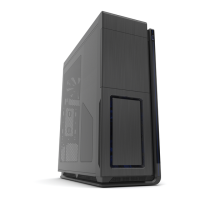
Details the physical dimensions, form factor, materials, and I/O of the PC case.
Lists all the components and accessories that come bundled with the PC case.
Specifies the maximum allowed dimensions for components like motherboard and GPU.
Outlines the supported fan sizes and radiator configurations for various case locations.
Provides contact details for customer and technical support for the product.
Labels and illustrates all the individual parts of the PC case for easy identification.
Details brackets for mounting 3.5" HDDs, SSDs, and server PSUs.
Describes the GPU support bracket and fan mounting bracket.
Lists toolbox contents and explains the PSU rubber pad.
Overview of air cooling possibilities and corresponding page references.
Overview of storage drive installation possibilities and corresponding page references.
Overview of water cooling setup possibilities and corresponding page references.
Safety precautions and steps for removing the front panel before installation.
Step-by-step guide to safely remove the left and right side panels of the case.
Details supported motherboard sizes and how to position stand-offs.
Guide for installing up to 11 SSDs using dedicated brackets and covers.
Instructions for mounting stackable HDD brackets in main and bottom compartments.
Overview of supported radiator form factors and dimensions for top, side, rear, and front.
Information on how installed hardware affects radiator clearance and internal dimensions.
Details the high-performance T30-120 fan with profile switch.
Information on optional brackets to expand 3.5" HDD storage capacity.
Describes the controller for managing multiple PWM and DC fans.
Information on the bay that accommodates two 5.25" devices.
Details the M25-120 fans optimized for airflow, available in black or RGB.
Overview of customer support services and contact methods.
Contact details for Phanteks' international RMA and technical support.
Contact information for Phanteks' support in the Americas region.
Outlines the specific warranty periods for different components of the product.
 General
| Type | Full Tower |
|---|---|
| Material | Steel, Plastic |
| Internal 3.5" Drive Bays | 6 |
| Expansion Slots | 8 |
| Cooling Support Front | 3 x 120mm or 2 x 140mm |
| Cooling Support Top | 3 x 120mm or 2 x 140mm |
| Cooling Support Bottom | 2 x 120mm |
| Case Type | Full Tower |
| Maximum CPU Cooler Height | 190 mm |
| Radiator Support Top | up to 360mm |
| Color | Black |
| Power Supply Support | ATX |
| Max CPU Cooler Height | 190 mm |
| Drive Bays | 12 |
| Cooling Support Rear | 1 x 120mm |
| Motherboard Support | E-ATX, ATX, Micro-ATX, Mini-ITX |
| Side Panel Window | Yes |
| Radiator Support Rear | 120/140mm |
| Front Ports | 2 x USB 3.0, 1 x USB 3.1 Type-C, Audio In/Out |







 To Next Page