23
Installation and removal of test modules
For most applications there is no need to remove modules from the Catphan®. However,
modules can be removed by carefully following these steps.
Note the positon of the mounting plate in relationship to the housing before removing it.
Remove the four brass nuts that secure the mounting plate to the phantom housing.
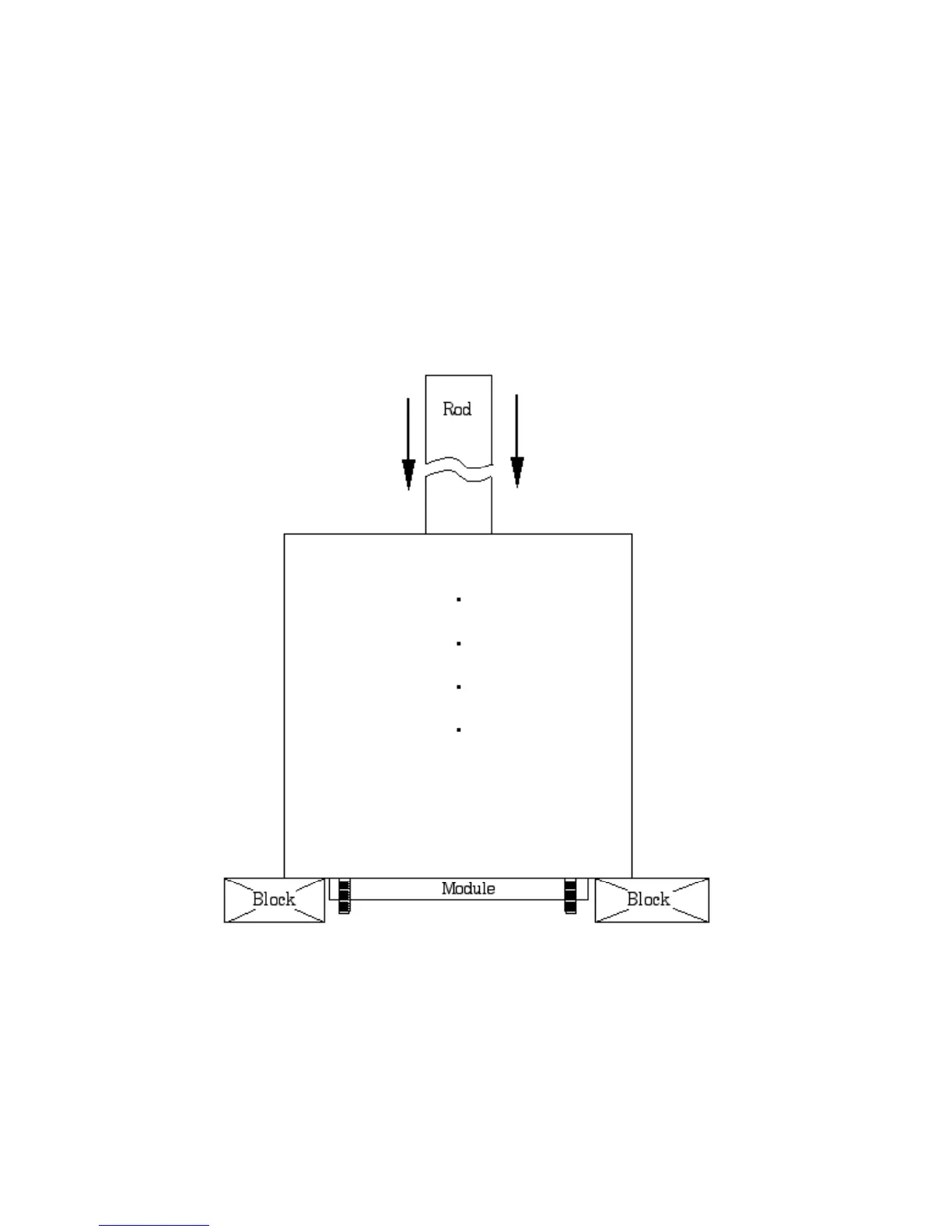
Set the phantom with the studs facing down on 2 to 4 blocks to keep the studs off the
surface.
Use a blunt object, such as a wooden rod, to press the modules out of the housing.
To insert modules hold the phantom housing on its side with the interior alignment key
at the top. Align the module notches with the housing key as the modules are inserted
one at a time into the housing. The illustrations on page 5 will indicate the correct
locations of the modules.


 To Next Page