42
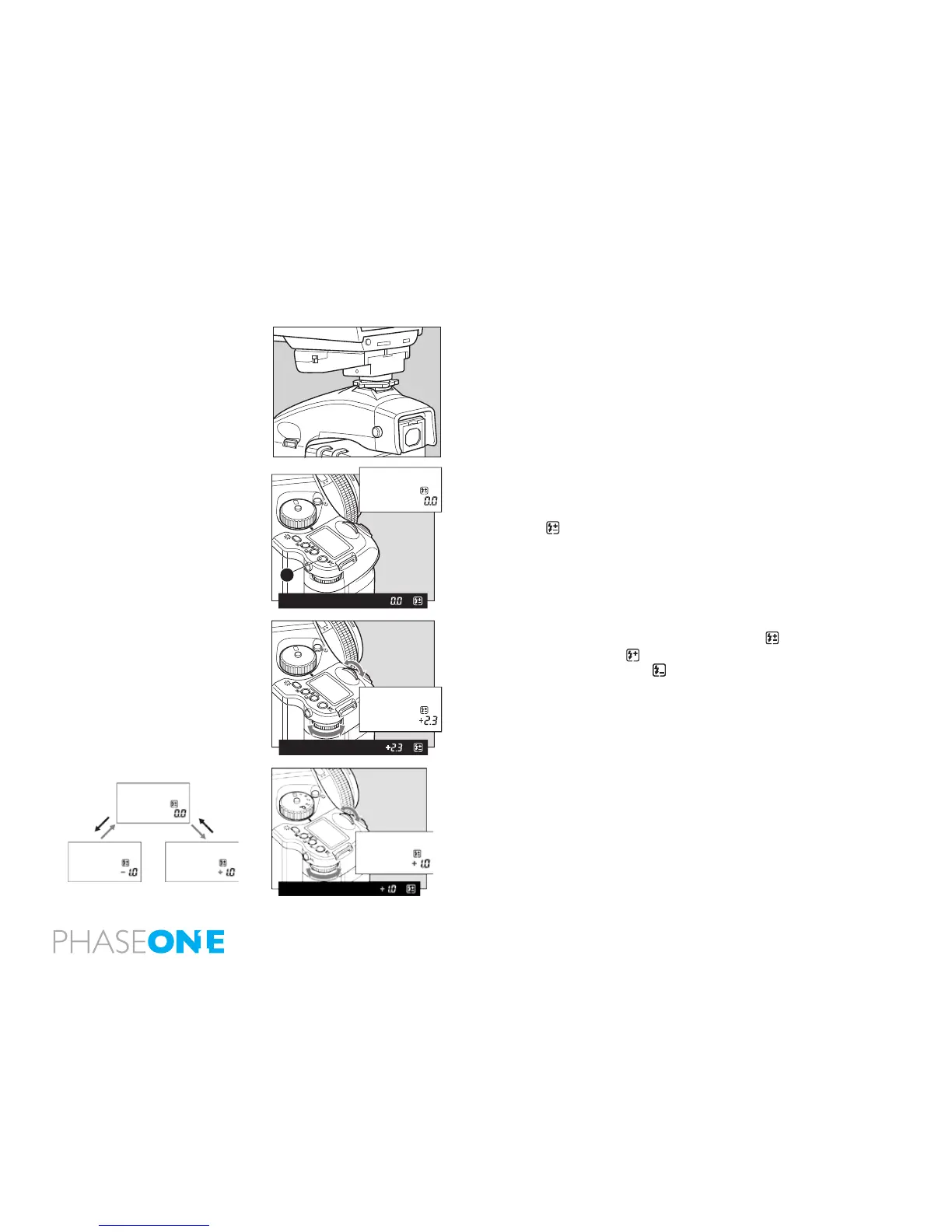
3.9 flash compensation settings
By combined use of a Metz ash and the SCA3952 adapter, the camera
adjusts for ash. It can be adjusted within ±3EV in increments of 1/3
steps.
1. Turn on the power
Install the SCA3952 adapter on the Metz ash, and put it on the camera
then lock the ash in place using the locking knob on the ash shoe.
Turn the shutter release mode selector lever to the “S” or “C” position,
and turn ON the ash power switch.
2. When the ash charge conrmation lamp lights, press the set button
A in. The is displayed on the main LCD panel.
3. Turn the front or rear dial to select the ash compensation value.
External LCD Panel (normal display)
4. When the shutter button is half-pressed, the display appears on
the external LCD, and appears on the LCD inside the viewnder
with a + compensation, or appears with a – compensation.
Viewfinder LCD readouts
- If the ash-charge mark is not displayed, the ash compensation
button [A] can not be used.
- Keep pressing the set button to activate the ash compensation
mode. You can check the exposure compensation value.
- If you turn the shutter release mode selector lever to the “L” (power
OFF) position, the compensation value will be canceled.
Exposure compensation and ash compensation can be linked.
Custom settings C-25.



 To Next Page