49
4.5 Long exposure - Bulb Mode
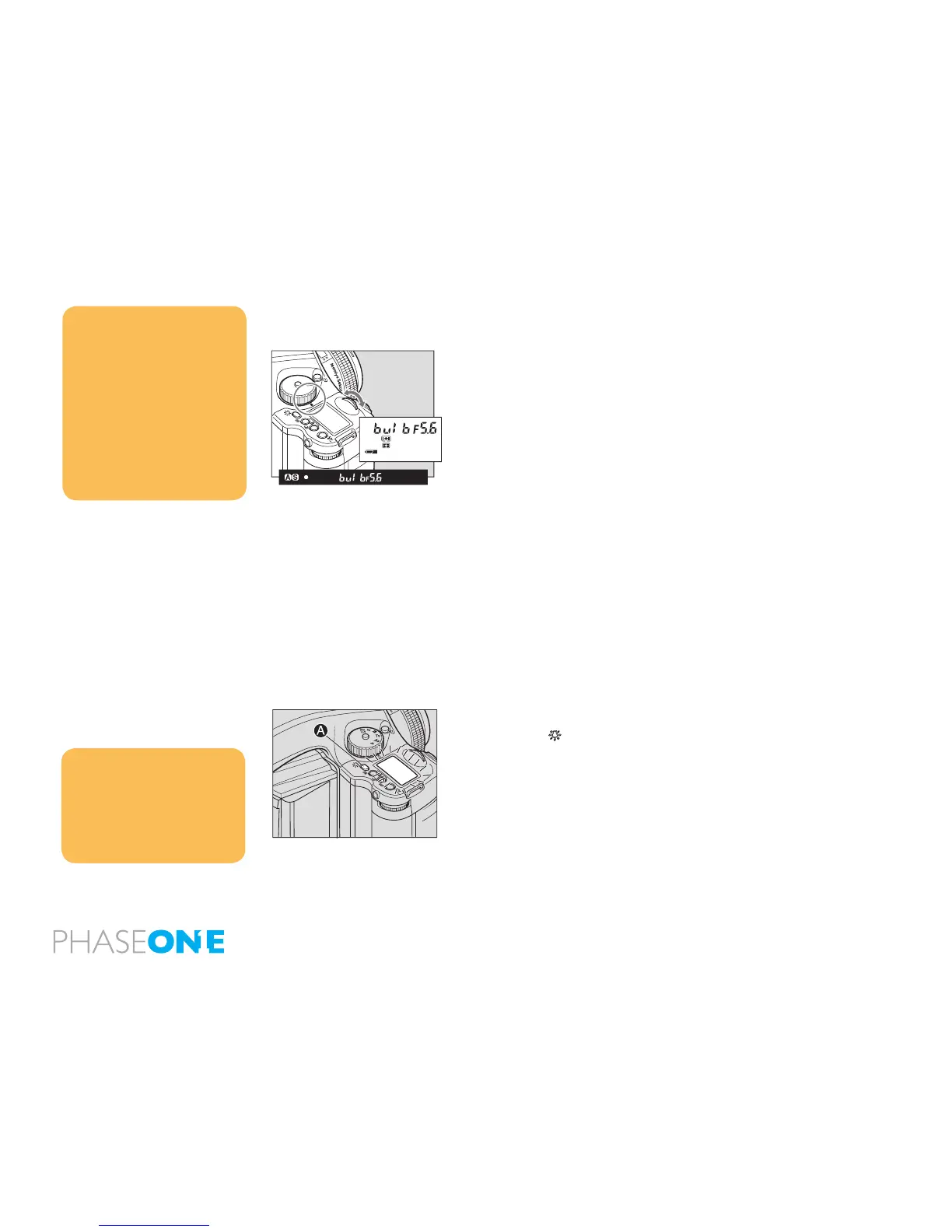
To expose lm longer than 30 seconds, adjust the shutter speed to
“B” (bulb). In order to prevent camera shake, use an electromagnetic
shutter release and tripod.
1. While pressing the unlock button, turn the exposure mode dial and
set it to “M” (manual mode).
2. Turn the front dial to select “bulb”, then turn the rear dial to set the
aperture.
3. Determine the composition, focus, and then take the picture. The
shutter remains open as long as the shutter release button is pressed.
4.6 Camera display light
To see the top display at night or in dark places, press the backlight
button A/ .
The backlight will go on approximately 10 seconds and go off unless
there is another operation.
When operating the camera while the backlight is on, the backlight will
be lit for approximately another 10 seconds.
NOTICE:
When releasing the shutter, or
pressing the backlight button A/
while the backlight is on, the
backlight will go OFF.
The backlight can be set to turn on
during the camera is holding metered
value. Custom settings C-06.
NOTICE:
As the camera is electronically
controlled even during exposures, it
is recommended to replace batteries
before bulb exposure.
Normally the camera can take a
picture with a bulb shot up to 60
minutes. However, the bulb shot time
can be changed from one minute to
infinite. Custom settings C-21.
It is possible to set the camera as
the shutter remains open until the
button is pressed once again. Custom
settings C-22.



 To Next Page