47
Single-Frame Mode (S)
Press the shutter release button for each shot.
The camera meters adequate exposure value for each shot and
performs auto-bracketing. The camera stays in the auto-bracketing
mode until the last frame of the roll lm is exposed or you cancel the
auto-bracketing mode manually.
Continuous Mode (C)
By pressing the shutter release button once, the camera takes 3 (or
2) shots in series. With each press of the shutter release button, the
camera repeats auto-bracketing. The standard (normal) exposure value
will be xed when you take the rst frame.
When the number of available frames of the current lm is less than 3
(or 2) in the auto-bracketing mode, the “– no – ” mark blinks and the
camera automatically cancels the auto-bracketing mode. When you
want to cancel the auto-bracketing mode, turn the rear dial to change
“On” to “OF”.
NOTICE:
If you turn the shutter release
mode selector to the “C” position
before taking three (or two) frames,
the camera will restart the auto-
bracketing from the initial frame
(normal exposure in the default
setting).
NOTICE:
Order of the exposures in 3-shot
auto-bracketing can be changed.
Custom settings C-10.
The way to cancel auto-bracketing
mode can be changed. Custom
settings C-11.
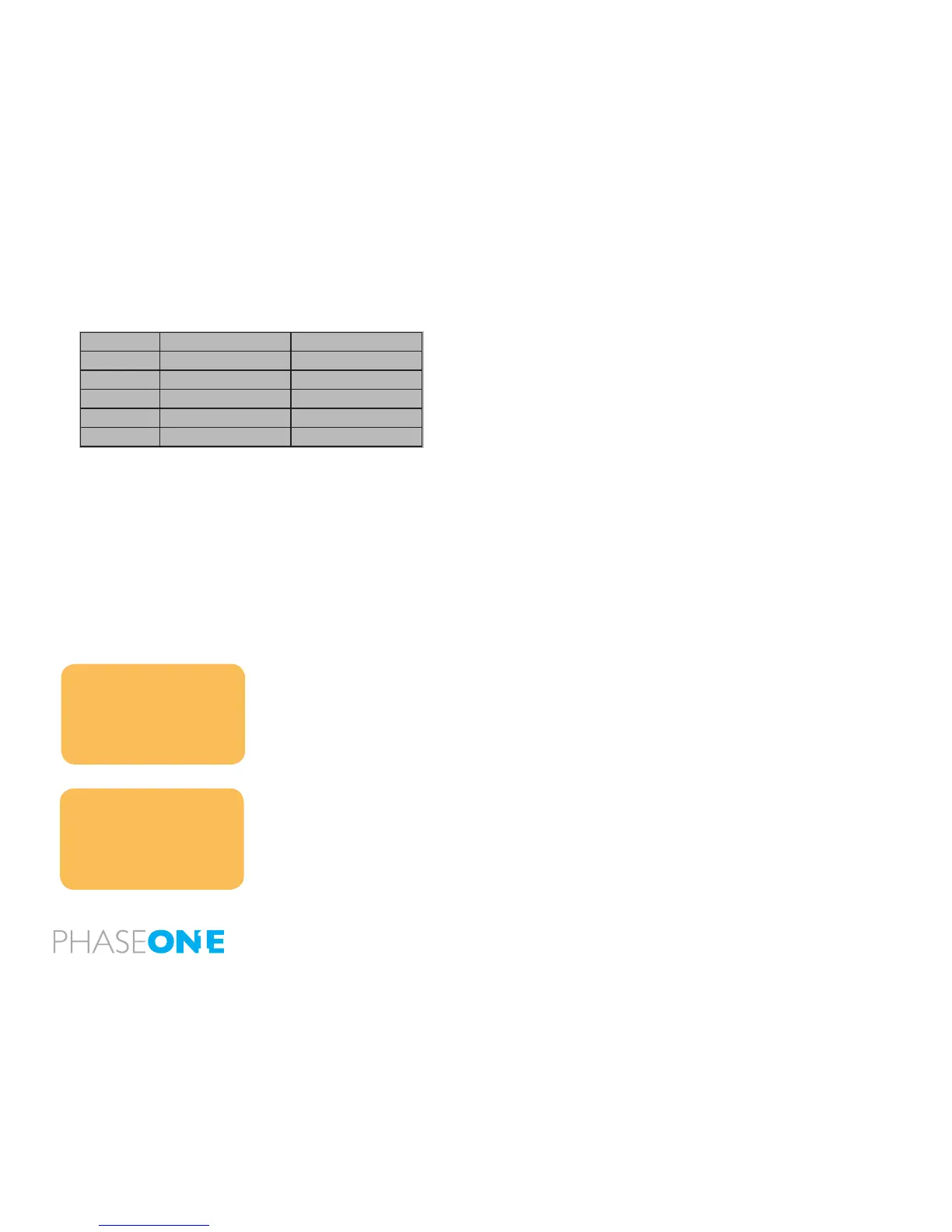
Exposure Mode Setting
P
Program AE Shutter speed varies
Av
Aperture Priority AE Shutter speed varies
Tv
Shutter Priority AE Aperture varies
M
Manual Mode Shutter speed varies
X
X-sync mode No setting
AE settings under auto-bracketing mode



 To Next Page