77
Language
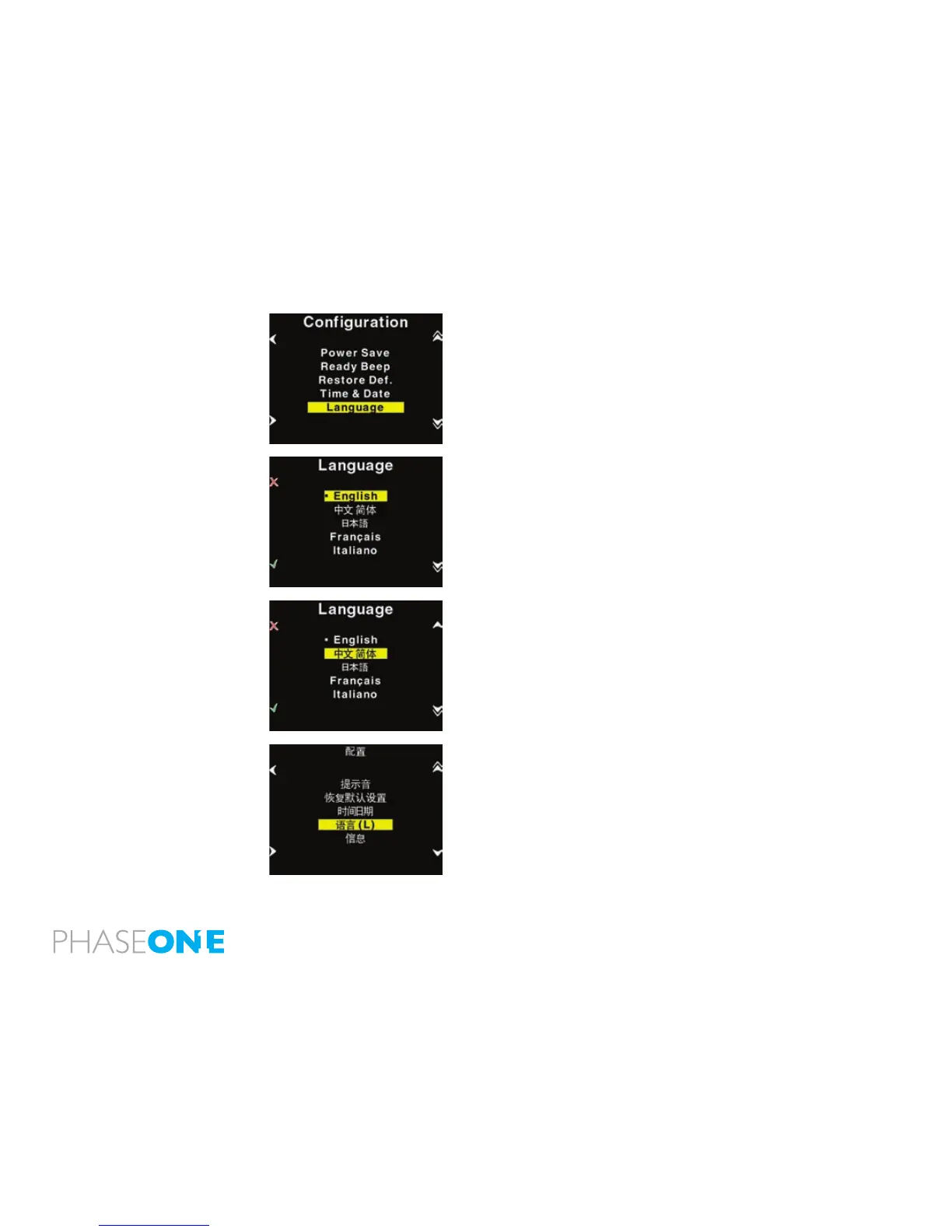
The “Language” option in the “Conguration” Menu can be used to
select preferred language of the user interface.
Expressions in the main menu like: ISO, WB, Play and Menu are not
translated.
These are regarded as icons, and also understood widely as expressions
used to navigate even on the Japanese or Chinese interface.
However switching to an unknown language unintentionally can be
frustrating and the user can have difculty getting it back to the native
language back on the menu.
Phase One have made this easy by incorporating a large “L” in a
parenthesis after the Language menu.
Finding this “L” will help the user get the native language back.
Currently (When this manual was written) the following languages are
supported on the P+: English (default), Japanese, Chinese (Simplied),
French, Italian, German and Spanish.
If there is sufcient request for more languages, these might be made
available through a Firmware upgrade.



 To Next Page