!
44
Meridian 2
10. Mechanical Instructions
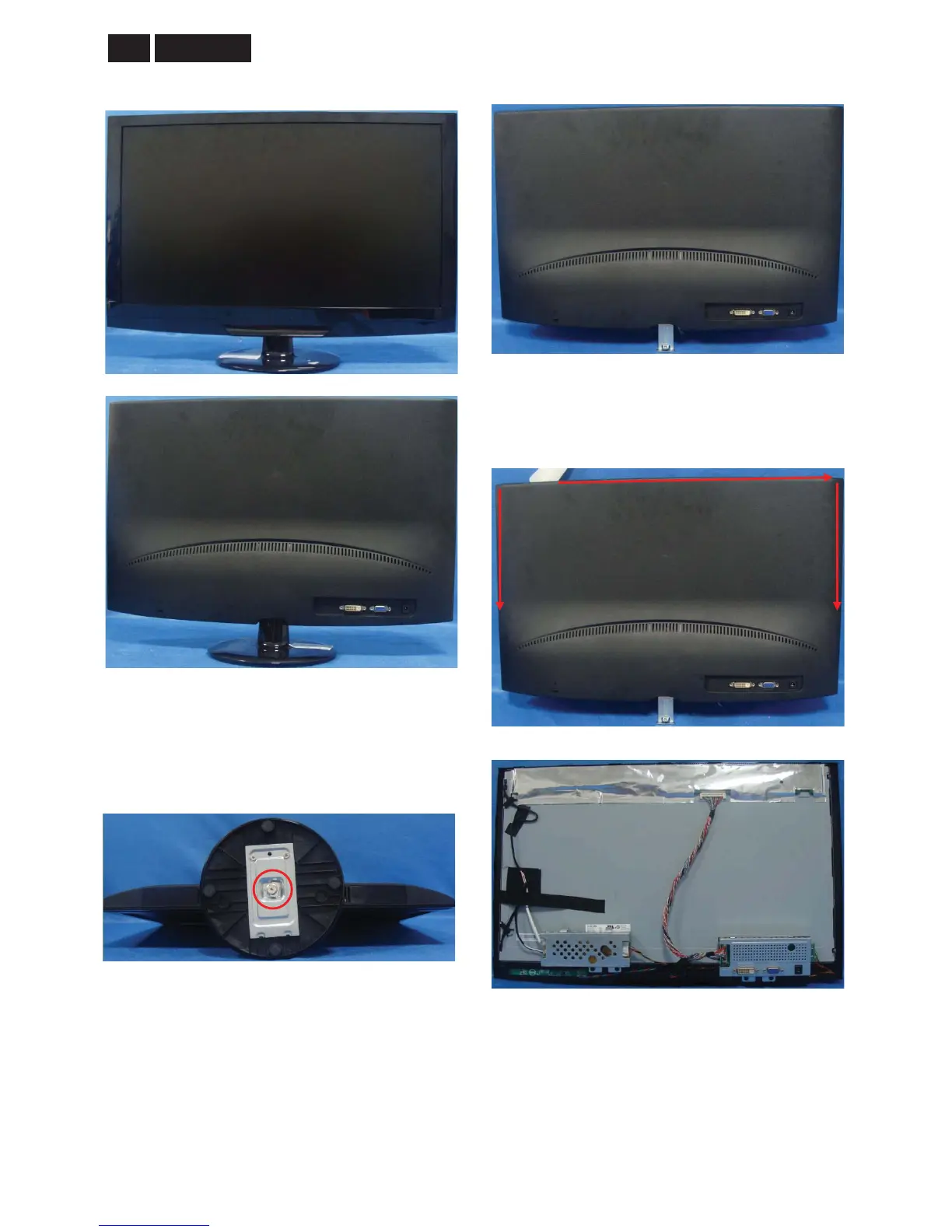
Step 1: Remove the stand-base ass’y
1. Place the monitor face on a safe surface, and
remove the screw to remove the stand base ass’y
from the monitor.
Step 2: Remove the rear cover
1. Open the latches and along the red arrowhead
direction as the picture to open other latches.


 To Next Page