!
56
Meridian 2
12.4 Check the firmware version and Auto Color:
Take the 202E2 for example as below.
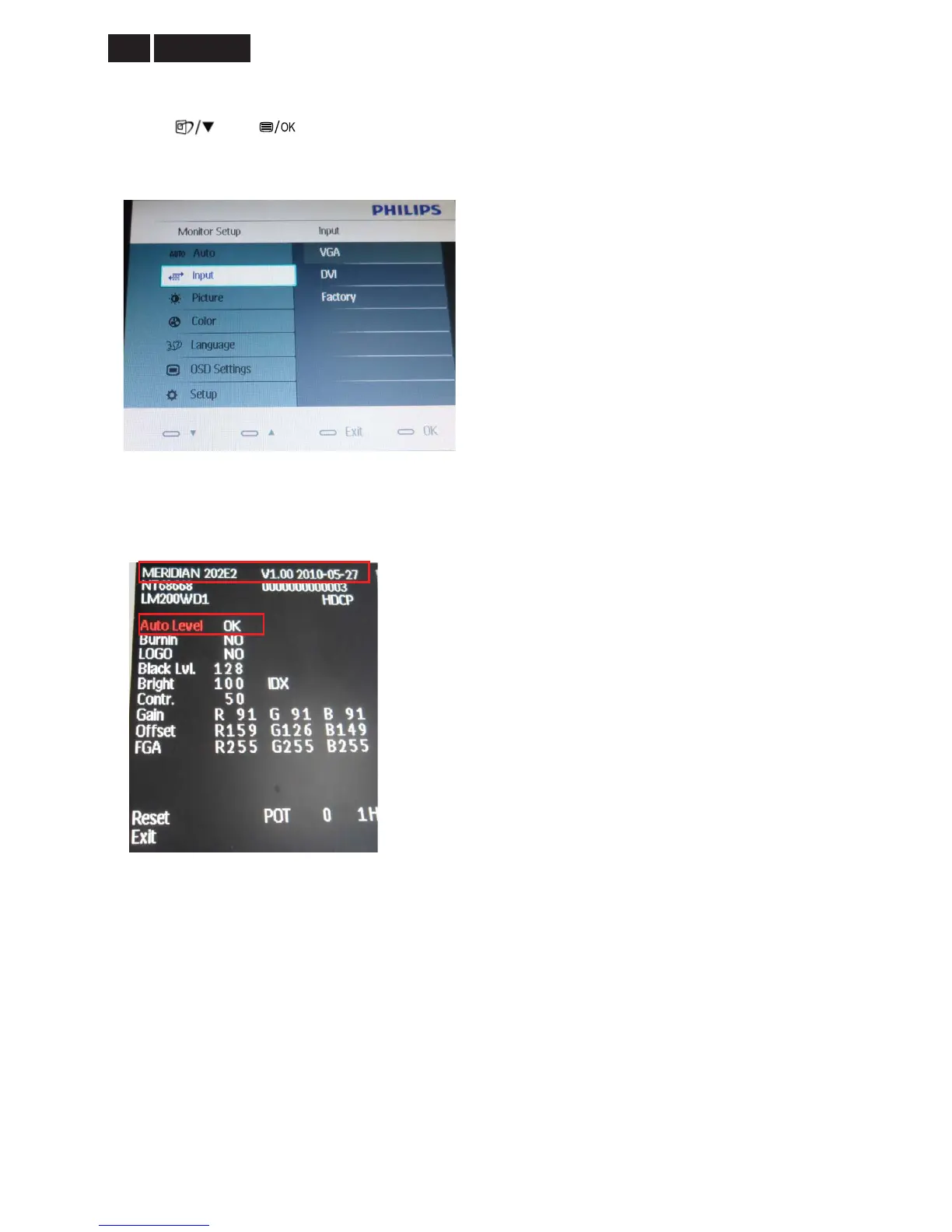
1. Press
and buttons at the same time, power on the monitor, and then press the menu again; the
picture will appear on the top left corner. Choose “Input” item, and then choose “Factory”, you will enter into the
factory mode.
2. If the firmware version is the same as the version that you have loaded, it means the ISP writing successful.
3. Screen is 48 gray-scale, Choose “AUTO level”, PC will switch to the gray-scale screen, and press “MENU”
button again, it will show “ok” meaning “AUTO COLOR” OK, as the following picture
4. AC on/off to exit the factory mode.


 To Next Page