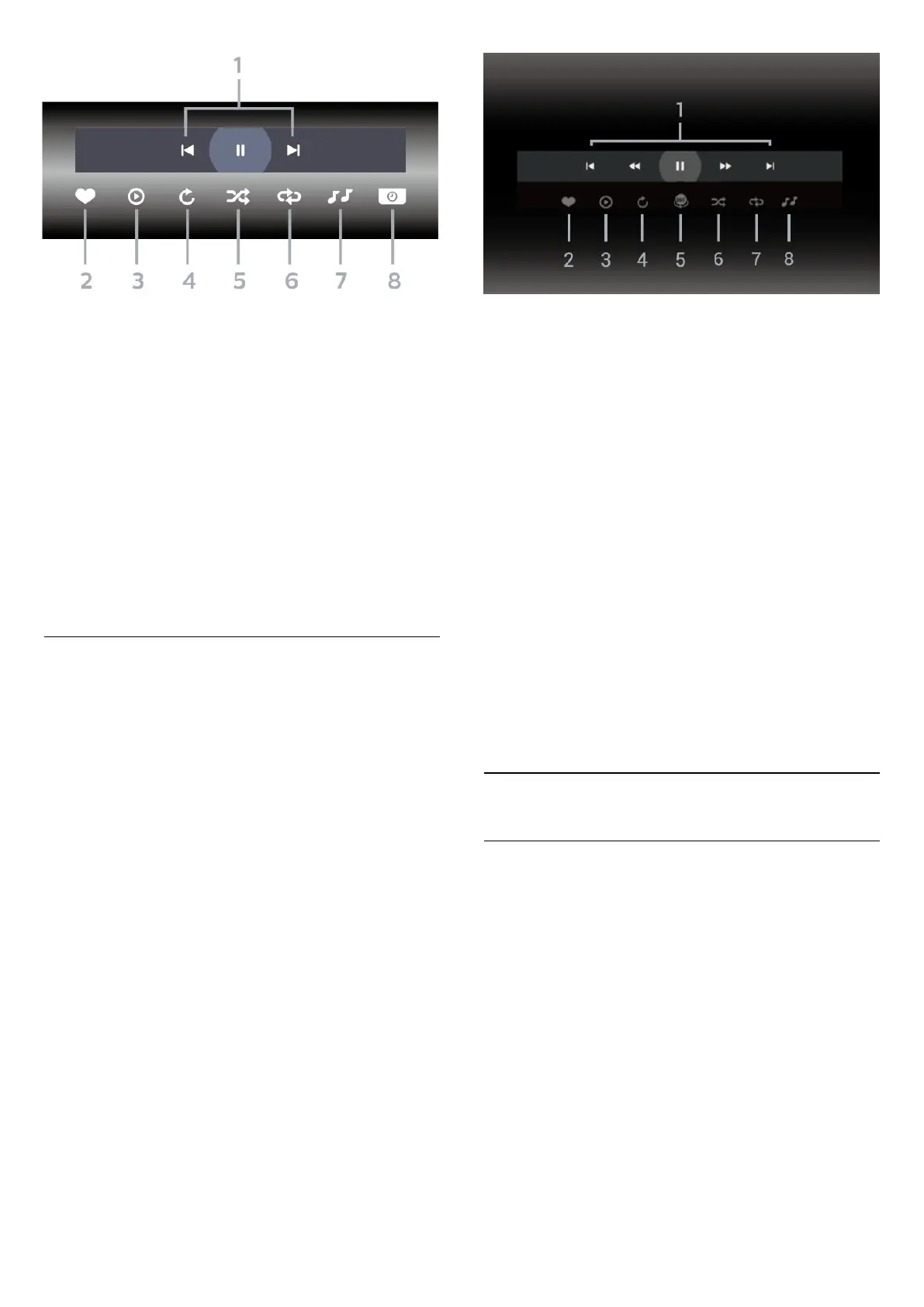
1 - Playback control bar
- : Jump to the previous photo in a folder
- : Jump to the next photo in a folder
- : Pause the slideshow playback
2 - Mark as favourites
3 - Start a slideshow
4 - Rotate the photo
5 - Shuffle: play your files in a random order
6 - Repeat: plays all photos in this folder once or
continuously
7 - Stop the music playing in the background (Not
available in Professional Mode ON)
8 - Set the speed of the slide show
View 360 Photos
Open 360 Photos folder
1 - Press Home, select TV Channels .
2 - Select USB Devices and press (right) to
select the USB device you need.
3 - Select 360 Photos.
View a 360 photo
1 - Press Home, select TV Channels .
2 - Select USB Devices and press (right) to
select the USB device you need.
3 - Select 360 Photos and select one of photos .
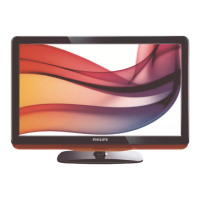
Control bar
1 - Playback control bar
- : Jump to the previous photo in a folder
- : Jump to the next photo in a folder
- : Rewind playback at 2x, 4x, 32x speed
- : Wind playback at 2x, 4x, 32x speed
- : Pause the playback
2 - Mark as favourites
3 - Play one / Play all: play one photo or play all
photos in this folder.
4 - Manual mode /Auto mode: when the 360 player
is started, it will auto pan the selected 360 photo from
left to right (0 to 360 degrees) in 360 view.
5 - Little Planet view: Little Planet is an alternate and
fun view of 360 photo. When Little Planet view is
started, the 360 photo will be rendered in a wrapped
around view like a planet.
6 - Shuffle: play your files in a random order.
7 - Repeat: plays all photos in this folder once or
continuously.
8 - Stop the music playing in the background.
8.4
Play your Music
Play Music
Open Music folder
1 - Press Home, select TV Channels .
2 - Select USB Devices, select Music and
press OK.
Play music
1 - Press Home, select TV Channels .
2 - Select USB Devices , select Music and
press OK.
3 - You can quickly find a music using classification
- Genres, Artists, Albums, Tracks.
Control bar
16







 To Next Page