3
Arm mounting
3.1
Handle
You can find the instructions for mounting the handle
in the Quick Start Guide from www.philips.com.
Use the product type number of the TV to look for the
Quick Start Guide to download.
3.2
Arm mounting
Your TV is also prepared for a VESA-compliant arm
mount bracket (sold separately).
Use the following VESA code when purchasing the
arm mount . . .
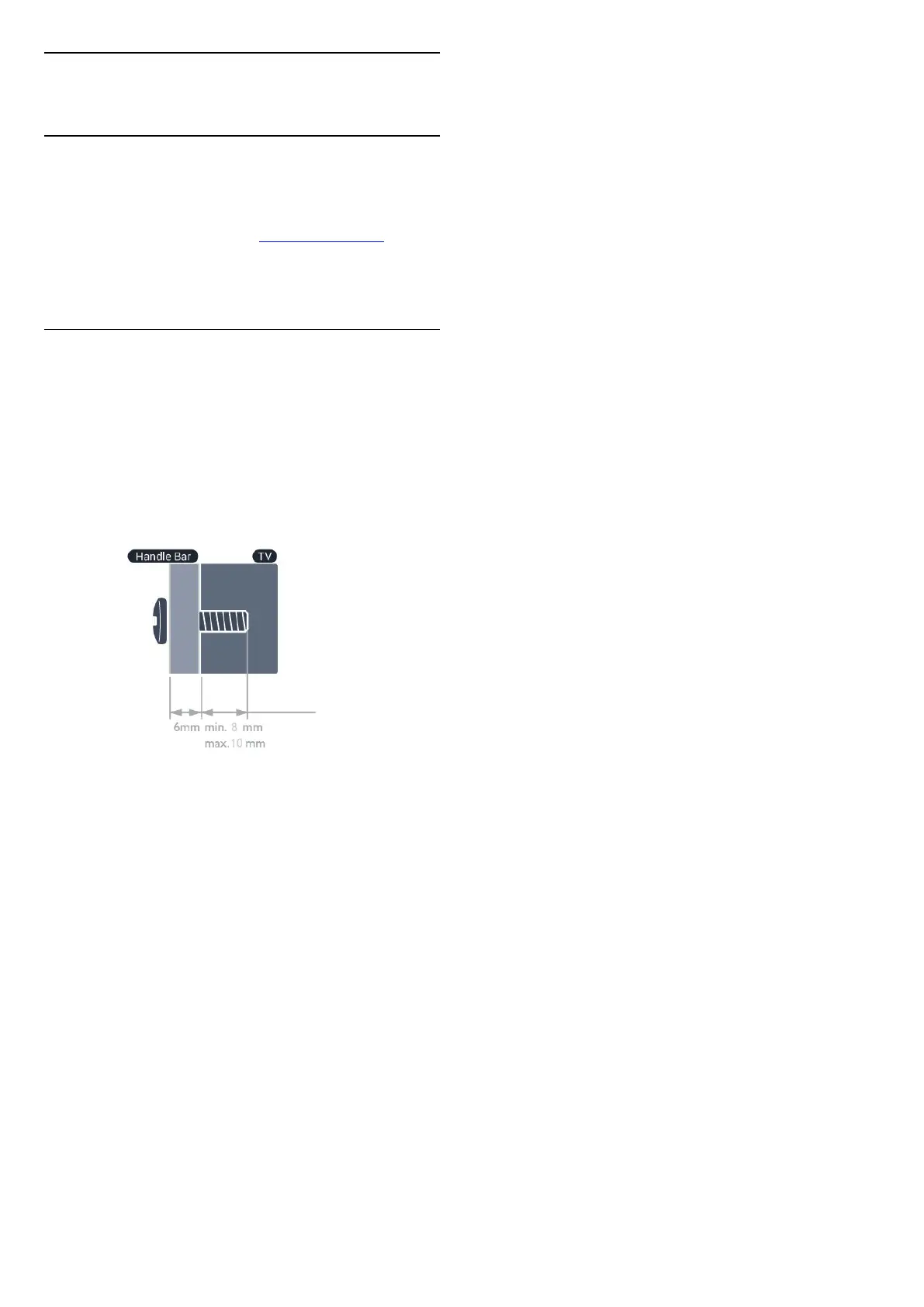
To fix the bracket securely, use screws with a length
indicated in the drawing.
• 19HFL5014W - VESA MIS-F 75x75, M4
Installed with handle bar: (Minimum 14mm, Maximum
16mm)
Installed without handle bar: (Minimum 8mm,
Maximum 10mm)
Caution
Arm mounting the TV requires special skills and
should only be performed by qualified personnel. The
TV arm mounting should meet safety standards
according to the TV's weight. Also read the safety
precautions before positioning the TV.
TP Vision Europe B.V. bears no responsibility for
improper mounting or any mounting that results in
accident or injury.
Note
Before mounting the TV to the arm, remove the
existing VESA screws on the back panel.
Warning
Follow all instructions provided with the TV mount. TP
Vision Europe B.V. bears no responsibility for
improper TV mounting that results in accident, injury
or damage.
To prevent damage to cables and connectors, leave a
gap of at least 5.5 cm / 2.2 inches from the back of
the TV.
Before you mount the TV to the arm, find the correct
length of the screw. To find the length of the screw,
add the thickness of your arm mount to the screw
length.
6







 To Next Page