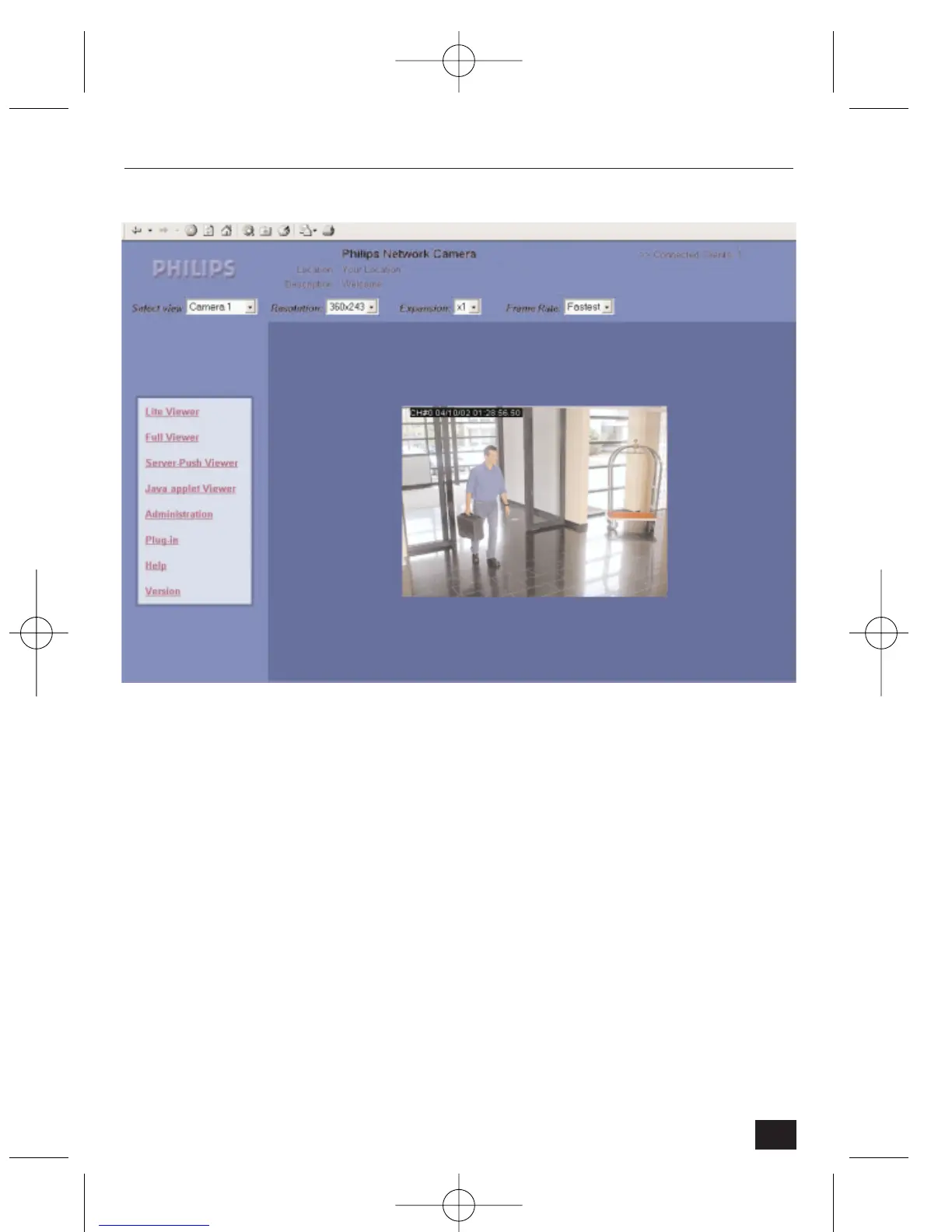
Homepage
On the NetCam2 Homepage there are four viewing options. Users may monitor
real-time images via these main viewers. The four viewers are:
• Lite viewer: for real-time monitoring with simplified viewer with limited
camera and image control (faster page download).
• Full viewer: for real-time monitoring with full camera and image control.
• Server-Push viewer: for real-time monitoring from behind a fire wall.
• Java Applet viewer: for real-time monitoring on a computer that does not
use a Microsoft Windows operating system (such as Macintosh).
Further on the homepage, access is provided to:
• Administration: goes to administration pages for setting passwords, etc.
(refer to section 4).
• Plug-in: loads a plugin required for Netscape Navigator (refer to section 3.2).
• Help: connects to the help page.
• Version: (details of software release level).
19
NetCam2 Section 3










 To Next Page