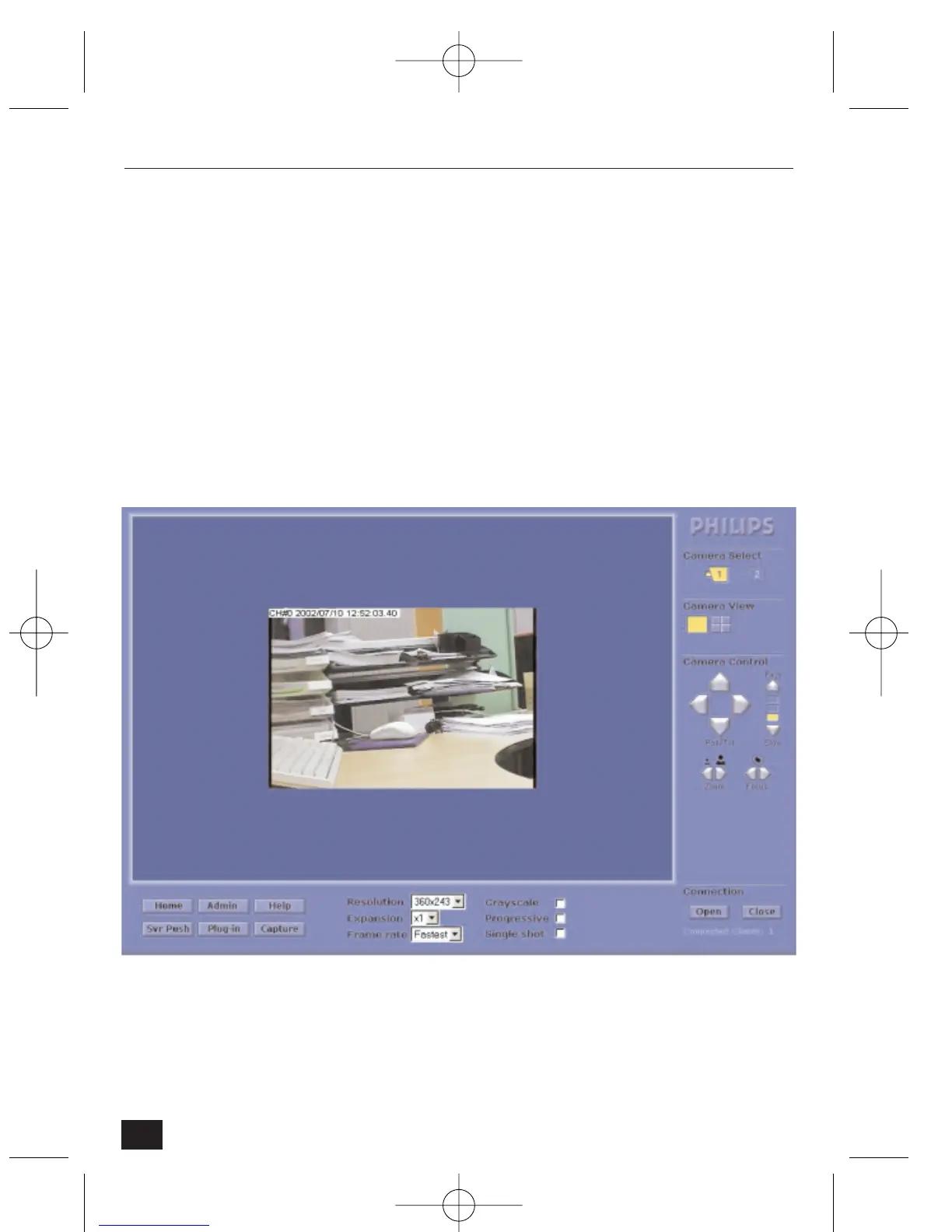
The homepage displays one image. The following can be selected using pull-
down menus:
• Select View – camera 1, 2 or all cameras.
• Resolution – set image resolution to 720x486, 720x243, 360x243, 180x121
or 90x60.
• Expansion – expand image 1x, 2x or 4x.
• Frame rate – set frame rate.
3.3.2 Real-time monitoring through Full viewer (single view)
• From the home page, click on ‘Full Viewer’.
• The default view is shown.
20
NetCam2 Section 3










 To Next Page