FTP event configuration
Set the sending conditions for an FTP event. The setting methods for FTP are
same as that for E-mail (see above).
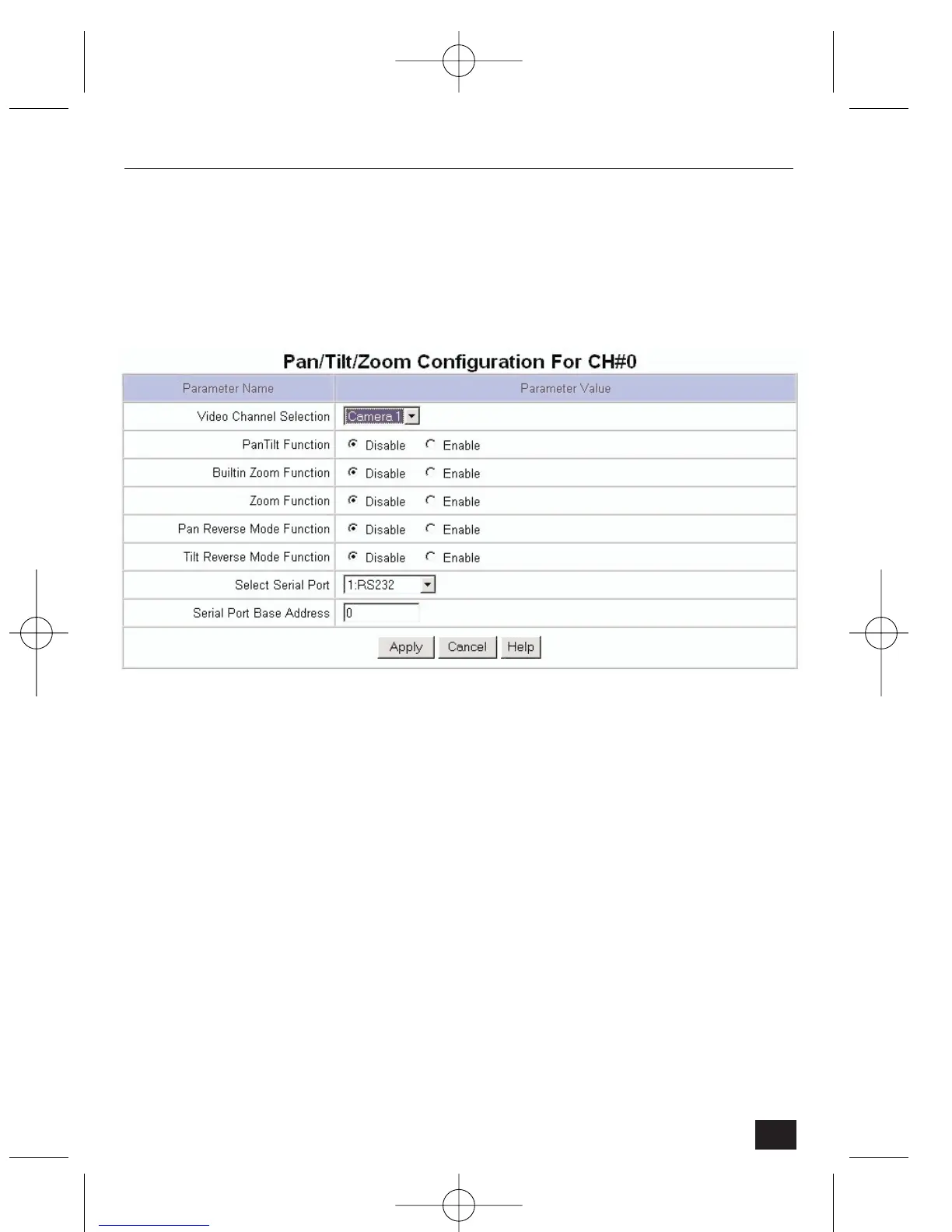
4.2.8 Pan/Tilt/Zoom Configuration
• Video Channel Selection – select a camera to control pan/tilt/zoom (the
four channels shown are same as seen in ‘Video Configuration’).
• Pan Tilt Function – switch the pan/tilt control function on (Enable) or off
(Disable).
• Built in zoom Function – more info required.
• Pan reverse mode function – Enable to reverse the direction of the right and
left pan control arrows (for if a camera is mounted up-side-down).
• Tilt Reverse mode function – Enable to reverse the direction of the up and
down tilt control arrows (for if a camera is mounted up-side-down).
• Select Serial Port – select an interface that satisfies a receiver (controller)
box. NetCam2 has two interface options: RS232C interface or RS485
(Half-Duffel) interface. Select RS232 for Philips PTZ.
• Serial Port Base Address – it is possible to connect more pan/tilt/zoom
receivers (controllers) to Serial #2 (RS485 (Half-Duplex)). In this case,
configure the receiver’s (controller’s) address to control each pan/tilt/zoom
respectively. Use the RS232 to bi-phase converter to connect more devices.
43
NetCam2 Section 4











 To Next Page