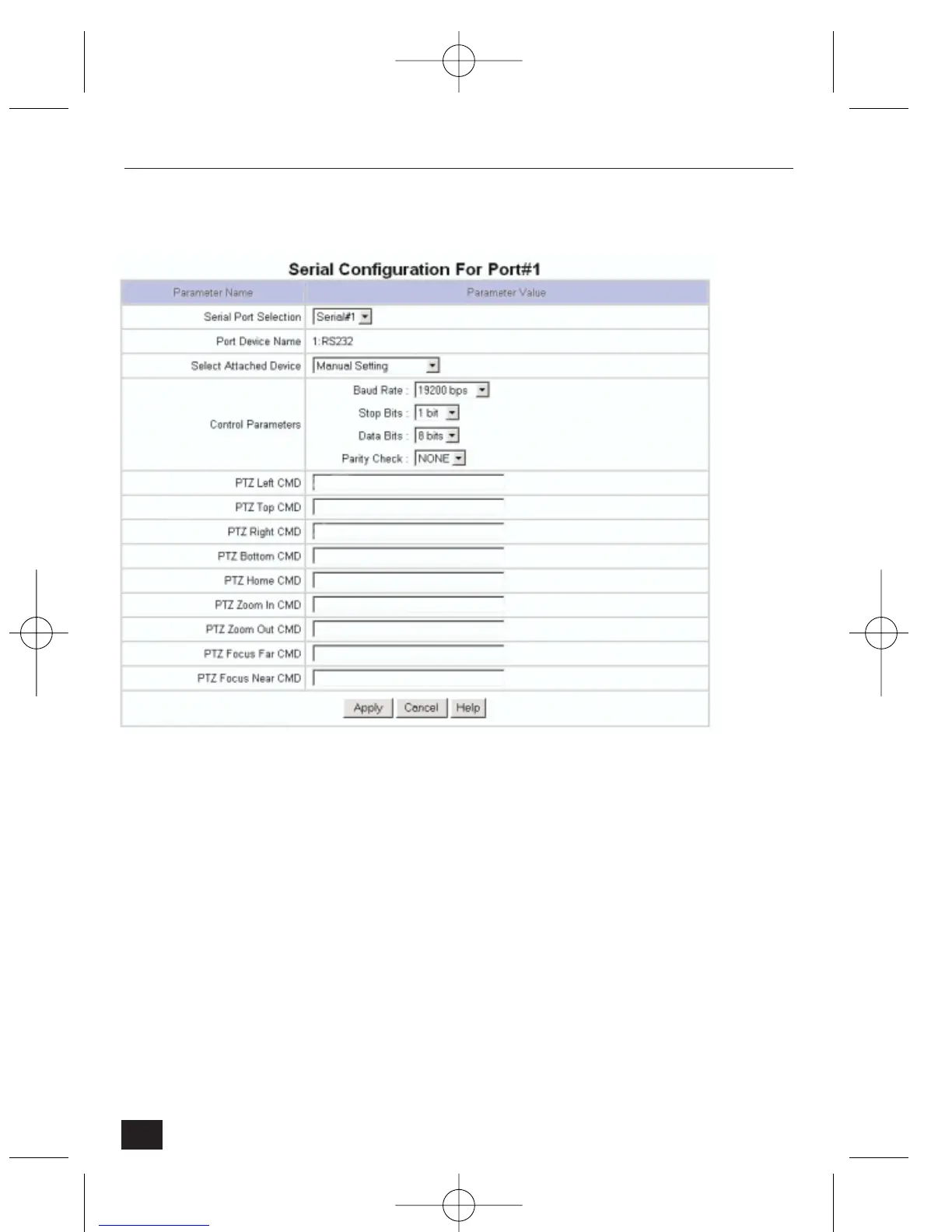
4.2.9 Serial Configuration
• Serial Port Selection – select a serial port to configure. NetCam2 has two
serial ports. Serial #1 is a RS232C interface port, and Serial #2 is a RS485
(Half-Duplex) interface port. Select the RS232C interface port for the
Philips (M) PTZ and AutoDome attached devices.
• Select Attached Device: selects a communication protocol that an attached
external device uses. Any pan/tilt that satisfies the listed protocols may be
used. The other choices are:
• None – disables the serial port function.
• Audio device – reserved for future use.
• Modem – for connecting an external PSTN model.
• Manual – to allow manual entry of PTZ commands (contact your
supplier for assistance).
• Selection for Philips PTZ:
Baud: 9600, Parity: None, Stopbit: 1, Databit: 8
44
NetCam2 Section 4










 To Next Page