Meridian 5
CC170C
W8 LCD
C
C
Note: When you can’t burn in the EDID and SN, try the following ways.
1. AC on the monitor and turn on it.
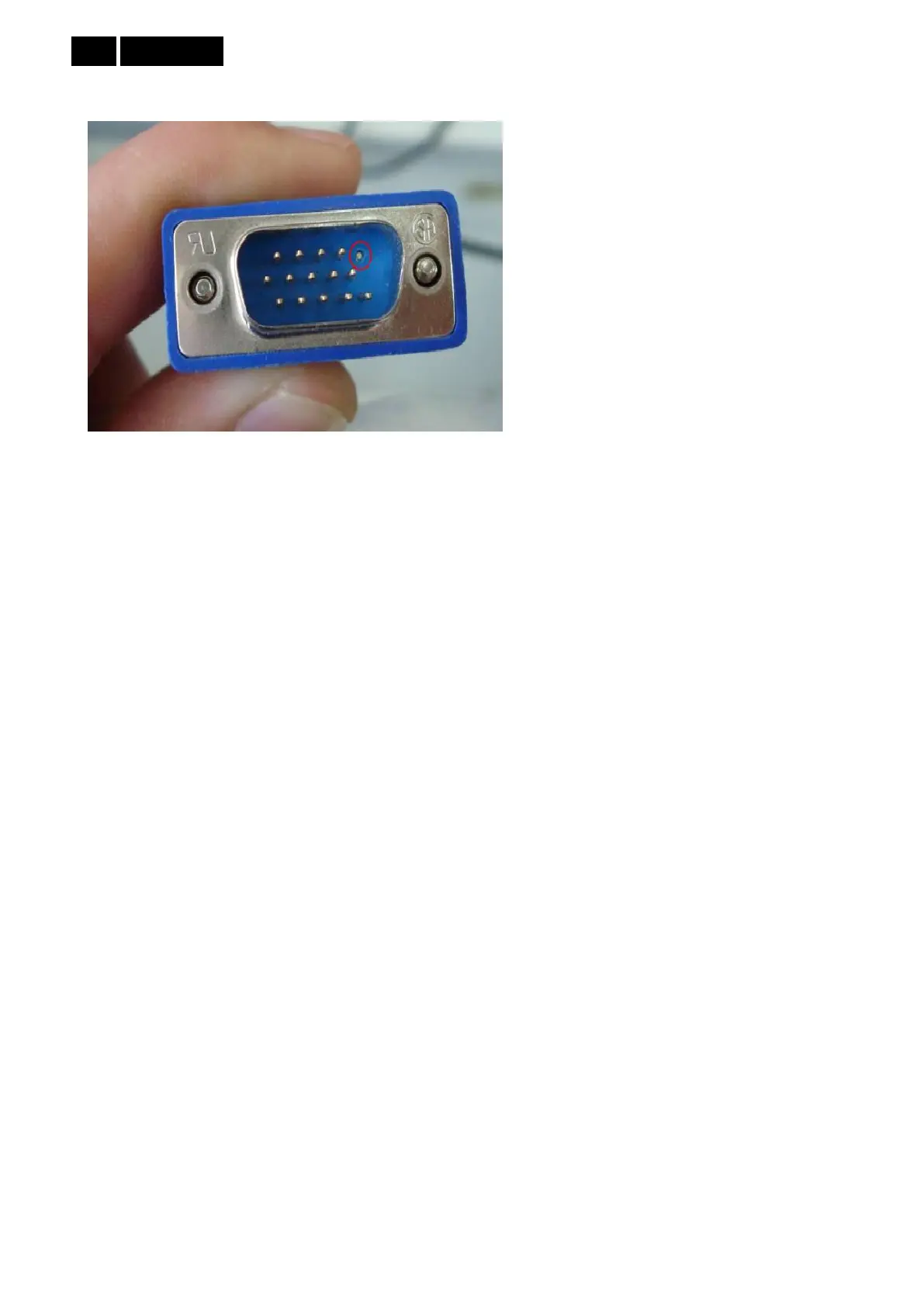
2. Cut off the 5 pin of VGA cable terminal connected to monitor
3. Take apart the monitor and connect the 7pin of EEPROM to GND to disable write protection.
13.5 Troubleshooting
Can’t write error, try below few ways to cure can’t write errors!
1) AC on the monitor and turn on it.(Restart the monitor)
2) Take apart the monitor and connect the 7pin of EEPROM to GND to disable write protection then write
EDID one by one.
3) Set the Burn in on to try again.



 To Next Page