10
The last option is “Reset” and this will reset the search settings to default. After you have checked or changed
settings, you can select “Done” and select “Start” to start the channel search.
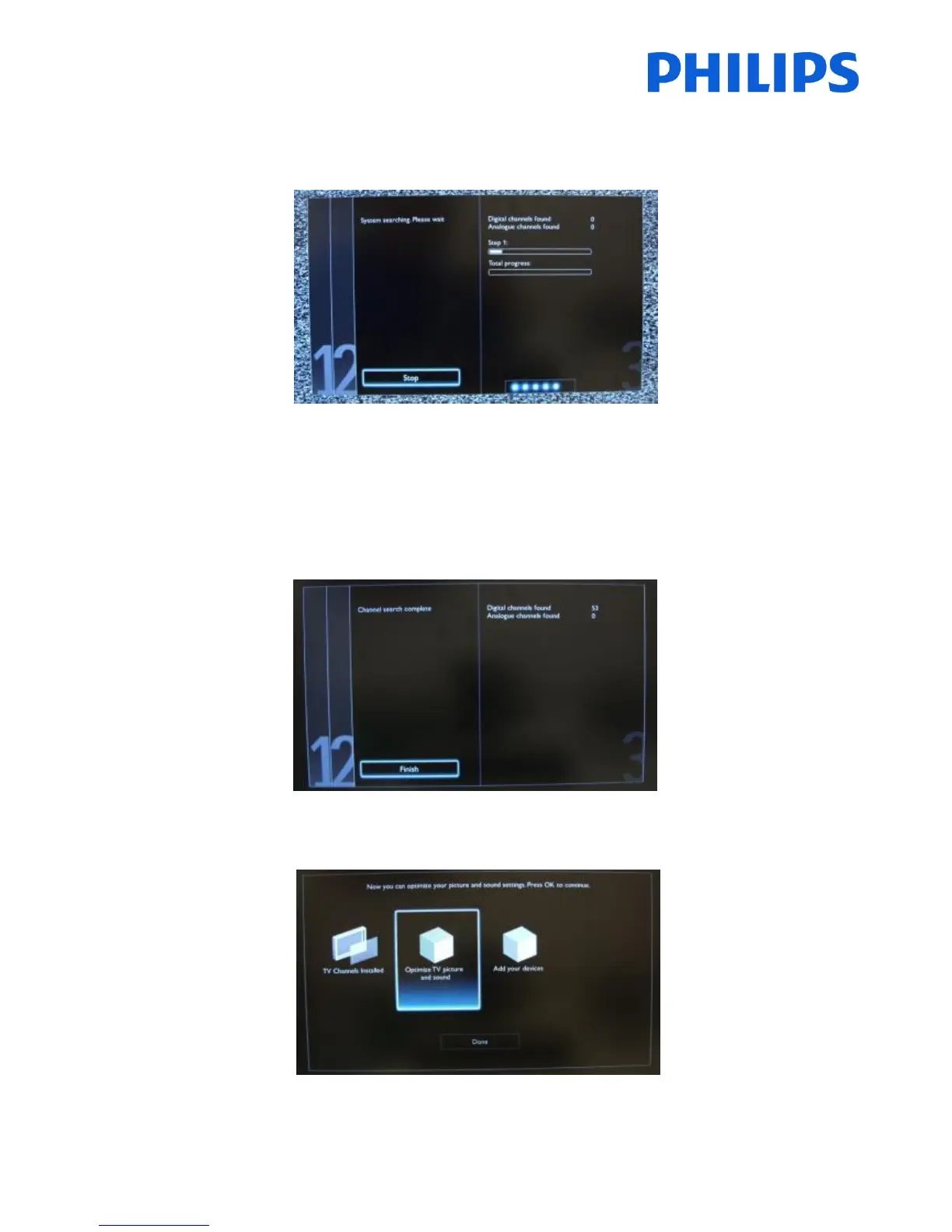
During the channel search you can see the progress bar and how many channels are found at that time.
When the search is done, you should see “Channel search complete” and a summary of the channels found. In this
case:
Digital channels found: 53
Analogue channels found: 0
Press “OK” button on remote control to finish the search.
If you would like to change the picture and sound settings, you can go to “Optimize TV picture and sound” and press
“OK” button on remote control
.













 To Next Page