14
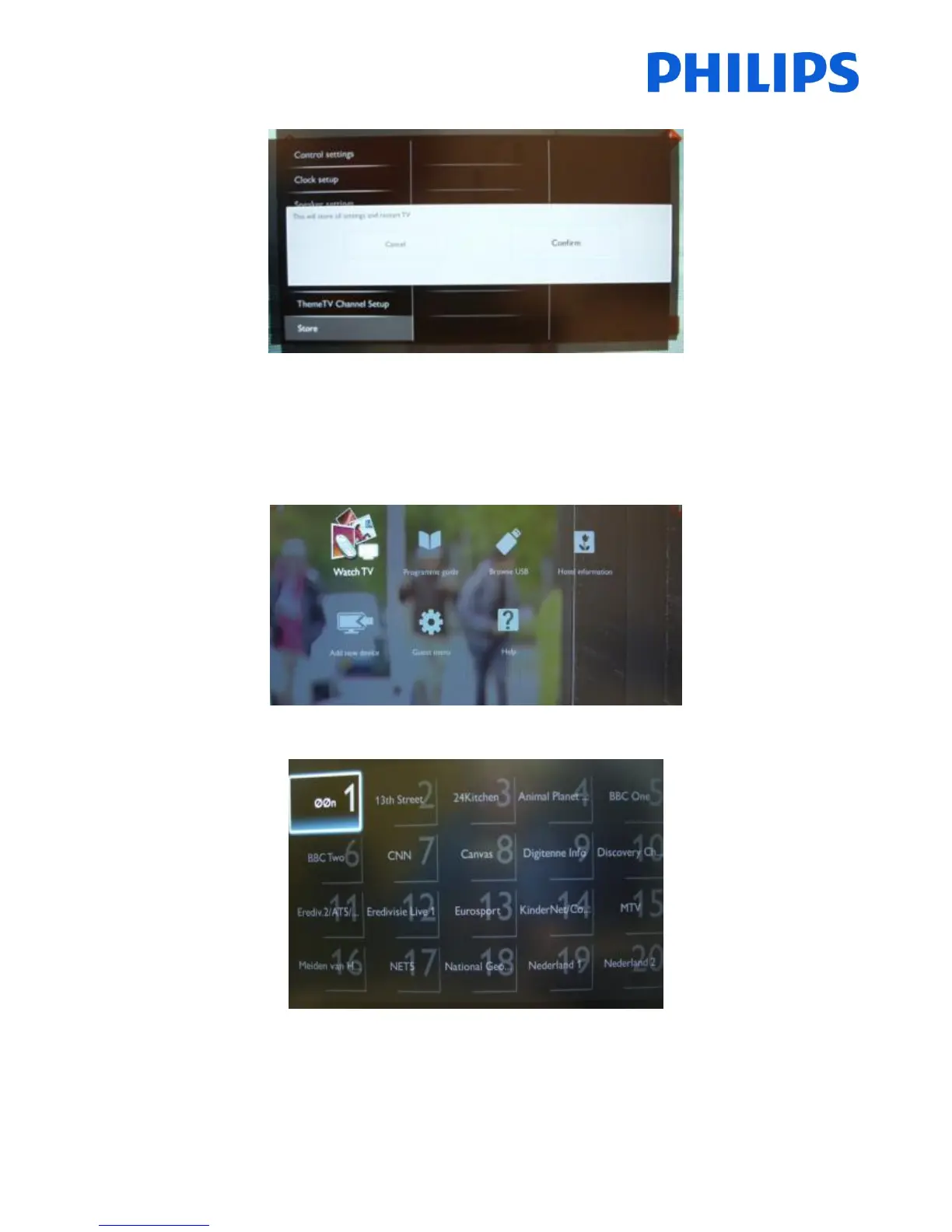
When you press “OK” the next image will appear and you will have to confirm.
After the confirmation the TV will restart. After power on all PBS settings will be disabled.
This menu will allow you to set up channels, reinstall channels, change picture settings, add new devices. As you can
see in the picture you have two new sections: “Add new device” and “Help”.
Press “OK” button on remote control for the channel grid. All installed channels are available on this menu.
With the channel grid displayed, press “OPTION” button on remote control to display settings for channels.













 To Next Page