8
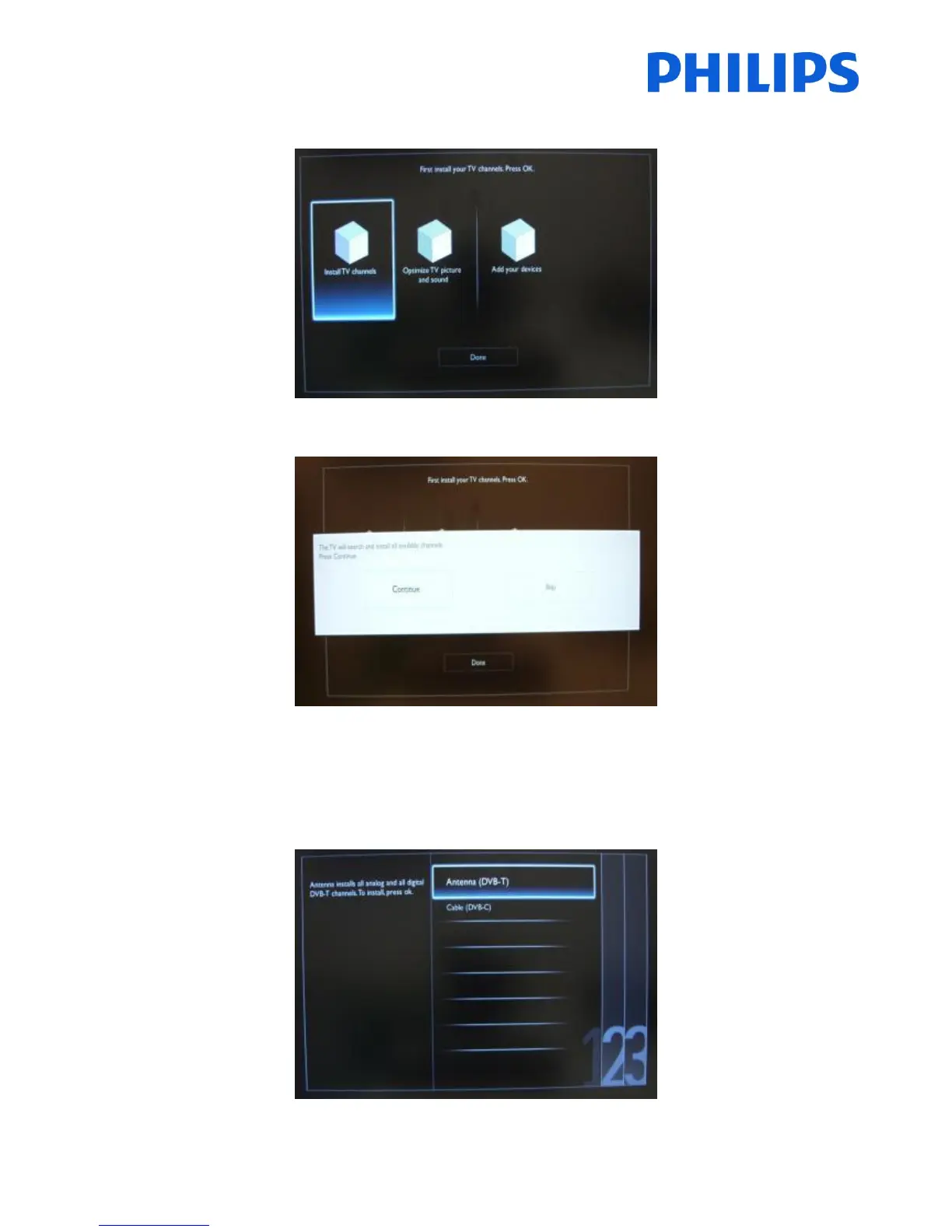
For the channel installations, select ‘Install TV channels’ and press ‘OK’
Then you can select ‘Continue’ and press ‘OK’ again.
Here you can select the type of channels you would like to install.
1. Antenna (DVB-T) + analogue channels
2. Cable (DVB-C)+ analogue channels
Note: The installation wizard is identical for DVB-T and DVB-C.
Note: The analogue channels can be skipped in a future step.














 To Next Page