9EN
English
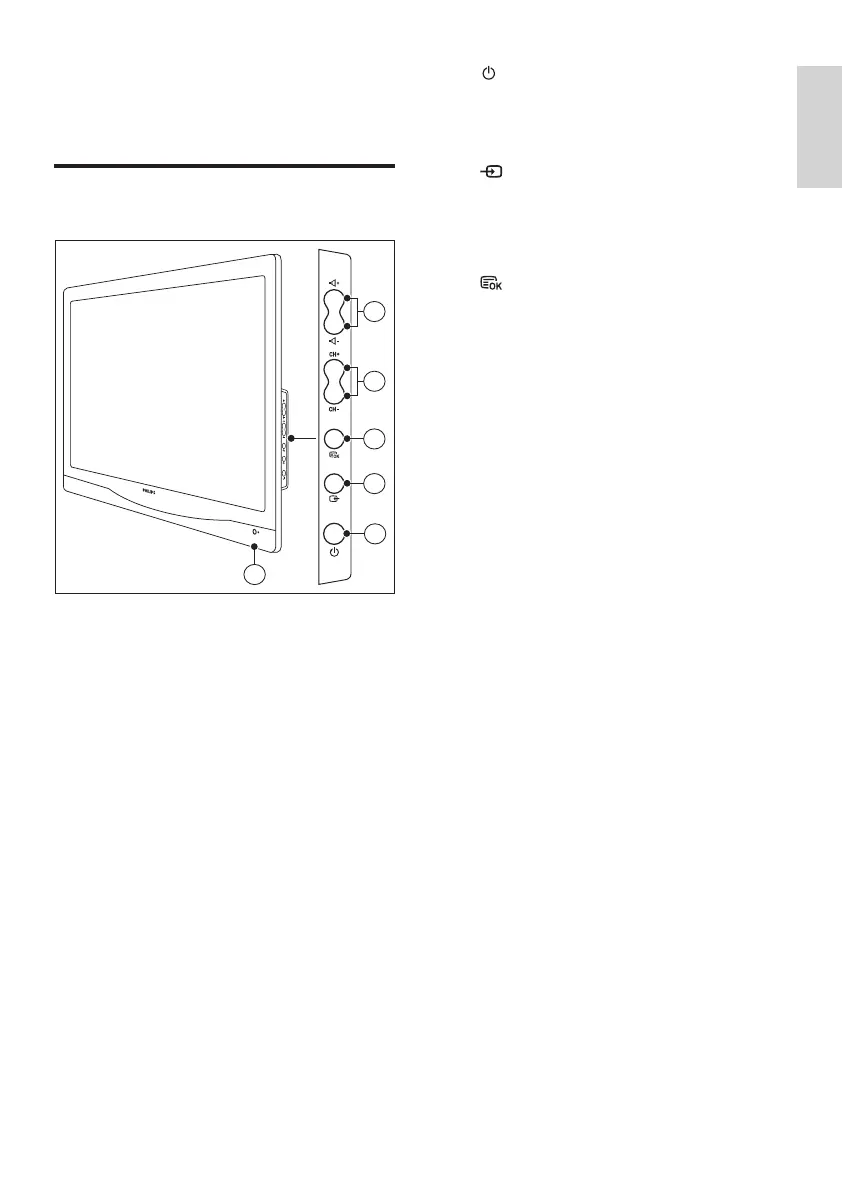
a POWER: Switch the monitor on
or off. The monitor is not powered
off completely unless it is physically
unplugged.
b SOURCE:
Select an input source.
Return to the previous screen or exit
from the on-screen menu.
c MENU/OK:
Display the on-screen menu.
Conrm a selection.
d CH +/-: Switch to the next or previous
channel.
e VOL +/-: Increase or decrease volume.
f Power indicator:
Red LED: RC standby mode. / PC standby
mode.
4 Controls
Side control buttons
6
2
3
1
5
4













 To Next Page