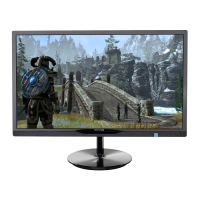
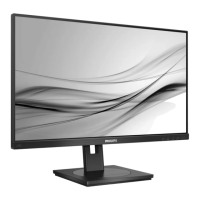
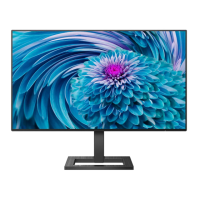
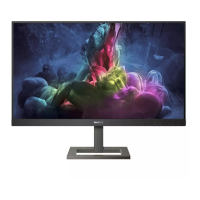
244E2 24” Wide FHD LCD Monitor
2010/05/16 PHILIPS 14 of 36
64 244E2 LCD
General Product Specification
3.2.3 S/PDIF (N/A for this model)
86!Pin!dpbyjbm!dbcmf!xjui!SDB!bebqufs/!Cmbdl!Dpmps/
3.2.4 PC Audio input
3.5mm lime-green jack
3.2.5 Earphone
3.5mm ˽˴˶˾ʳ˴˷˼ʳ˸˸ʳ˶˸˶ˁʳʳ˘˴˻˸ʳ˽˴˶˾ʳ˶˿ʳˍʳ˕˿˴˶˾ʳ
3.3 Timing requirement
Factory Preset mode definition:
1. Perfect FOS while presenting those timings.
2. Will specify those timing in User's Manual
Preset mode definition:
1. Need to support those timings.
2. Perfect FOS after auto adjustment.
ʳʳʳ User mode
1. Can save those timing that not in Preset mode and can be showed (not
over scalar or Panel spec.)
2. It needs to reserve the 10 timings space in memory size.
3.3.1 Mode storing capacity
Factory preset modes : 12
Preset modes : 46(VGA)/46(DVI/HDMI)
User modes : 10
NOTE
VGA timing table:
1 For V-Freq is 85 HZ, The message “THIS IS 85HZ OVERSCANOVERDRIVE, CHANGE COMPUTER
DISPLAY INPUT TO 1920 x 1080@60HZ”is shown on screen.
2 when the input signal is out of range, the message “CANNOT DISPLAY THIS VIDEOMODE, CHANGE
COMPUTER DISPLAY INPUT TO 1920X1080@60 HZ” is shown on screen.
3
For Timing 960x720 @ 60HZ, OSD information shows 1280X720@60HZ.
4 For Timing 1400x1050@60HZ, OSD information shows 1680X1050@60HZ.
5 For Timing 1400x1050@75HZ, OSD information shows 1680X1050@75HZ.
6 The Timings (Green color highlighted) are factory preset mode (12 Sets).


 To Next Page