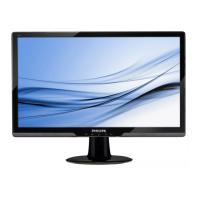
244E2 24” Wide FHD LCD Monitor
2010/05/16 PHILIPS 17 of 36
244E2 LCD 67
General Product Specification
3.5 Vertical scanning
Sync polarity : Positive or Negative
Scanning frequency : 56 - 76 Hz
3.6 Power input connection
Power cord length : 1.8 M
Power cord type : 3 leads power cord with protective earth plug.
3.7 Power management
The monitor must comply with the Microsoft On Now specification, and
meet EPA requirements.
Mode HSYNC VSYNC Video Pwr-cons. Indication Rec. time
Power-On On On active < 48W max
42 W Typ.
White LED --
Standby* Off Off blanked 110VAC < 0.5 W
220VAC< 0.5W
( in stand alone off)
Blinking White LED
Period: 3sec On, 3sec
Off
< 3 s
DC Power Off N/A < 0.5 W LED Off
3.8 VGA Display identification
In accordance with VESA Display Channel Standard Ver.1.0 and DDC 2B
capability
3.9 DVI Display identification
In accordance with DVI requirement (DDWG digital Visual Interface
revision 1.0) use DDC-2B, DDC/CI, and EDID V1.3
3.10 USB support
Connect the upstream port of the monitor to host PC’s USB port via USB
cable,
Then attach external device to the downstream port of the monitor.


 To Next Page