The OSD Menu
Belowisanoverallviewofthestructureof
theOn-ScreenDisplay.Youcanusethisasa
referencewhenyouwanttoworkyourway
aroundthedifferentadjustmentslateron.
Main menu Sub menu
Power Sensor
VGA
HDMI 1 (available for selective models)
HDMI 2 (available for selective models)
Picture
Wide Screen, 4:3
0~4
0~100
0~100
DVI (available for selective models)
Picture Format
Brightness
Contrast
SmartResponse
On, Off
Off, Fast, Faster, Fastest
SmartContrast
OSD Settings
0~100
0~100
Off, 1, 2, 3, 4
5s, 10s, 20s, 30s, 60s
Horizontal
Vertical
Transparency
OSD Time Out
Setup
0~100
On, Off
Yes, No
0~100
0~100
0~100
H. Position
Auto
V. Position
Phase
Clock
Resolution Notification
Reset
Information
Language
English Español, Français, Deutsch, Italiano,
Português,
Русский
简体中文,
Türkçe
On
Off
Color
6500K, 9300K
Red: 0~100
Green: 0~100
Blue: 0~100
Color Temperature
sRGB
User Define
Audio
0~100 (available for selective models)
On, Off
On, Off
Volume
Stand-Alone
Mute
0, 1, 2, 3, 4
On, Off (available for selective models)
Power LED
Over Scan
Input
(available for selective models)
Resolution notification
Thismonitorisdesignedforoptimal
performanceatitsnativeresolution,
1920×1080@60Hz.Whenthemonitoris
poweredonatadifferentresolution,analertis
displayedonscreen:Use1920×1080@60Hzfor
bestresults.
Displayofthenativeresolutionalertcanbe
switchedofffromSetupintheOSD(On
ScreenDisplay)menu.
Physical Function
Tilt

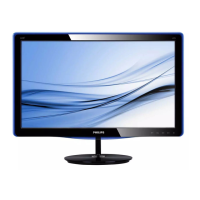

 To Next Page