PrimeSuite xxHFL4373D/10 Page 12
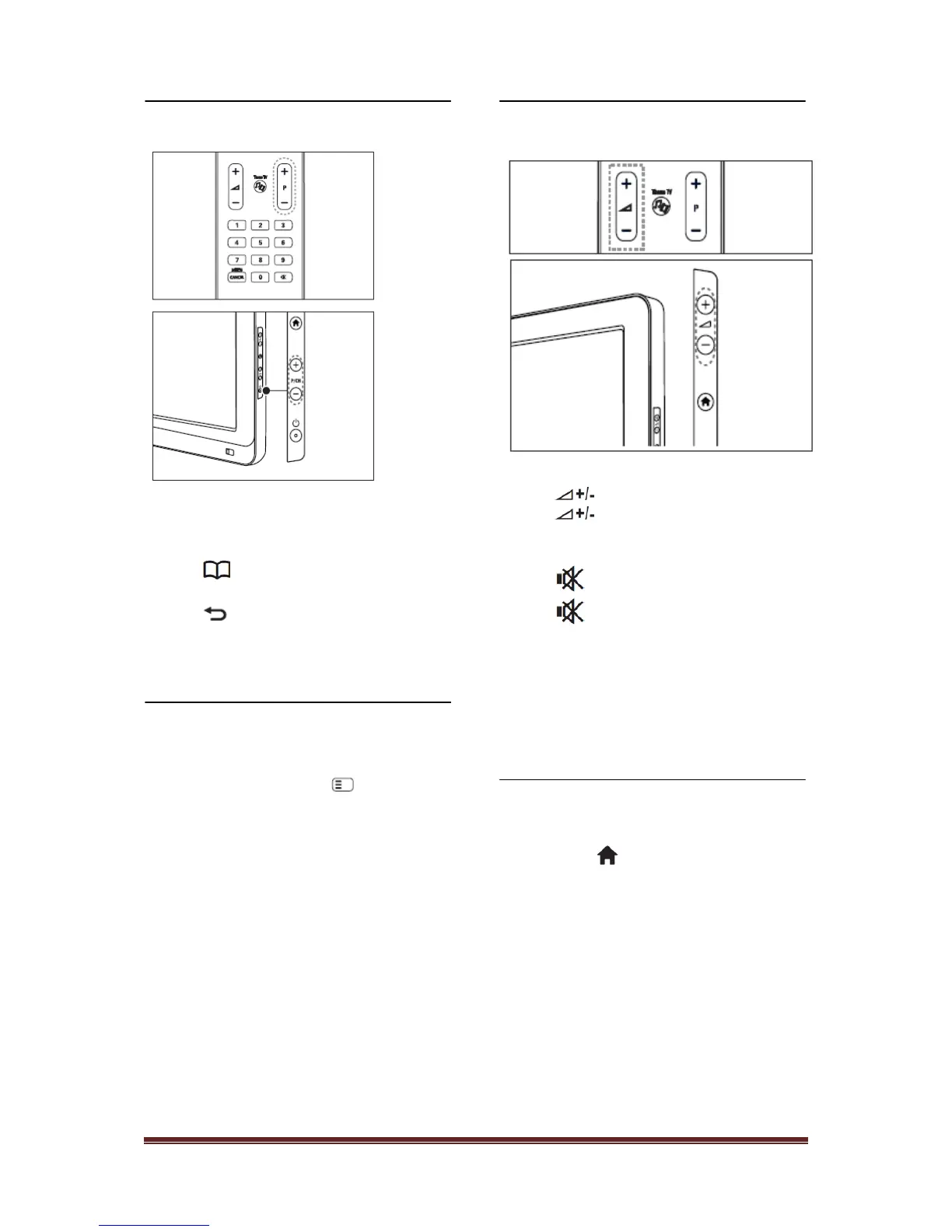
Switch Channels
Press P +/- on the remote control or P /CH +/-
on the side of the TV.
• Press , then select [Channel list] to use
the channel list.
• Press to return to the previously-viewed
channel.
• Enter a channel number using the Numeric
buttons.
To view analogue or digital channels only
Filter the channel list to access analogue or
digital channels only.
1. In the channel list, press
2. Select [Select list] > [Analogue] or
[Digital], then press OK. Depending on
your selection, only digital or analogue
channels become available.
Adjust TV volume
To increase or decrease volume
• Press on the remote control.
• Press on the side of the TV.
To mute or unmute sound
• Press to mute the sound.
• Press again to restore the sound.
Use the [Sound] menu to adjust headphone
volume. For more information, see Setup the
TV > Change picture and sound settings >
More sound settings (Page 30).
Use Smart picture and sound
settings
1. Press .
2. Select [Guest Menu]
Use Smart sound settings
1. Select [Smart picture], then press OK.
2. Select one of the following settings:
• [Vivid] : Rich and dynamic settings,
ideal for daylight use.
• [Natural] : A natural picture setting.
• [Cinema] : Ideal settings for watching
movies.
• [Game] : Ideal settings for gaming.












 To Next Page