PrimeSuite xxHFL4373D/10 Page 18
5. Set up the TV
Introduction
This TV is a special TV, that allows the TV to
be configured for a hotel application
This section describes how to install and
operate this TV. Before reading this section,
please also read section 4 to understand the
basic functionality of this TV.
Benefits of specific Hotel TVs
This TV is specially designed to operate in
Professional Mode. Professional Mode offers
the following benefits:
Access to the [TV Setup Menu] can be
blocked. This prevents users (e.g. guests)
from deleting or changing channel settings and
/ or modifying picture and sound settings. This
ensures that TVs are always set up correctly.
As example:
• A switch-on volume and channel can be
set. After switching on, the TV will always
start on the specified volume level and
channel.
• The maximum volume level of the TV can
be limited in order to prevent disturbance
to other guest.
• Channels can be blanked (Video only).
• The TV local buttons VOLUME +/-,
P/CH+/- and (Home) can be locked.
• Screen information can be suppressed.
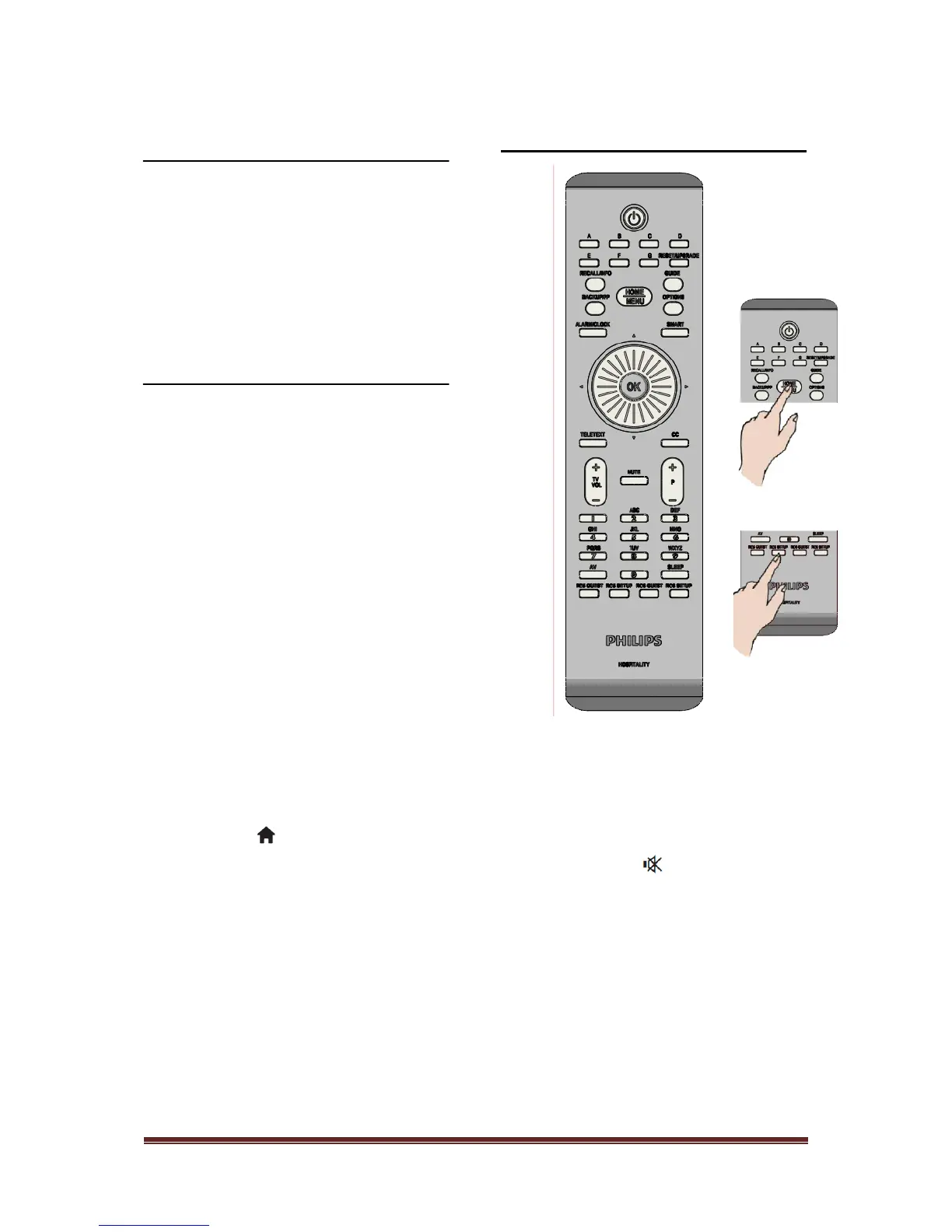
Professional Setup Remote
control (22AV8573 optional)
To enter the Professional Setup menu:
• press RC5 Setup
• press Home/Menu
On a Guest remote:
Press [3, 1, 9, 7, 5, 3, ]
Setup mode should be used by Installer to make the
required settings.












 To Next Page