PrimeSuite xxHFL4373D/10 Page 34
6. Connect devices
This section describes how to connect various
devices with different connectors and
supplements examples provided in the Quick
Start.
••Different types of connectors may be used to
connect a device to your TV, depending on
availability and your needs.
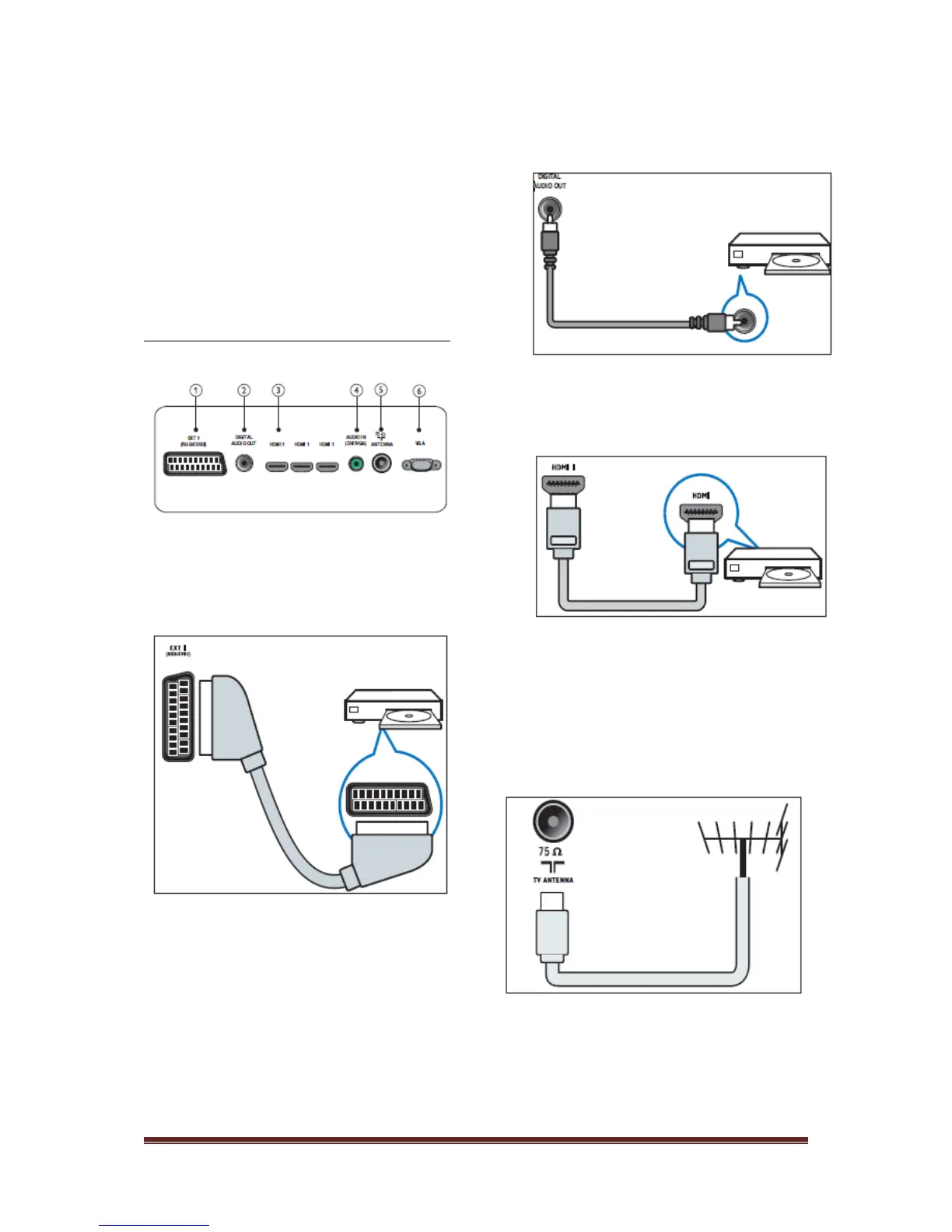
Back connector
1) EXT 1 (CVBS and RGB)
Analogue audio and video input from analogue
or digital devices such as DVD players or
game consoles.
2) DIGITAL AUDIO OUT
Audio and video output to analogue devices
such as another TV or a recording device.
3) HDMI 1
Digital audio and video input from high-
definition digital devices such as Blu-ray
players.
Connections via DVI or VGA require an
additional audio cable.
4) AUDIO IN (DVI and VGA)
Audio input from a computer.
5) TV ANTENNA
Signal input from an antenna, cable or
satellite.
6) VGA
Video input from a computer.












 To Next Page