65BDL6005X
36
Choose from: {RS232/LAN}/ {OPS RS232/LAN}..
Boot on source
Choose to select source when boot up.
Input: select input source when boot up.
WOL
Choose to turn on or o the wake on LAN function.
Choose from : {O} / { On}
Light sensor (require Philips accessory CRD41 External
Sensor Box)
Choose to turn on or o backlight adjustment according to
environment brightness.
Choose from : {O} / { On}
Human sensor (require Philips accessory CRD41 External
Sensor Box)
The Human sensor can detect if people approach the display
or not.
The display will turn o backlight if it detects nothing in
setting time.
The display will return to backlight on when people
approach the display.
The options are:
• {O} (Default), {10 Min.}, {20 Min.}, {30 Min.}, {40 Min.}, {50
Min.}, {60 Min.}
Network Settings
• DHCP On -> Cannot modify IP address/Subnet mask/
Default gateway
• DHCP O-> Can manualy input IP address/Subnet mask/
Default gateway.
Power LED light
Choose to set power indication LED on or o.
Choose {On} for normal use.
Conguration1 reset
Reset all settings in Conguration1 menu to the factory
preset values.
Factory reset
Reset all settings in the OSD menus of {Picture}, {Screen},
{Audio}, {PIP}, {Conguration1}, {Conguration2}, and
{Advanced option} to the factory preset values.
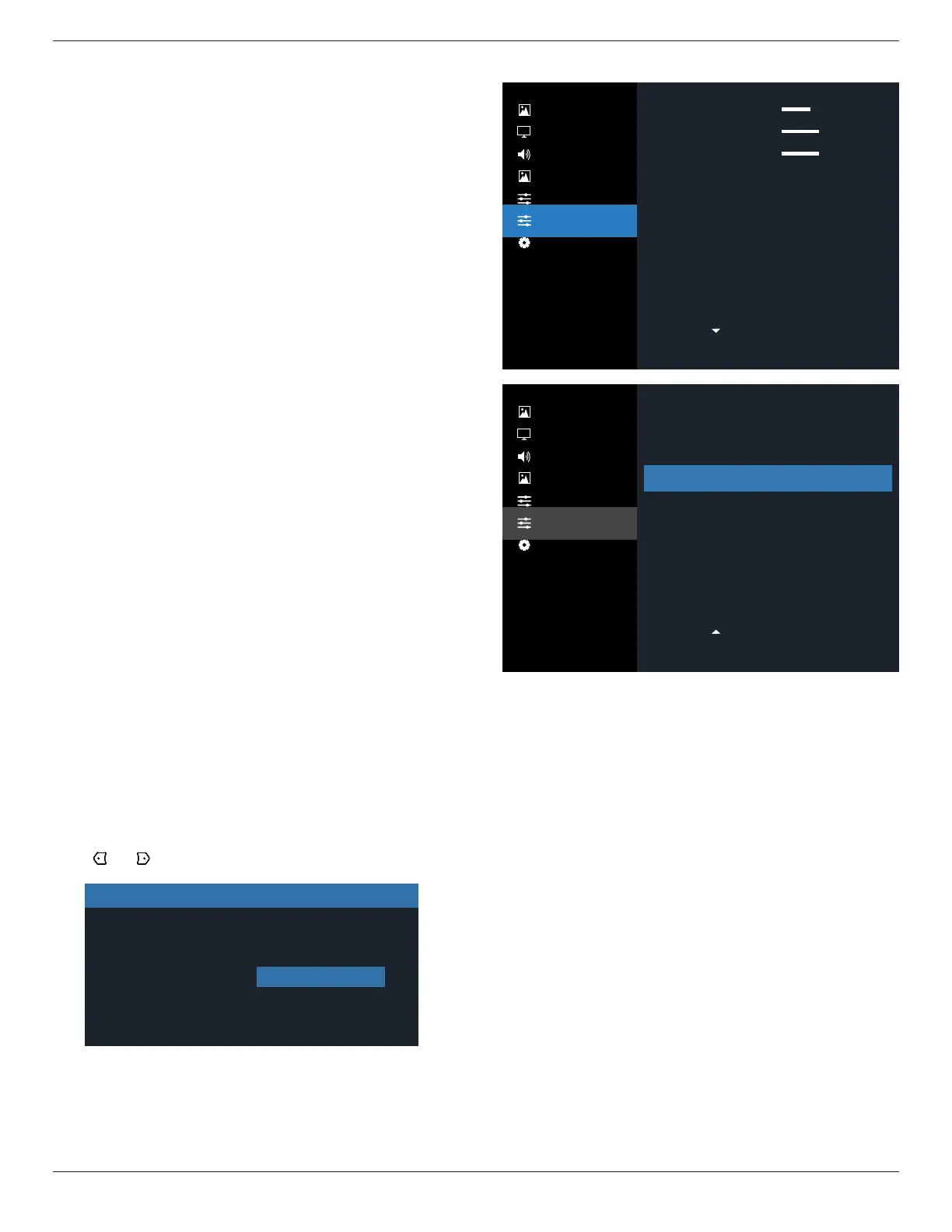
Press [ ] or [ ] button to select {Reset}, and press [OK]
button to do the reset.
Factory reset
Cancel Reset
6.2.6. Configuration2 menu
Picture
Screen
Audio
PIP
Configuration 1
Configuration 2
Advanced Option
Picture
Screen
Audio
PIP
Configuration 1
Configuration 2
Advanced Option
O
On
Action
Action
Action
DP 1.1
1.4
OSD turn off
OSD H position
OSD V position
OSD transparency
Logo
Monitor ID
Heat status
Monitor information
DP version
HDMI EDID
45
50
50
Action
English
Off
Action
OSD rotation
Language
Scan Inversion
Configuration2 reset
OSD turn o
Set the period of time the OSD (on-screen display) menu
stays on the screen.
The options are: {0 ~ 120} seconds.
*{0} does not disappear automatically.
OSD H position
Adjust the horizontal position of the OSD menu.
OSD V position
Adjust the vertical position of the OSD menu.
OSD Transparency
Adjust OSD transparency.
• {O} - Transparency o.
• 20/40/60/80/100.
Logo
Choose to enable or disable the picture of Logo when turn
on your display.
The options are:
• {O}
• {On} (Default)













 To Next Page