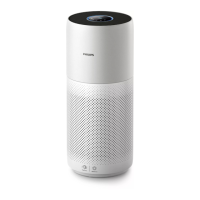
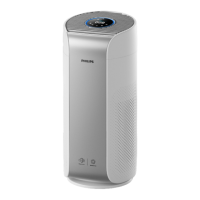
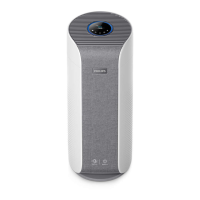
This document describes the Philips AC3737 2-in-1 Air Purifier & Humidifier, a device designed to provide fresh, humidified air for a healthy home environment.
Function Description:
The Philips AC3737 is a 2-in-1 appliance that combines air purification and humidification functions. It utilizes an advanced evaporation system with NanoCloud technology, which adds H2O molecules to dry air to produce healthy humid air without forming water mist. The humidification filter retains bacteria, calcium, and other particles from the water, ensuring only pure humidified air is delivered. The air purification function, supported by a professional-grade AeraSense sensor, detects and responds to indoor air pollutants, including PM2.5 particles and allergens. The device operates in two main modes: 2-in-1 mode (purification and humidification) and Purification ONLY mode.
Important Technical Specifications:
- Wi-Fi Interface: Standard WiFi based on 802.11b/g/n at 2.4 GHz with a maximum output power of 38.28mW EIRP.
- Laser Product: Class 1 laser product (part of the particle sensor) with a max output of 0.39mW, wavelength 660nm, continuous wave, and beam divergence of 10°.
- Filters:
- Humidification filter: FY3455
- Purification filter: FY3437
- Power: Operates on local mains voltage.
- Air Quality Sensing: AeraSense sensor for PM2.5 and Indoor Allergen Index (IAI).
- Humidity Sensing: Detects current ambient humidity and allows setting a target humidity.
Usage Features:
- Getting Started:
- The humidification filter comes pre-installed.
- The purification filter requires removal of all packaging before first use.
- Wi-Fi Connection: The device can be connected to a smartphone or tablet via the Philips "Air+" app (available on App Store and Google Play). The Wi-Fi indicator blinks orange during connection and turns stable orange when connected to the smartphone, then blinks white for server connection and stable white when connected to the server. The Wi-Fi function disables after 15 minutes if not used.
- Reset Wi-Fi: The Wi-Fi connection can be reset by pressing and holding the mode and light/child lock buttons for 3 seconds.
- Working Modes:
- 2-in-1 Mode: Activated when the water tank is correctly placed, providing both purification and humidification.
- Purification ONLY Mode: Activated automatically after removing the water tank, providing only air purification.
- Air Quality Light: The air quality light changes color based on the highest index among PM2.5 and IAI readings (in Purification ONLY mode) or humidity difference (in 2-in-1 mode).
- Humidity Difference Colors: Blue (0-10%), Blue-purple (11-20%), Purple-red (21-30%), Red (>30%).
- PM2.5 Level Colors: Blue (<12, Good), Blue-purple (13-35, Fair), Purple-red (36-55, Poor), Red (>55, Very poor).
- IAI Level Colors: Blue (1-3, Good), Blue-purple (4-6, Fair), Purple-red (7-9, Poor), Red (10-12, Very poor).
- Turning On/Off: Tap the power button to switch on, and tap and hold for 3 seconds to switch off. The appliance retains previous settings when turned on again if connected to power.
- Water Level: An indicator turns on when the water tank is low. In Purification ONLY mode, the indicator does not appear.
- Refilling Water: Water can be refilled directly without opening the top cover (Method A) or by opening the cover and adding water through a tap (Method B). Avoid overfilling and ensure the top lid is securely installed.
- Setting Target Humidity: Tap the humidity setting button to choose 40%, 50%, 60%, or --- (no humidity set, humidifies until 70% RH). The appliance automatically adjusts fan speed to maintain target humidity.
- Display Switch: Tap the display switch button to view PM2.5, IAI, and current humidity.
- Mode Switch: Tap the mode switch button to select:
- Auto mode: Automatically adjusts fan speed based on air quality.
- Fan speed 1 & 2: Manual fan speed selection.
- Turbo mode: Operates at the highest speed.
- Sleep mode: Operates quietly at a low speed, with the screen lights off after 3 seconds.
- Light On/Off Function: The control panel automatically dims or turns off based on ambient light. Any button touch wakes up the lights. The light/child lock button can manually turn off all lights and the control panel.
- Child Lock: Activate by tapping and holding the light/child lock button for 3 seconds. A lock icon appears on the screen. Only the power button works when child lock is active.
Maintenance Features:
- Cleaning Schedule:
- When necessary: Wipe plastic parts with a soft, dry cloth; clean air outlet cover; clean filter surface.
- Regularly: Clean the inside and outside of the appliance to prevent dust. Wipe fabric surface with a damp cloth. Use a soft, dry cloth for interior, exterior, and air outlet.
- Cleaning the Water Tank: Clean weekly for hygiene. Remove the humidification filter, fill the tank with water, add mild washing-up liquid, clean with a soft cloth, empty, and then replace the humidification filter.
- Cleaning the Surface of the Filter: When the filter cleaning alert displays, switch off and unplug the appliance. Clean the surface of the filter with a vacuum cleaner.
- Replacing the Purification Filter (FY3437):
- The appliance has a filter replacement indicator (red light) that signals when the filter needs replacement. If not replaced, the appliance will lock to protect air quality.
- The filter is not washable or reusable.
- To replace: Switch off and unplug. Pull back cover, remove old filter, discard. Remove packaging from new filter, insert. Reattach back cover. Plug in, turn on. Tap and hold the filter reset button for 3 seconds to reset the filter lifetime counter. Wash hands after handling.
- Replacing the Humidification Filter (FY3455):
- Replace every 6 months for optimal performance, or at least once a year.
- To replace: Switch off and unplug. Open top cover, then open humidification filter lid, remove old filter, discard. Soak the humidification filter in mild or acid cleanser (24g citric acid with 4L water or 100ml white vinegar with 4L water) for 1 hour. Rinse thoroughly under a slow, steady stream of water (do not rub or squeeze). Put the new filter back into the appliance. Install the top cover of the humidification filter, then the top cover of the water tank. Avoid drying in direct sunlight.
- Filter Reset: If replacing a filter before the alert displays, manually reset the filter lifetime counter by plugging in the appliance, turning it on, and within 15 seconds, tapping and holding the filter reset and humidity setting buttons for 3 seconds.
Safety Precautions:
- Do not allow liquids or flammable detergents into the appliance.
- Do not spray flammable materials around the appliance.
- Do not clean with water or flammable detergents.
- Water in the tank is not for drinking, animals, or plants.
- Ensure voltage matches local mains.
- Damaged supply cords must be replaced by Philips or authorized personnel.
- Do not use if plug, power cord, or appliance is damaged.
- Children 8+ and persons with reduced capabilities can use under supervision.
- Do not block air inlet/outlet.
- Not a substitute for proper ventilation, vacuum cleaning, or extractor hoods.
- Ensure proper power socket connection.
- Place on a dry, stable, level, horizontal surface with at least 20cm free space around and 30cm above.
- Do not place anything on top or directly below an air conditioner.
- Ensure all filters are correctly installed.
- Use only original Philips filters.
- Avoid knocking with hard objects or inserting fingers/objects into air outlet/inlet.
- Do not use with indoor smoke-type insect repellents, oily residues, burning incense, or chemical fumes.
- Do not use near gas appliances, heating devices, or fireplaces.
- Unplug before moving, cleaning, filling water, or replacing filters.
- Do not use in rooms with major temperature changes.
- Place at least 2m from electrical appliances using airborne radio waves.
- Check filters for bacteria/mold if not used for a long time.
- Intended for household use only.
- Do not use in wet surroundings or high ambient temperatures.
- Does not remove carbon monoxide or radon.
- Only fill with cold tap water; do not add other substances, fragrances, or chemicals.
- Clean water tank and humidification filter if not used for a long time.
- Disconnect from power supply before moving.
- Turn off power and remove water tank in case of overflow.
- Avoid laying down when cleaning and keep electrical outlets dry.
- Do not attempt to open the particle sensor.
- Never immerse in water or other liquids.
- Never use abrasive, aggressive, or flammable cleaning agents.
- Never use liquids to clean the purification filter.
Troubleshooting:
The manual provides solutions for common issues such as:
- Appliance not working properly (check back cover, filter replacement).
- No air humidification (check water tank, understand NanoCloud technology, close doors/windows).
- Water tank leaks (check maximum level, filter cover, assembly).
- White deposits on humidification filter (scale from minerals, clean as per instructions).
- Filter becoming yellowish (natural effect, clean/replace).
- Strange smell (plastic smell normal initially, burnt smell requires service, filter absorption of gases).
- Invisible mist (NanoCloud technology produces fine, invisible mist).
- Weak airflow (dirty filter, target humidity reached).
- Air quality not improving (packing material, filter installation, room size, pollution sources, end-of-life filter).
- Appliance is extra loud (Turbo mode, Auto mode adjustments, abnormal sound, foreign objects).
- Filter replacement alert persists after replacement (reset filter lifetime counter).
- Error code "E1" (motor malfunction, contact service).
- Wi-Fi setup unsuccessful (router band, web authentication, range, network name/password, electromagnetic interference, airplane mode, app help section).
Warranty and Support:
Versuni offers a two-year warranty. For support, parts, or accessories, visit www.philips.com/support or contact the Philips Consumer Care Center.

 Need help?
 General

 To Next Page