11
English
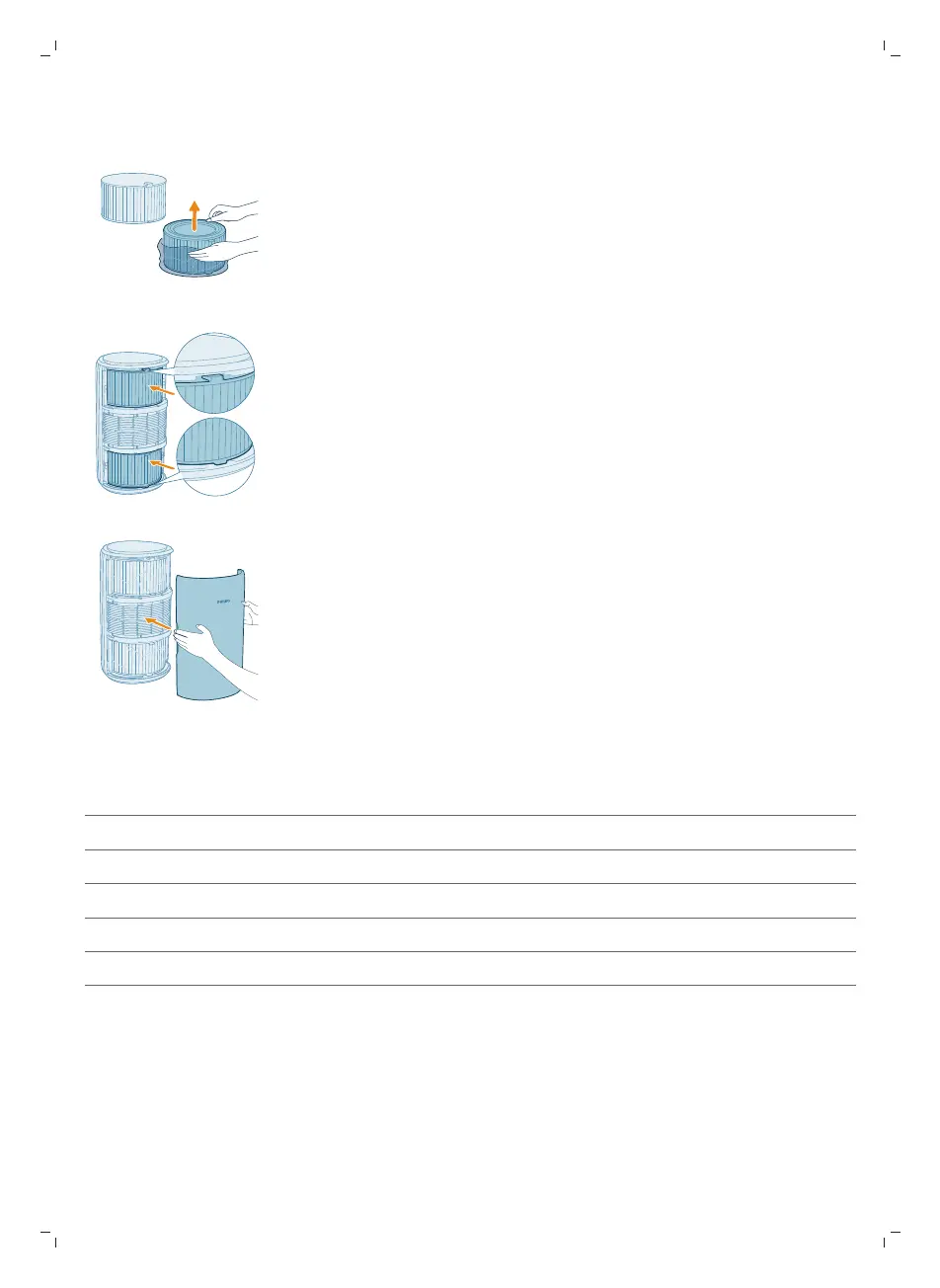
3 Remove all packaging materials of the air purification filters.
4 Put the filters back into the appliance.
5 Reattach the front cover.
Understanding Wi-Fi indicator
Wi-Fi icon status Wi-Fi connection status
Blink in orange Connecting to the smart phone
Stable in orange Connected to the smart phone
Blink in white Connecting to the server
Stable in white Connected to the server
Off Wi-Fi function disabled or device lights are off


 To Next Page