21
English
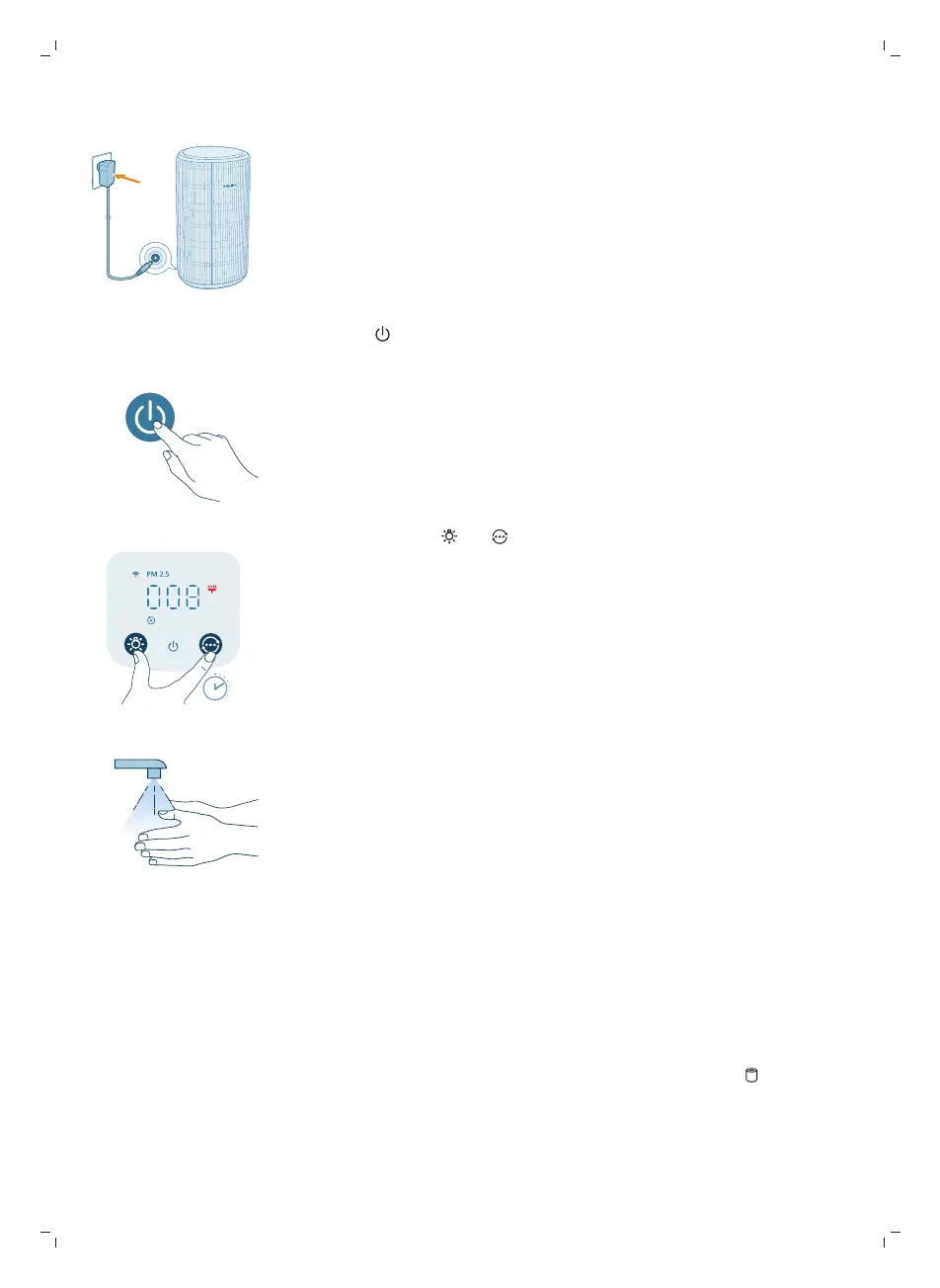
7 Put the adapter of the air purifier in the power socket.
8 Press the button to switch on the appliance.
9 Press and hold the and button for 3 seconds to reset the filter cleaning
time.
-
You can also reset the filter cleaning time via the Air+ app.
-
After the reset is successful, the filter cleaning alert disappears from the
screen.
10 Wash your hands thoroughly after cleaning the filters.
Replacing the filters
Understanding the healthy air protect lock
This air purifier is equipped with a filter replacement indicator to make sure that
the air purification filter is in optimal condition when the air purifier is operating.
When the filters need to be replaced, the filter replacement alert lights up red.
If the filters are not replaced in time, the air purifier will stop operating and
automatically lock to protect the air quality in the room. Replace the filters as
soon as possible.


 To Next Page