13
English
Reset the Wi-Fi connection
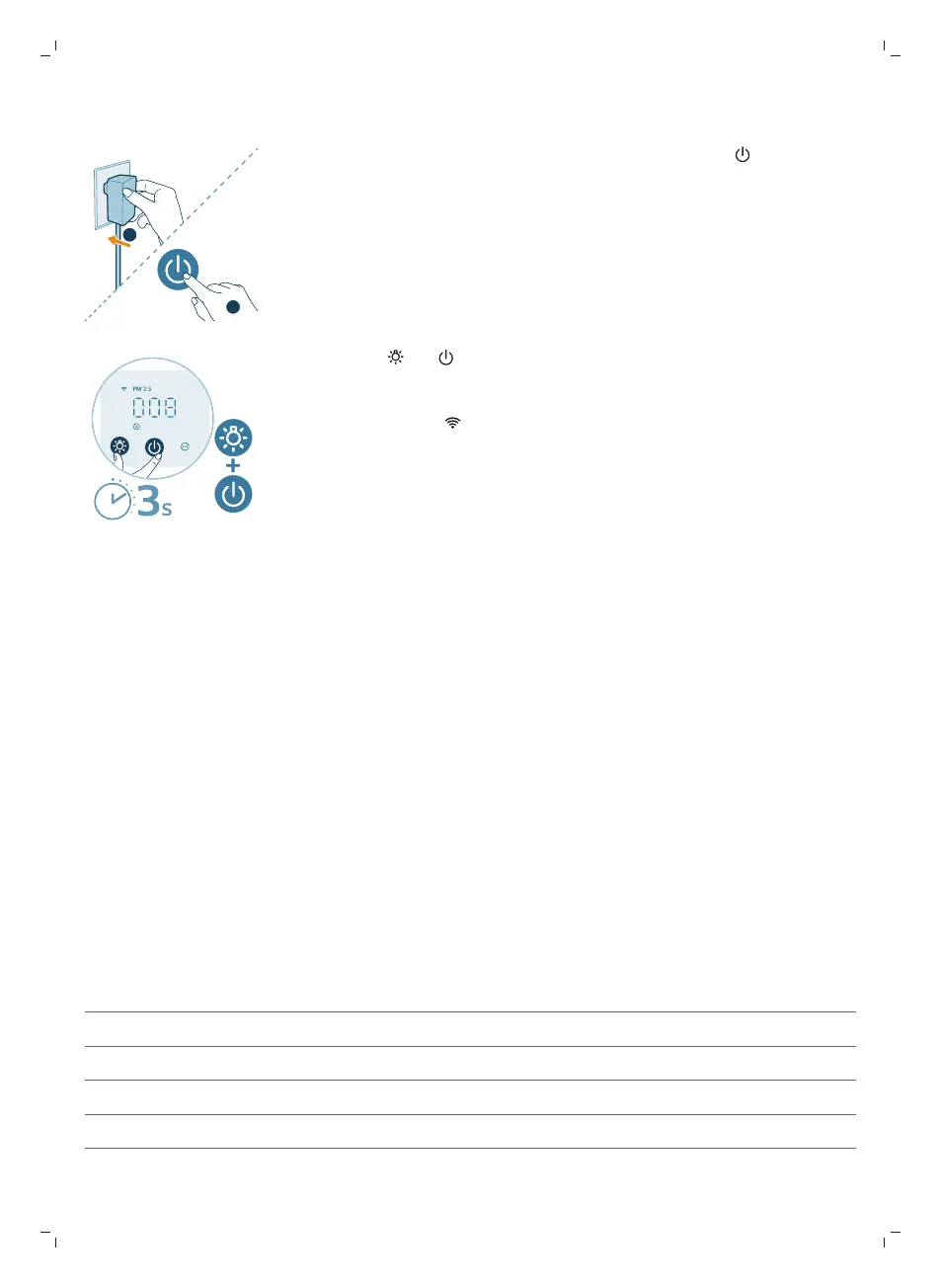
1 Put the plug of the air purifier in the power socket and press to turn on the
air purifier.
2 Long press and button for 3 seconds at the same time until you hear a
beep.
-
The air purifier goes to pairing mode.
-
The Wi-Fi indicator blinks orange.
3 Follow the steps 3-4 in “Setting up the Wi-Fi connection for the first
time”section.
Using the air purifier
Understanding the air quality light
Once turned on, the air purifier will start scanning the air quality. After
approximately 30 seconds, the particle sensor selects the color that corresponds
to the surrounding air quality of airborne particles.
The color of the air quality light is determined by the highest index between
PM2.5 and Gas readings.
PM2.5
AeraSense sensing technology accurately detects and quickly responds to even
the slightest particle change in the air. It provides you with reassurance with real-
time PM2.5 feedback.
Most of the indoor air pollutants fall under PM2.5 – which refers to airborne
particle pollutants smaller than 2.5micrometers. Common indoor sources of fine
particles are tobacco smoke, cooking, burning candles. Some airborne bacteria
and the smallest mold spores, pet allergen and dust mite allergen particles also
fall under PM2.5.
PM2.5 level Air quality color Air quality level
≤12 Blue Good
13-35 Blue-purple Fair
36-55 Purple-red Poor
>55 Red Very poor
Gas


 To Next Page