24
English
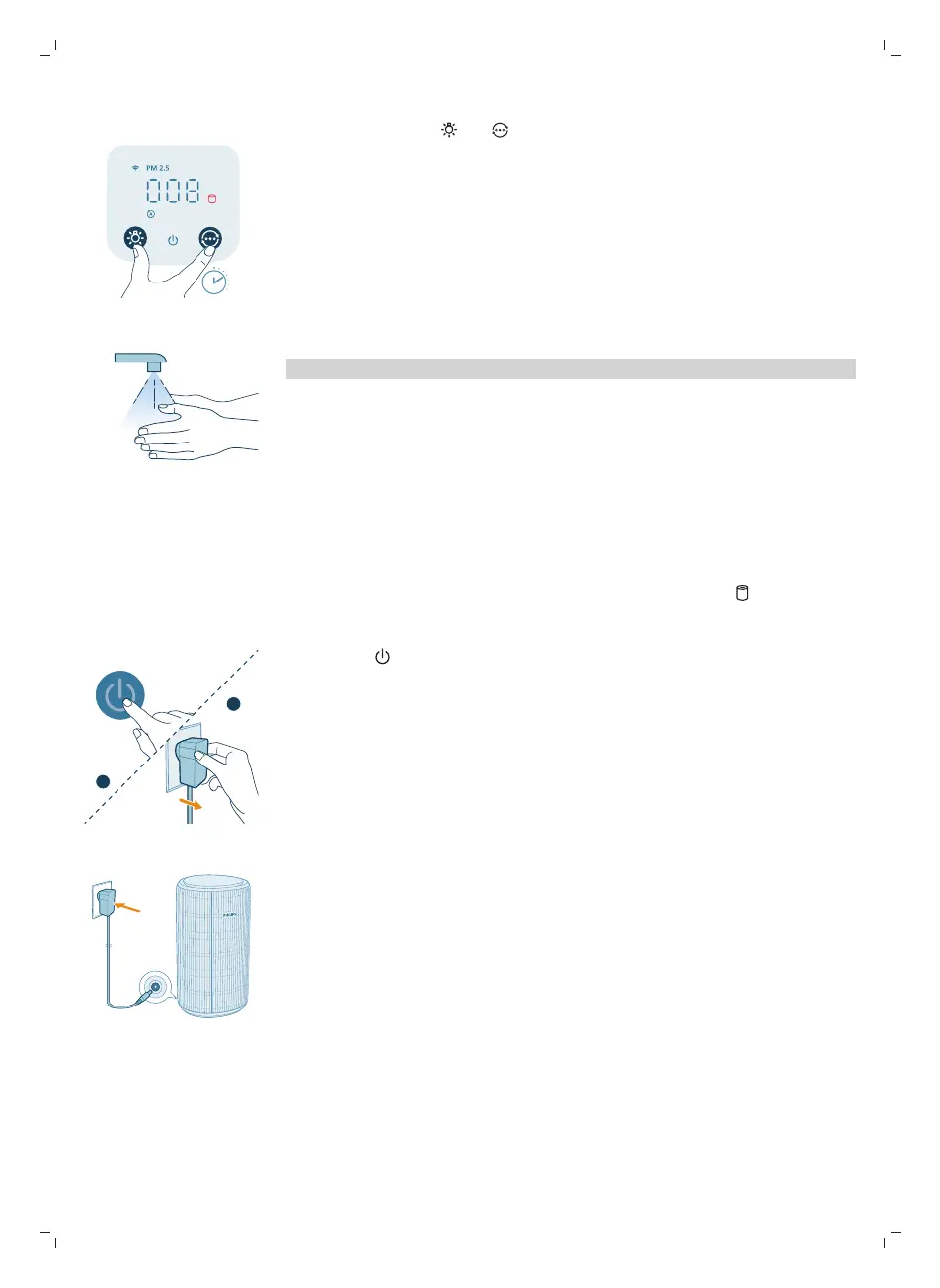
9 Press and hold the and button for 3 seconds to reset the filter lifetime
counter.
-
You can also reset the filter lifetime via the Air+ app.
-
After the reset is successful, the filter replacement alert disappears from
the screen.
10 Wash your hands thoroughly after replacing the filters.
Note: Do not smell the filters as it has collected pollutants from the air.
Filter reset
You can replace the filters even before filter replacement alert ( ) displays on
the screen. After replacing filters, you need to reset the filter lifetime counter
manually.
1 Press the button to turn off the appliance. Unplug the appliance.
2 Make sure the appliance is completely unplugged, Wait for at least 10
seconds before plugging the power adapter into the socket.


 To Next Page