82
Dansk
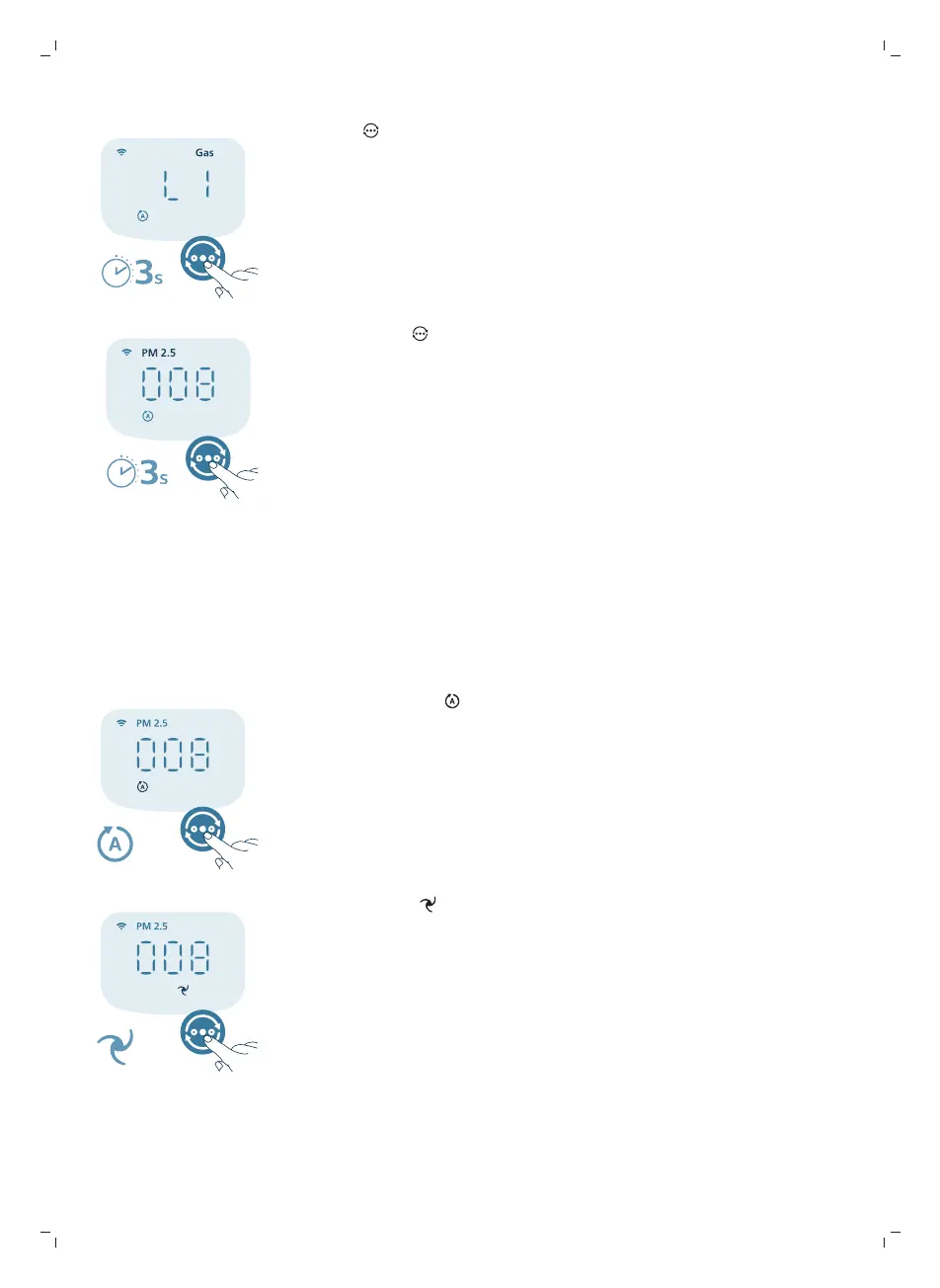
1 Tryk på i 3 sekunder for at skifte visningsindikator til gas.
2 Hold knappen nede igen for at skifte visningsindikatoren tilbage til PM2.5.
Ændring af tilstandsindstillingen
Du kan vælge mellem automatisk tilstand, medium tilstand, turbotilstand
eller søvntilstand ved at trykke på knappen til skift af tilstand. Yderligere
driftstilstande kan vælges i Air+-appen.
Automatisk tilstand ( ): Luftrenseren justerer automatisk blæserens
hastighed i henhold til den omgivende luftkvalitet.
Medium tilstand ( ): I medium tilstand kører luftrenseren på medium
hastighed.


 To Next Page