
 Need help?
Do you have a question about the Philips Alpha-V-5HWS and is the answer not in the manual?
Crucial safety precautions and guidelines for using the Philips EasyKey smart lock to prevent damage or injury.
Important warnings and precautions to prevent product damage, electrical hazards, or voiding the warranty.
Step-by-step guide for the physical installation of the Philips EasyKey smart lock onto the door.
Information on managing user codes, including PINs, fingerprints, and key tags for access control.
Procedure to access and operate the master mode for advanced settings and user management.
How to add new user PIN codes, fingerprints, or key tags to the Philips EasyKey system.
Guide to modifying the master PIN code for enhanced security and personalized access.
Instructions for enrolling or updating a master fingerprint for system access and administration.
Pairing the smart lock with the mobile app using a QR code scan for quick setup.
Methods for unlocking the door from the exterior using PIN code, fingerprint, or key tag.
Methods for unlocking the door from the interior using the rotary knob or the functional button.
Explains various alerts like unlocking from inside under forced lock mode and how to manage them.
How the system alerts for low battery and provides instructions on replacing the batteries.
Procedure to power the lock using a 5V power bank via micro USB during emergencies or system crashes.
Step-by-step instructions for safely replacing the internal lithium battery of the Philips EasyKey.
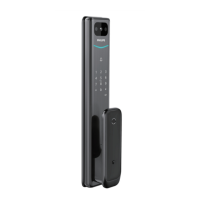
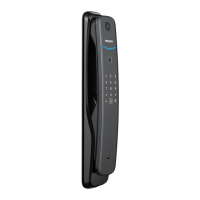
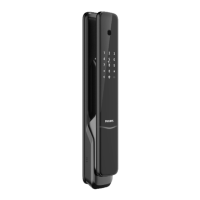
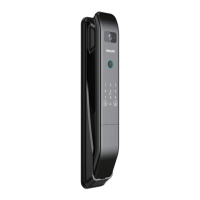
The Philips EasyKey Alpha-V-5HWS is a smart video door lock designed for enhanced security and convenience. It offers multiple unlocking methods, advanced security features, and smart home integration capabilities.
The EasyKey Alpha-V-5HWS serves as a comprehensive smart door lock system. It provides secure access control through various authentication methods, including PIN codes, fingerprints, key tags, and mechanical keys. The lock also features a built-in camera for video intercom and motion sensing, allowing users to monitor their doorstep remotely. It supports both general mode and dual verification mode for unlocking, offering flexibility based on security preferences.
Unlocking from Outside:
Unlocking from Inside:
Locking from Outside or Inside: The latch bolt automatically pops up when the door is closed, accompanied by a "Door Close" voice prompt, indicating successful locking.
Interior Lockout: When the door lock is locked, long-pressing the [CLOSE] button activates the "inside deadlock enabled" mode. In this mode, the front escutcheon locks up, and all operations from the front escutcheon are disabled. Master PIN code verification or mechanical key opening is required to release the door from interior lockout.
Unlock with Mechanical Key: In emergencies (e.g., dead battery, forgotten PIN code, or system malfunction), a mechanical key can be used. The key is accessed by cutting the mechanical box and pushing aside its cover. The key is inserted vertically into the keyhole, turned 90° towards the handle, then twisted 180° clockwise to align the key shell parallel to the horizontal plane. Finally, the key cover is rotated horizontally in the direction of the handle to unlock. It is recommended to use mechanical keys only in emergencies.
Other Functions:
System Settings:
App Pairing Guide: The Philips EasyKey Plus app facilitates integration. Users can pair the lock via QR code scanning (found on the battery cover) or manual operations. The lock is compatible with 2.4 GHz Wi-Fi routers, and a distance of less than 10 meters between the lock and router is recommended for optimal connectivity.
Indicators Meaning and Usage:
Charging EasyKey in an Emergency: If the battery voltage is low and the door cannot be opened from outside, a 5V power bank can be plugged into the micro USB interface to power up the lock. After unlocking, the battery should be replaced immediately. If the system crashes, powering it with a 5V power bank will automatically reboot it.
Replacing Batteries: The Philips EasyKey is powered by a 5000mAh lithium battery located in the upper part of the rear escutcheon. To replace it, push the battery cover upward, remove it, and insert the new battery.
Charging Lithium Battery: The lithium battery can be removed from the door lock and charged via a charging cable. The charge cut-off voltage for the lithium battery is 5V. A poor network connection can increase power consumption, leading to faster battery drain.
Troubleshooting Alerts:
 General
| Brand | Philips |
|---|---|
| Model | Alpha-V-5HWS |
| Category | Door locks |
| Language | English |





 To Next Page